SmartThings Family Care is a caregiving feature within the SmartThings app that helps caregivers remotely monitor a care recipient’s activity, location, medication schedules, and appointments. It connects information from compatible Samsung and SmartThings devices and lets the care recipient control what gets shared. Family Care works in more than 200 countries. For the newest additions to this feature, see our companion article, SmartThings Family Care Adds Care on Call and Now Brief, covering the April 2026 update.
SmartThings Family Care at a Glance
| Capability | What It Does | Primary Use |
| Activity notifications | Flags when a care recipient starts their day | Passive daily check-in |
| Medication and appointment reminders | Displays scheduled reminders on Galaxy phones or Samsung TVs | Adherence tracking |
| Location-based alerts | Notifies a caregiver on arrival at or departure from a set place | Confirming errands or appointments |
| Samsung Health integration | Pulls in wake-up times and step counts | Health-driven activity picture |
| Role-based sharing | Lets a care recipient choose what data is shared | Privacy and autonomy |
Who Is SmartThings Family Care Built For?
One in three adults in the United States provide some form of care to a loved one, according to the Mayo Clinic. Family Care targets that group directly: caregivers managing a parent’s medication schedule, checking in during the day, or coordinating doctor visits from a distance.
The Mayo Clinic’s research on caregiver stress also links unmanaged caregiving to higher rates of burnout, sleep disruption, and anxiety among caregivers themselves. That’s part of the reason why SmartThings built Family Care to support the caregiver’s peace of mind, not just the care recipient’s safety.
How Does SmartThings Family Care Protect a Care Recipient’s Privacy?
Family Care runs in two modes. A caregiver can monitor device activity, get alerts, track location, and manage reminders, but only for what the care recipient has chosen to share.
Activities, locations, and events live in separate tabs, so sharing is granular rather than all-or-nothing. A fully independent parent might share only appointment reminders, while a parent in early cognitive decline might share a fuller activity picture. Family Care doesn’t force every user into the same level of disclosure, and control stays with the care recipient, whether that’s an aging parent or another loved one.
How Do You Set Up Family Care for Someone Who Isn’t Comfortable With Apps?
The caregiver sends a single invitation link with guided onboarding. That link works even if the care recipient has never used a smart home app before.
How Does Family Care Help Check on Aging Parents Remotely?
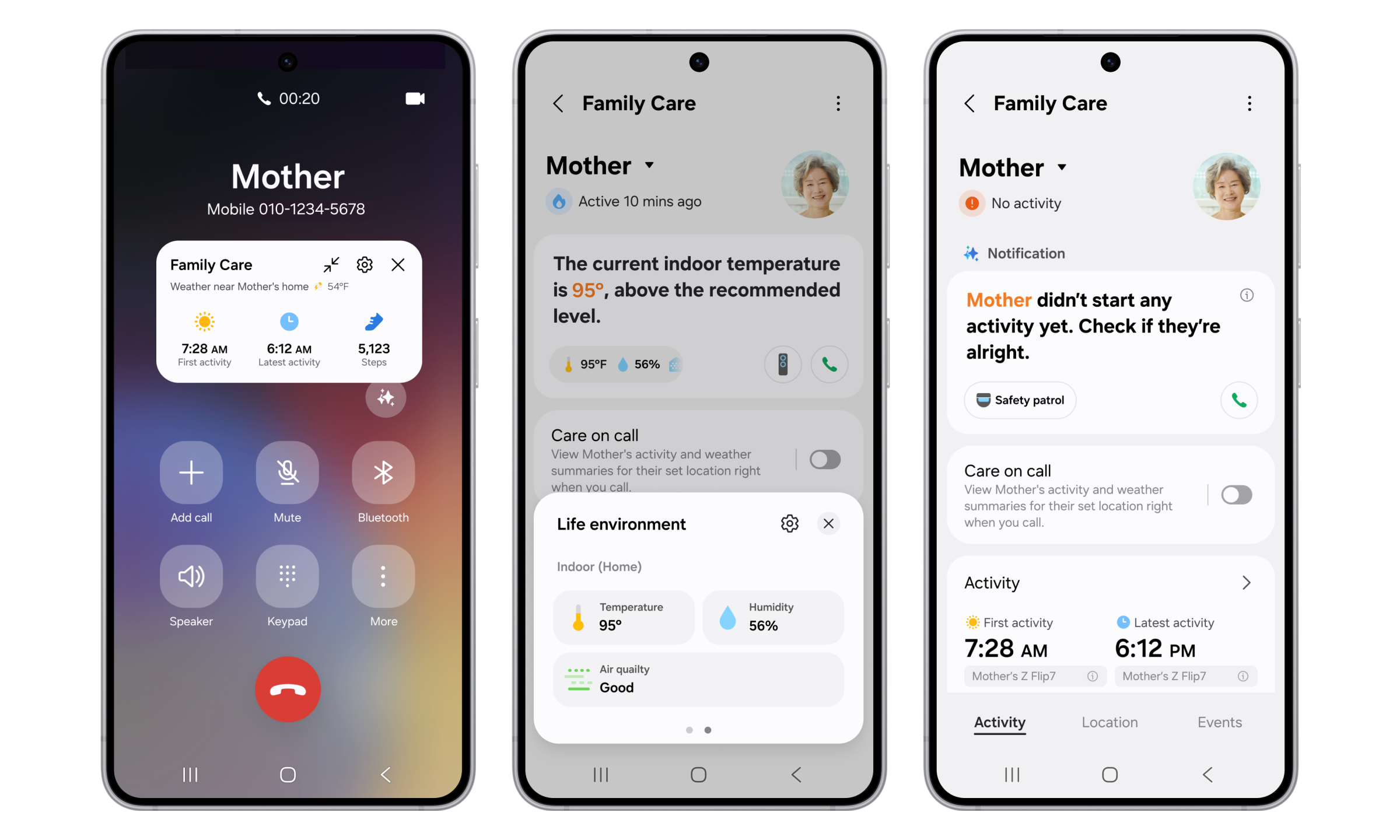
Family Care watches for activity signals, like a TV or appliance turning on, and lets a caregiver set custom inactivity thresholds. The April 2026 update added Safety Patrol, which can dispatch a camera-equipped robot vacuum to check the home; see our companion article, SmartThings Family Care Adds Care on Call and Now Brief, for how that works.
Family Care also has an optional integration with Samsung Health, adding wake-up times, and step counts on top of the activity signal Family Care already picks up from everyday phone and appliance use, like unlocking a Galaxy phone or moving around the house. Connecting Samsung Health isn’t required to see basic activity; it simply adds more precise step count and sleep data. Combining appliance-based activity signals with phone-based activity means a caregiver isn’t relying on a single signal type: a parent who’s active on their phone but hasn’t opened the refrigerator by mid-morning presents a different picture than one where both signals are quiet.
Why Combine Health Data With Home-Device Data?
Either signal alone has a weakness. Home-device activity alone can miss a parent who’s awake and fine but simply had a quiet morning at home. Phone-based activity alone can miss a parent who’s moving around the house but left their phone charging in another room.
Family Care combines both signals to answer that weakness directly. A caregiver gets a fuller picture by cross-referencing appliance use with phone-based activity signals, rather than trusting either source alone. Connecting Samsung Health adds even more precise step count and sleep data on top of that, though it isn’t required for the basic picture.
What Tools Help Caregivers Monitor Medication Adherence Remotely?
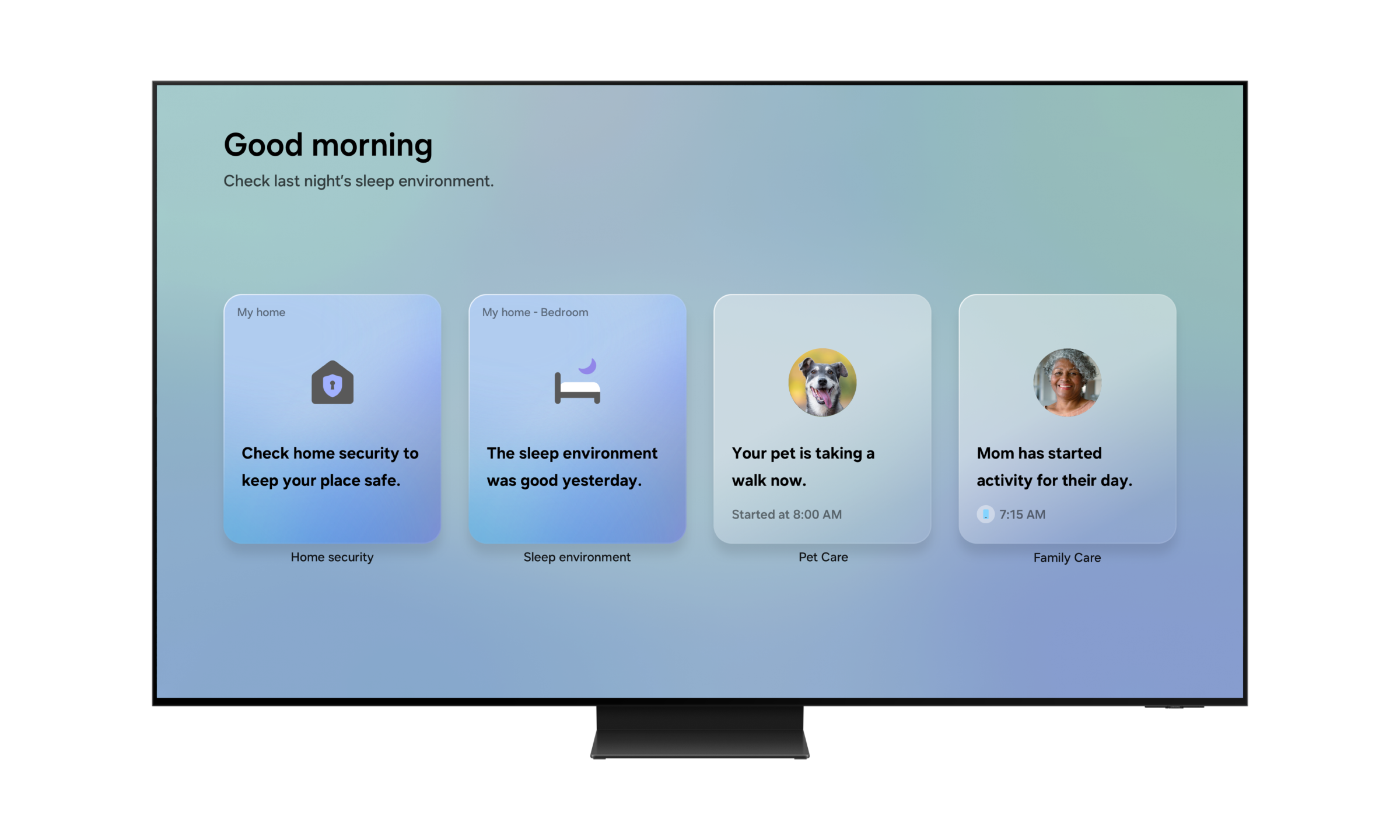
SmartThings Family Care lets caregivers schedule reminders for medications and appointments, with room to add a note for things like a blood pressure or glucose check Reminders display directly on Galaxy smartphones or Samsung TVs, so nothing important gets missed.
Family Care also sends location-based alerts when a care recipient arrives at or leaves a specific place, like a doctor’s office or pharmacy, so a caregiver can confirm an appointment happened without a phone call. A newer “Not Present at Time” notification also alerts a caregiver if a care recipient hasn’t arrived at a scheduled location by a set time, catching a missed appointment rather than just confirming a completed one.
Is SmartThings Family Care Available Outside of the USA?
Yes. Since 2025, Family Care has expanded to more than 200 countries. It isn’t limited to the United States, which matters for families where the caregiver and care recipient live in different states, a pattern that’s grown more common as adult children increasingly move away from aging parents. (Because a caregiver and care recipient must share the same Samsung Account region, this pairing works across states within a country, not across countries.)
How Can Caregivers Reduce Burnout While Managing a Busy Household?
Family Care can reduce some of the manual checking caregiving requires by consolidating activity, medication, location, and reminder information in one place.
Instead of relying on memory or separate check-ins across medication, safety, and daily contact, caregivers get a single set of notifications and can check a recipient’s status at a glance rather than relying only on incoming alerts, cutting down on the mental load of tracking several things at once. This reduces the constant checking rather than adding another task to a caregiver’s list.
How Do You Set Up SmartThings Family Care?
The setup takes a caregiver only a few minutes and front-loads the technical steps onto the caregiver rather than the care recipient:
- The caregiver opens the SmartThings app and goes to the Life tab, where Family Care lives alongside other lifestyle services.
- The caregiver creates an invitation link for the care recipient and selects their role (care recipient) at this step.
- The care recipient opens the link on their own phone, which walks them through guided setup. If they don’t already have the SmartThings app, the link takes them straight to download it, which is simpler than a typical app-store search, and if they don’t have a Samsung Account, as is often the case for iPhone users, a quick account-creation step is included. Most Galaxy users skip both steps entirely, since they already meet the requirements.
- Once linked, the care recipient chooses what activity, location, and health data to share, and the caregiver’s app populates with whatever’s enabled.
- From this point on, the caregiver can add shared reminders for medications, appointments, and family events, which the care recipient can view on their own device.
Notification timing varies by feature. Activity notifications, like a loved one starting their day, and location-based alerts arrive immediately. Longer-term trend comparisons are also available; see our companion article on that update for how they work.
Can IKEA Matter Sensors Work With SmartThings Family Care?
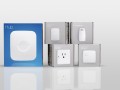
Yes. Family Care can also draw activity signals from compatible third-party Matter devices, not just Samsung hardware. Compatible devices include mobile phones and tablets; Samsung TVs, water purifiers, robot vacuums, refrigerators, washers, dryers, cooktops, and ovens; and multipurpose, contact, motion, and door lock sensors, including IKEA versions of those sensors where they’re available in SmartThings. For example, an IKEA door sensor attached to a frequently used door can flag when a care recipient starts their day; see our companion article on IKEA’s Matter-over-Thread devices and SmartThings for the full list of compatible sensors.
What Everyday Tools Are Inside Family Care?
Alongside the features already described, Family Care includes a few standing tools built for daily use rather than a single crisis moment:
- Activity notifications that flag when a loved one starts their day, using signals like a Galaxy phone unlock, without a constant check-in call.
- Medication and appointment reminders that display directly on Galaxy smartphones or Samsung TVs.
- Location-based alerts that notify a caregiver when a care recipient arrives at, leaves, or fails to arrive at a specific place by a set time, such as a doctor’s office or pharmacy.
- Reminders for family gatherings, special events, and routine check-ins that the caregiver can set and both sides can see.
How Do Family Care’s Two Roles Compare?
| Capability | Caregiver View | Care Recipient View |
| Activity monitoring | Can see shared activity signals | Chooses what activity data is shared |
| Location tracking | Can see shared location and alerts | Chooses whether to share location data |
| Reminders | Can set medication and appointment reminders | Receives reminders on their own device |
| Data control | Sees only what’s been shared | Controls what gets shared with caregivers |
Family Care is available for download through the Life tab in the SmartThings app. This is a great way to integrate technology so that it supports, not replaces, the human connection at the center of caregiving.
Can SmartThings Family Care Replace a Medical Alert System?
No. SmartThings Family Care is designed for caregiving awareness and remote monitoring, not as a replacement for emergency medical monitoring. A traditional medical alert system is typically a standalone wearable built around a single emergency button or fall sensor. Family Care instead layers activity, location, health, and reminder data across devices a family may already own.
SmartThings Family Care: Compatibility and Limitations
Account and hub requirements. Family Care is a free feature inside the SmartThings app, available from the app’s Life tab. It doesn’t require a separate hub purchase to use its core reminder and notification features, though a hub can extend which devices’ activity it draws on.
Data sharing controls. See the privacy section above for how sharing is structured.
Non-Samsung phone limitation. Family Care is available across both Android and iOS operating systems, opening the opportunity to all families, though feature precision can vary by device: activity detection is most precise on a Galaxy phone, so some alerts may be limited on other phones.
Curious to see it in action? Open the Life tab in the SmartThings app and give Family Care a try. That’s how you “Do the SmartThings” for the people who matter most.
Popular Tags
Subscribe for more articles like this!
Your email address
[contact-form-7 id="831e457" title="Contact form"] You may opt-out at any time. Privacy Policy.Learn more about becoming a SmartThings partner.
Work With Us
Inspire the world and create the future of IoT at SmartThings.