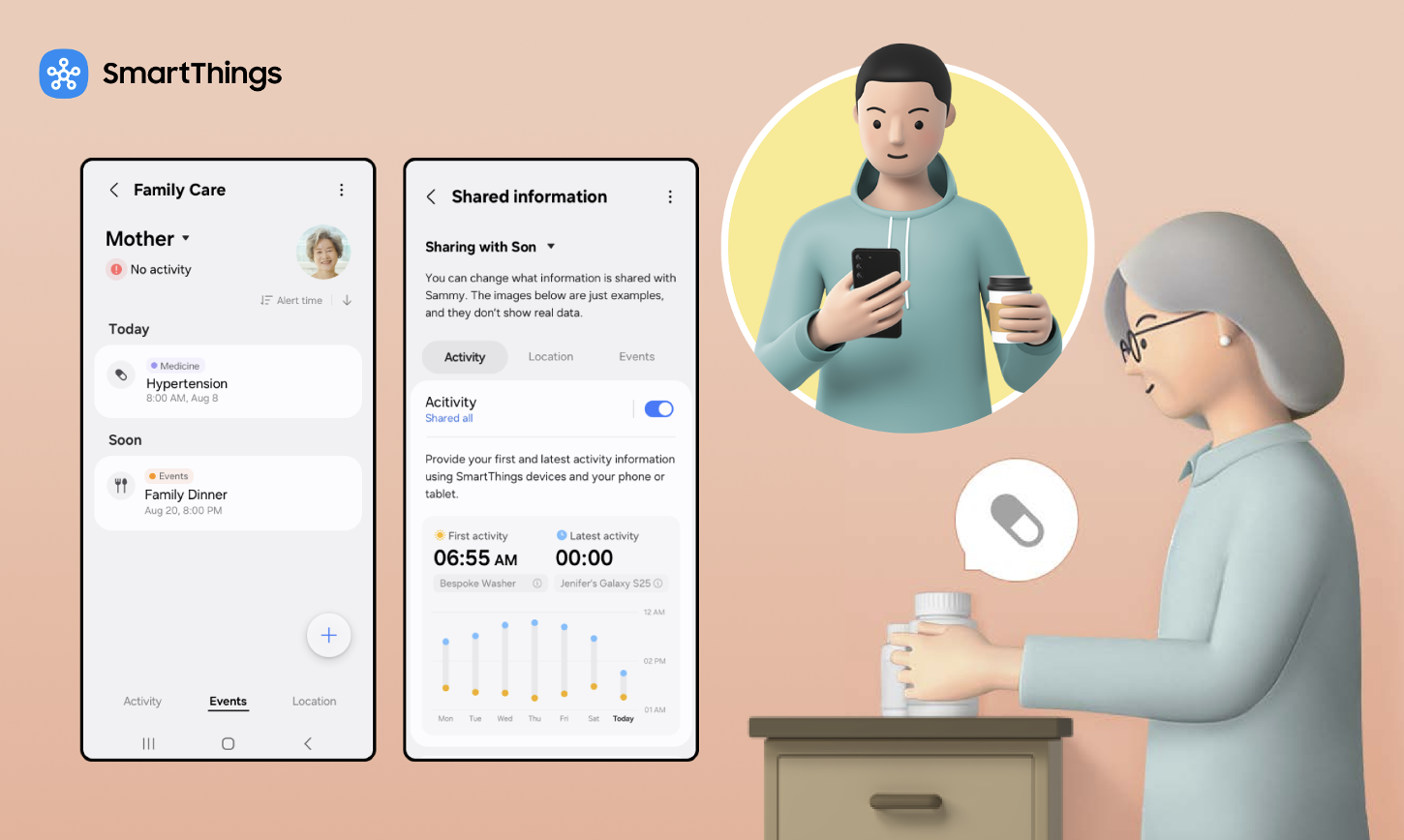
Samsung SmartThings Family Care is a feature that lets a caregiver track a care recipient’s daily activity, medication schedules, and location, all from the SmartThings app. Now Brief is a personalized daily briefing service on Galaxy phones that pulls together home, health, and family status into one screen.
In its most recent update, SmartThings added new features to Family Care: Care on Call, a pop-up that shows a care recipient’s recent activity and local weather before a caregiver’s call connects and stays visible during the call; and Safety Patrol, which sends a camera-equipped robot vacuum to check on a care recipient after a period of inactivity. This article covers how each of the two works. For the base version of Family Care, including its global availability and role-based design, see our companion article, What Is SmartThings Family Care and How It Works.
SmartThings Family Care Features at a Glance
| Feature | What It Does | Primary Use |
| Care on Call | Shows recent activity and weather before a call | Remote check-ins |
| Safety Patrol | Sends a camera-equipped device, such as a robot vacuum, to check the home | Checking prolonged inactivity |
| Now Brief | Consolidates Family Care and smart-home information | Daily overview |
Why Does This Update Matter for Caregivers?
One in three adults in the United States provide some form of care to a loved one, according to the Mayo Clinic. Many are also raising children or holding a full-time job at the same time, leaving little spare attention for anything beyond the basics.
For this group, the biggest caregiving cost often isn’t money, it’s attention: the mental habit of checking in “just in case,” even when nothing is wrong. This update targets that cost directly, replacing routine check-in calls with passive, ongoing awareness.
How Can I Check on My Elderly Parent Without Calling Every Hour?
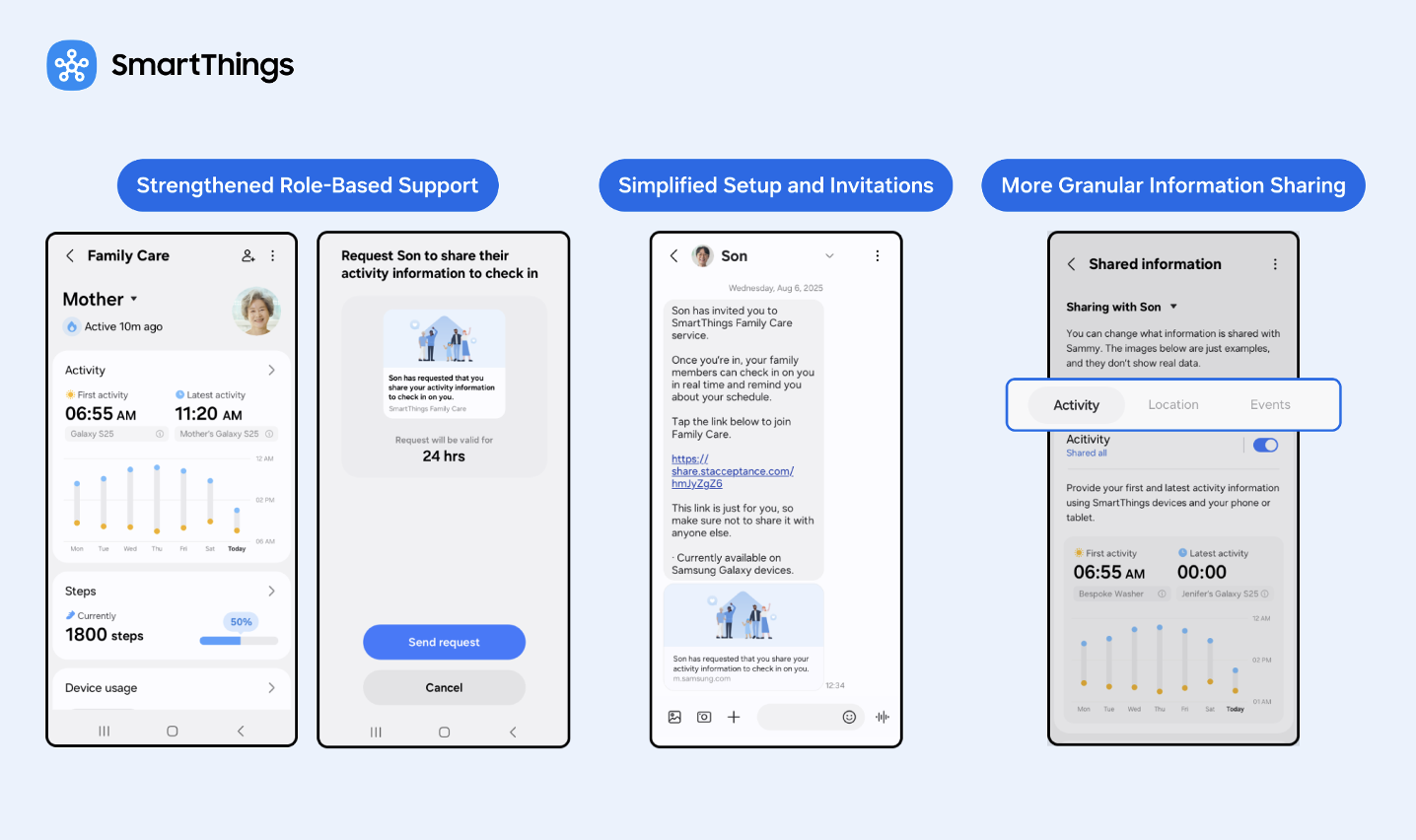
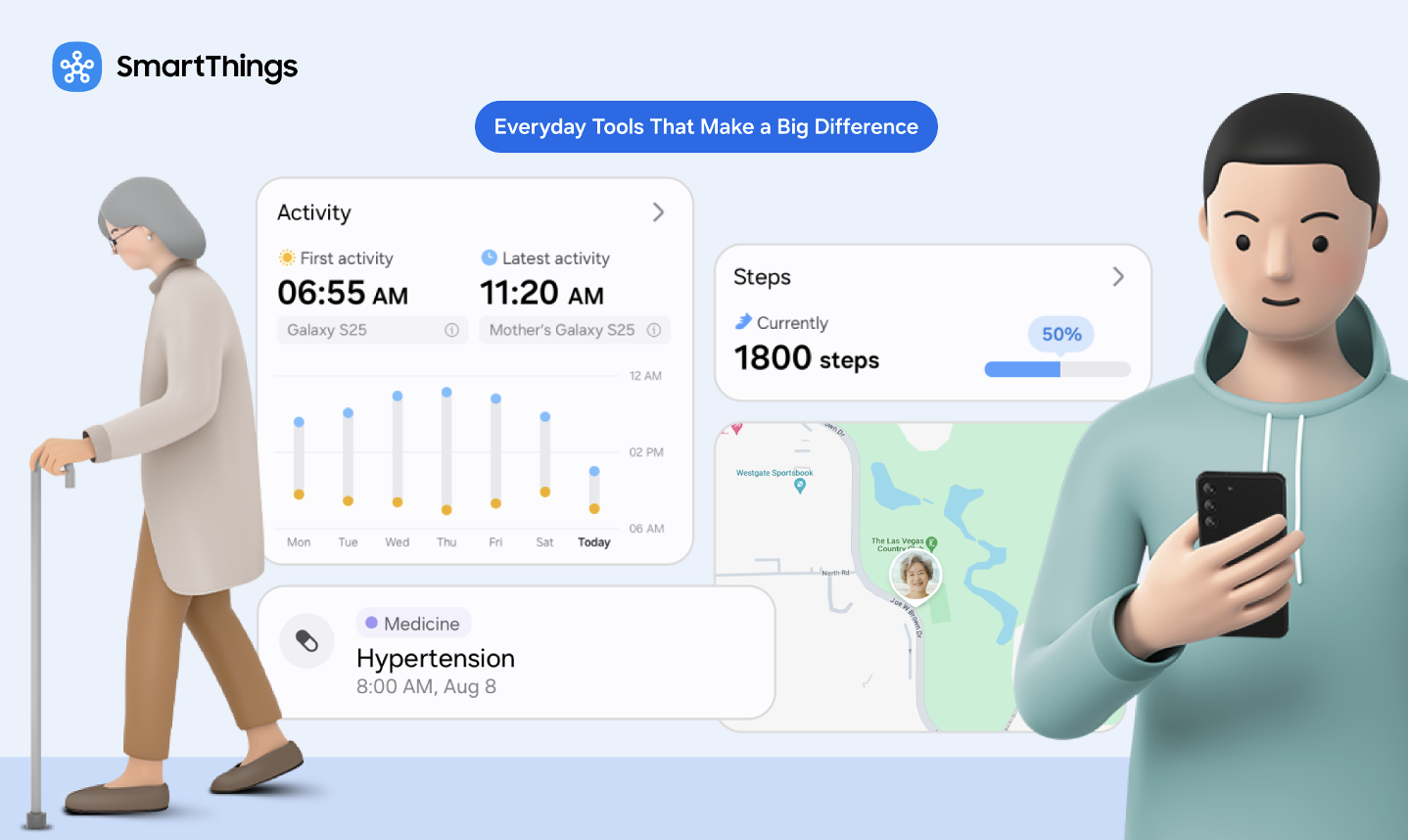
Care on Call is built for exactly this. When a caregiver calls a care recipient through the SmartThings-linked phone, a pop-up appears before the call connects and stays on screen while the caregiver is talking, not only in the moment before it connects. It shows the time of the care recipient’s first activity that day, their most recent activity, and the local weather.
SmartThings gives the caregiver context for the call instead of starting cold, cutting down on the routine “just checking in” calls that make up so much caregiving overhead.
Care on Call requires a Galaxy smartphone running One UI 8.5 or later. The feature activates on a standard cellular call between two linked SmartThings accounts, not a VoIP call placed through a messaging app.
How Do You Set Up Care on Call?
A caregiver sets up Care on Call the same way they set up the rest of Family Care: by linking a care recipient’s account through the SmartThings app’s Life tab, then confirming the caregiver’s device runs One UI 8.5 or later. Once linked, the caregiver turns on Care on Call one time from the Activity tab, below Care Insight — after that, the pop-up appears automatically before any qualifying call, with no need to toggle it on again per call.
How Can SmartThings Help Check on an Elderly Parent Who Isn’t Responding?
This is what Safety Patrol is for, though the mechanism is worth spelling out. If SmartThings detects no activity from the care recipient for a set period, it notifies the caregiver. The caregiver can then remotely send a compatible robot vacuum, such as Samsung’s Bespoke AI Jet Bot Steam Ultra, to patrol the house. (The newest Jet Bot Steam Ultra model is currently available in Korea; earlier Jet Bot models remain available in the US.)
Beyond routine cleaning, the Jet Bot Steam Ultra carries a front-facing camera, a speaker, and a microphone. That’s what turns it into a mobile check-in tool rather than only a cleaning appliance: the camera lets the caregiver look for a person who may be incapacitated, and the speaker and microphone allow two-way talk, unlike a fixed security camera that only watches one spot.
Remote control only works if the caregiver has already been set up with remote-control permissions for that device.
Does SmartThings’ Family Care Feature Include Fall Detection?
No, not in the sense of a dedicated fall sensor or wearable. Family Care detects prolonged inactivity and lets the caregiver dispatch a robot vacuum with a camera to check visually. It can’t distinguish “fell and needs help” from “napping” or “stepped out,” which is why the visual check step exists.
Caregivers who need immediate fall-impact detection should treat this as a complement to, not a replacement for, a dedicated fall-detection wearable.
What Tools Help Caregivers Monitor Medication Adherence Remotely?
Family Care sends notifications for medication schedules and hospital or appointment visits, along with location-based alerts when a care recipient arrives at or leaves a set place like a pharmacy.
Together, a caregiver gets two layers of information instead of one: a same-day reminder that a dose is due, and through Care on Call, a same-call summary of what’s happened since the last check-in.
Which Samsung TVs and Refrigerators Support Now Brief?
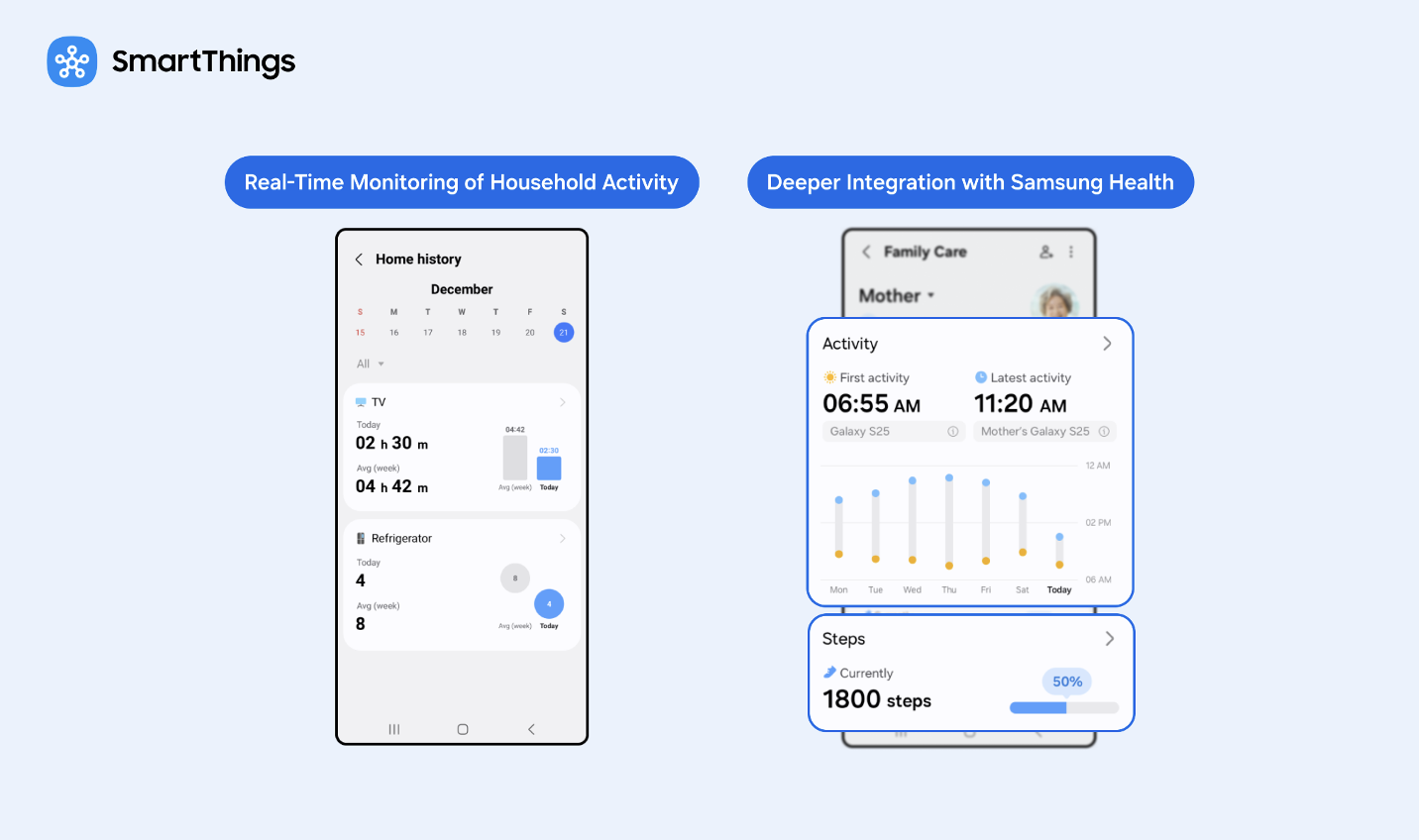
Now Brief is expanding from Galaxy phones to Samsung TVs launched in 2024 or later and Family Hub refrigerators launched in 2021 or later, rolling out in phases. On those screens, Now Brief opens automatically when a user approaches the TV or touches or opens the Family Hub refrigerator, if they’ve set that up in advance.
With the Galaxy S26 series, Now Brief adds Home Security, Family Care, and Pet Care information to its existing Home Insight, Energy, and Sleep Environment Report sections.
How Does Family Care Compare to Manual Caregiving Habits?
| Caregiving Task | Manual Approach | Family Care Approach (April 2026) |
| Checking a parent is awake and active | Call or text every morning | Passive activity notification, reviewed in Care on Call before and during any call |
| Confirming a parent took medication | Ask directly, or trust a pillbox | Scheduled reminder |
| Checking on a parent who isn’t answering | Drive over or call a neighbor | Safety Patrol dispatches a camera-equipped robot vacuum |
Does SmartThings Support Two-Way Audio for Checking In Remotely?
Yes, but with some conditions. Live Talk through the Safety Patrol robot vacuum only activates when its camera finds a person, upright or fallen; if no one is found, the robot returns to its station without offering Live Talk. When it does activate, the built-in speaker and microphone let a caregiver talk to and hear the care recipient, on top of the camera feed. If the caregiver has turned the microphone off, Speaker and Record still run silently — a toast notification appears, but no audio plays or records.
Does SmartThings Offer a Caregiver or Family-Sharing Mode?
Yes. Family Care is built around a caregiver role and a care-recipient role from the ground up, not added on top of a single shared account. The caregiver side gets monitoring, alerts, and remote controls like Safety Patrol; the care-recipient side controls what gets shared.
Our companion article, What Is SmartThings Family Care and How It Works, covers how the two roles are set up in full.
Is SmartThings Family Care Available Outside of Korea and the USA?
Family Care is available in more than 200 countries; see our companion article, What Is SmartThings Family Care and How It Works, and how it applies to these new features.
What Does Samsung Say About This Update?
Jaeyeon Jung, Executive Vice President and Head of the SmartThings Team at Samsung’s AI Platform Center, said the update is meant to extend SmartThings’ role in connecting customers’ daily lives with AI, according to Samsung’s official announcement.
Samsung is building this around long-distance caregiving as part of a wider push to weave AI across its television, appliance, and mobile lines, rather than as a standalone product. These updates apply that strategy specifically to caregiving, an area that is continuing to grow globally.
For ongoing company announcements beyond this feature, please visit the Samsung Newsroom.
Where Is Family Care Headed After This Update?
Reading the two additions together, a pattern emerges: each one replaces a manual caregiving habit with a passive one. Care on Call replaces the cold check-in call with a pre-loaded summary. Safety Patrol gives caregivers a way to investigate prolonged inactivity remotely. Neither requires the care recipient to do anything different day to day.
SmartThings Family Care: Compatibility and Limitations
Care on Call device requirements. Care on Call requires the caregiver’s device to be a Galaxy smartphone running One UI 8.5 or later. It works over a standard cellular call between two linked SmartThings accounts, not an internet or VoIP call, and Samsung’s source material doesn’t describe a way to enable it for calls placed through a messaging app.
Regional and model-year availability. Now Brief’s expansion to Samsung TVs and Family Hub refrigerators requires a 2024-or-later TV or a 2021-or-later Family Hub refrigerator. Samsung hasn’t given exact regional rollout dates for that expansion. Family Care itself has been available in more than 200 countries since September 2025.
Now Brief device compatibility. The expanded version of Now Brief, including Home Security, Family Care, and Pet Care content, arrives with the Galaxy S26 series. This feature will be rolled out to TVs, Refrigerators and Appliances in 2026.
Want the fuller picture? Read our companion article about how Family Care works day to day, then open the Life tab in the SmartThings app to set it up. Do the SmartThings for the people you’re looking out for.
Popular Tags
Subscribe for more articles like this!
Your email address
[contact-form-7 id="831e457" title="Contact form"] You may opt-out at any time. Privacy Policy.Learn more about becoming a SmartThings partner.
Work With Us
Inspire the world and create the future of IoT at SmartThings.