Recent Articles

October 23, 2026

How to Control Your Samsung TV From Your Phone With SmartThings

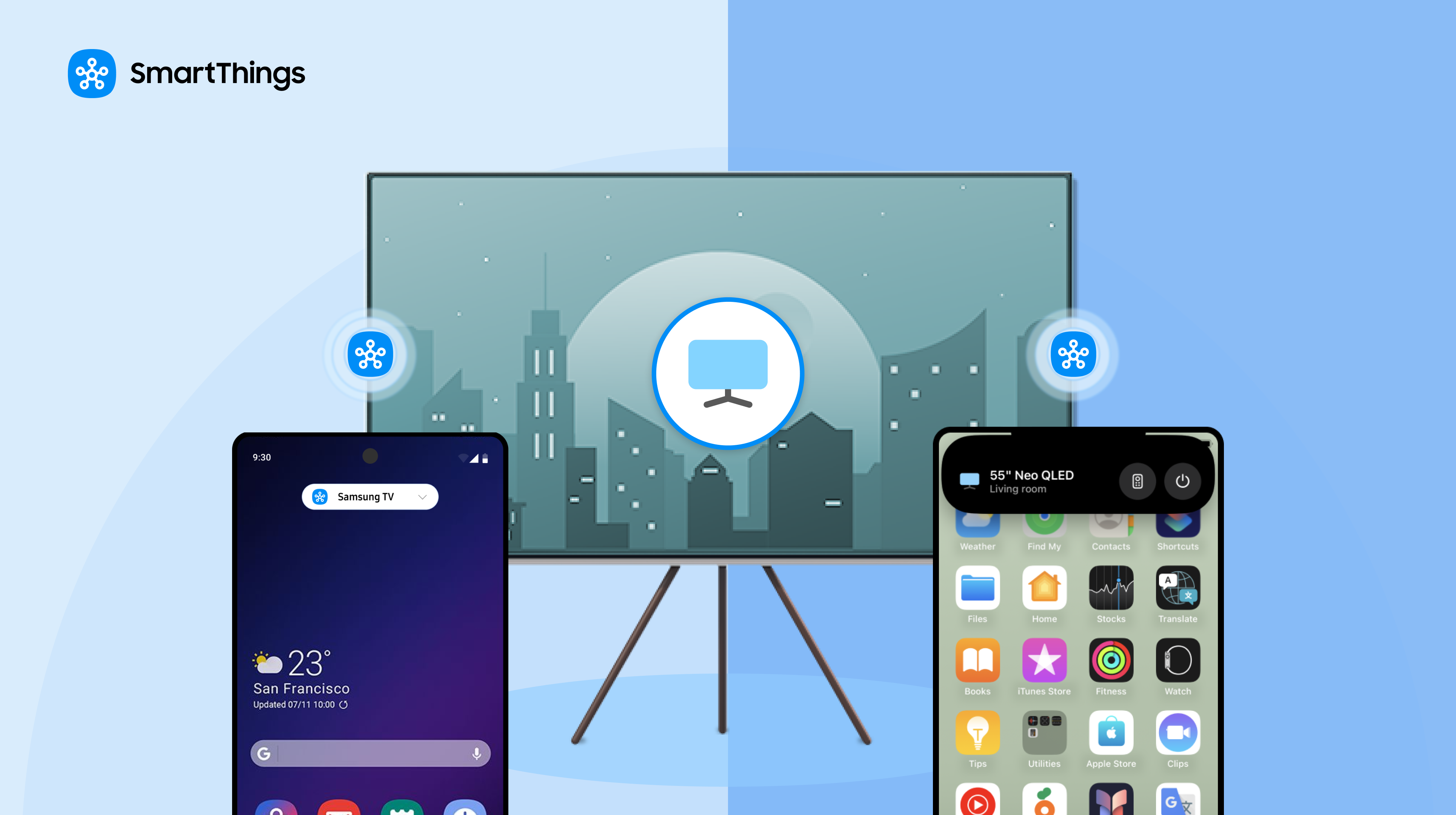
The SmartThings app turns a phone into a remote for a connected Samsung TV, with Quick remote available from the phone's notification screen or Dynamic Island. Invite member lets a user share control of specific devices with family or guests through a QR code, without handing over the phone itself. A lost remote is a small, recurring annoyance rather than a real problem, which is exactly the kind of thing SmartThings is built to remove: instead of a new device to misplace, the remote lives inside an app already on the phone.  SmartThings TV Remote Features at a Glance FeatureWhat it doesAvailable onPhone as remoteControls a connected Samsung TV from the SmartThings appiOS and AndroidQuick remoteOpens the remote from the notification screen or Dynamic IslandGalaxy (notification screen), iOS (Notification Center or Dynamic Island)Invite memberShares control of specific devices via a QR codeiOS and Android How Do You Connect a Samsung TV to the SmartThings App? Download the SmartThings app, then connect the TV with these steps: 1.               Open the SmartThings app and tap the "+" button in the top right corner. 2.               Select Add device under Samsung devices, then tap TV. 3.               Make sure the Samsung TV is on and near the phone or tablet. 4.               Select the TV and enter the PIN displayed on screen. Once connected, the TV can be controlled from the app. How Do You Use Your Phone as a Samsung TV Remote? Open the SmartThings app and tap the TV tile, with the TV turned on. In the bottom panel, tap Remote to open the on-screen remote. Swiping left or right in the middle panel navigates between different remote buttons; for volume specifically, the phone's own volume up/down buttons work instead of an on-screen control. The same app can extend that same phone-as-remote idea to other connected devices, including Samsung washers and dryers, so a household isn't learning a separate control method for every appliance. Can You Access the Remote Without Opening the App Fully? Yes. The remote can be reached directly from the notification screen on a Galaxy device, or from the Notification Center or Dynamic Island on iOS devices, without navigating into the full SmartThings app first. Can You Share TV Control With Family or Guests? Yes, through a feature called Invite member. Rather than handing over the phone itself, a user can generate a QR code that gives someone else access to specific devices in the home, and that person can even set up their own routines once connected. To share access: Open the SmartThings app and tap the location drop-down menu to select the relevant location. Tap the QR code sharing button in the top left corner. Optionally, tap "Access level" to choose full access or specific devices, and set how long that access lasts. The invitee scans the QR code with their own phone to join. Why Share Access Instead of Just Handing Over the Phone? Sharing device access allows a guest to use their own phone rather than borrow yours. This can be useful when a visitor needs TV controls while you keep your phone available for calls, messages or other tasks. SmartThings TV Remote: Compatibility and Limitations Platform support. The SmartThings app and its TV remote features are available on both iOS and Android. Setup proximity. Initial pairing requires the Samsung TV to be on and physically near the phone or tablet being used to connect it. QR code expiration. Each Invite member QR code is available to only one person at a time and expires after five minutes, as a security measure. A new code needs to be generated for each person being granted access, or after a code expires unused. Quick remote location. Where the Quick remote appears differs by platform: the notification screen on Galaxy devices, versus the Notification Center or Dynamic Island on iOS. Samsung's material doesn't describe an equivalent Quick remote shortcut for non-Galaxy Android devices specifically.
October 20, 2026

SmartThings Family Care: Care on Call and Safety Patrol 

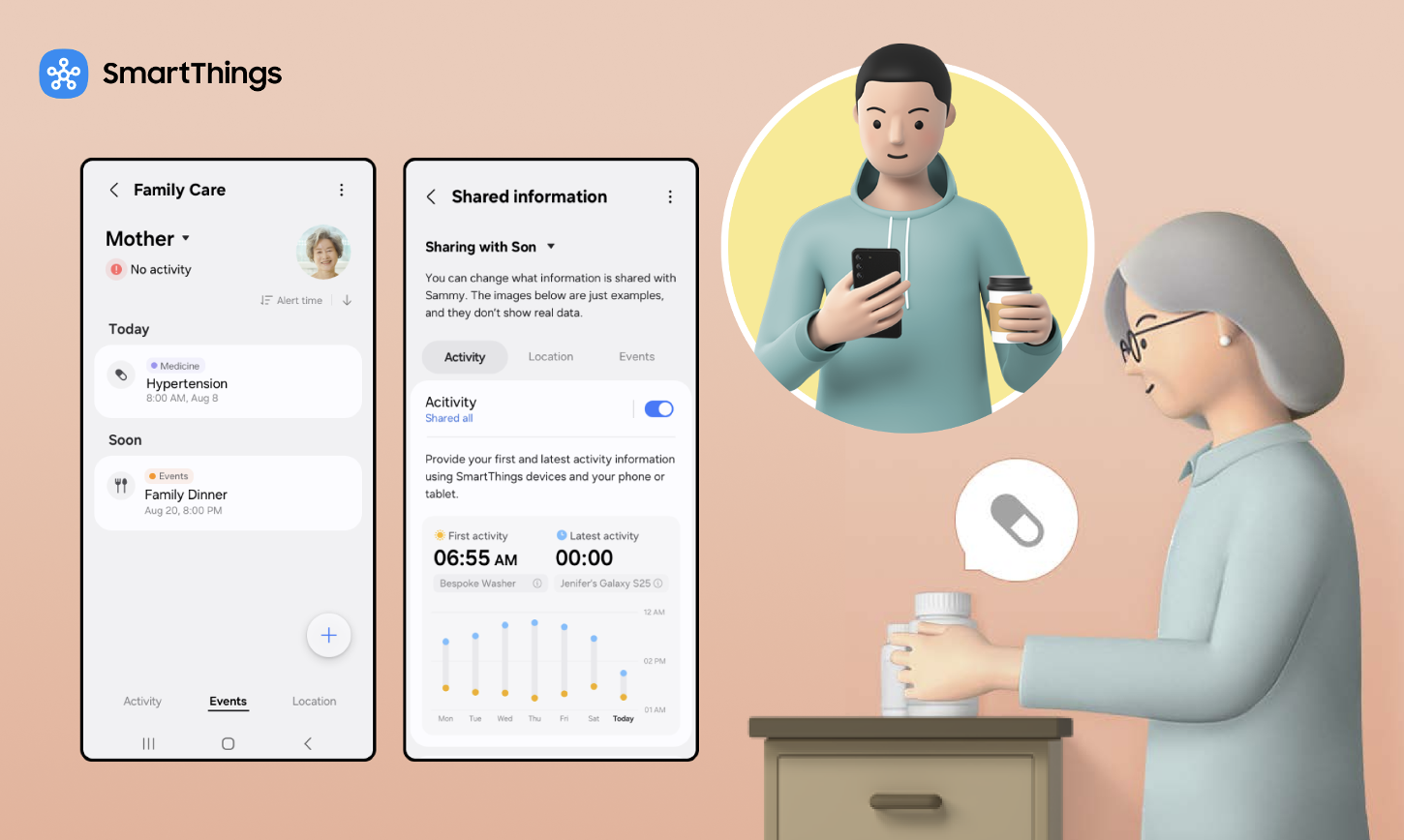
Samsung SmartThings Family Care is a feature that lets a caregiver track a care recipient's daily activity, medication schedules, and location, all from the SmartThings app. Now Brief is a personalized daily briefing service on Galaxy phones that pulls together home, health, and family status into one screen. In its most recent update, SmartThings added new features to Family Care: Care on Call, a pop-up that shows a care recipient's recent activity and local weather before a caregiver's call connects and stays visible during the call; and Safety Patrol, which sends a camera-equipped robot vacuum to check on a care recipient after a period of inactivity. This article covers how each of the two works. For the base version of Family Care, including its global availability and role-based design, see our companion article, What Is SmartThings Family Care and How It Works. SmartThings Family Care Features at a Glance FeatureWhat It DoesPrimary UseCare on CallShows recent activity and weather before a callRemote check-insSafety PatrolSends a camera-equipped device, such as a robot vacuum, to check the homeChecking prolonged inactivityNow BriefConsolidates Family Care and smart-home informationDaily overview Why Does This Update Matter for Caregivers? One in three adults in the United States provide some form of care to a loved one, according to the Mayo Clinic. Many are also raising children or holding a full-time job at the same time, leaving little spare attention for anything beyond the basics. For this group, the biggest caregiving cost often isn't money, it's attention: the mental habit of checking in “just in case,” even when nothing is wrong. This update targets that cost directly, replacing routine check-in calls with passive, ongoing awareness. How Can I Check on My Elderly Parent Without Calling Every Hour? Care on Call is built for exactly this. When a caregiver calls a care recipient through the SmartThings-linked phone, a pop-up appears before the call connects and stays on screen while the caregiver is talking, not only in the moment before it connects. It shows the time of the care recipient's first activity that day, their most recent activity, and the local weather. SmartThings gives the caregiver context for the call instead of starting cold, cutting down on the routine “just checking in” calls that make up so much caregiving overhead. Care on Call requires a Galaxy smartphone running One UI 8.5 or later. The feature activates on a standard cellular call between two linked SmartThings accounts, not a VoIP call placed through a messaging app. How Do You Set Up Care on Call? A caregiver sets up Care on Call the same way they set up the rest of Family Care: by linking a care recipient's account through the SmartThings app's Life tab, then confirming the caregiver's device runs One UI 8.5 or later. Once linked, the caregiver turns on Care on Call one time from the Activity tab, below Care Insight — after that, the pop-up appears automatically before any qualifying call, with no need to toggle it on again per call. How Can SmartThings Help Check on an Elderly Parent Who Isn't Responding? This is what Safety Patrol is for, though the mechanism is worth spelling out. If SmartThings detects no activity from the care recipient for a set period, it notifies the caregiver. The caregiver can then remotely send a compatible robot vacuum, such as Samsung's Bespoke AI Jet Bot Steam Ultra, to patrol the house. (The newest Jet Bot Steam Ultra model is currently available in Korea; earlier Jet Bot models remain available in the US.) Beyond routine cleaning, the Jet Bot Steam Ultra carries a front-facing camera, a speaker, and a microphone. That's what turns it into a mobile check-in tool rather than only a cleaning appliance: the camera lets the caregiver look for a person who may be incapacitated, and the speaker and microphone allow two-way talk, unlike a fixed security camera that only watches one spot. Remote control only works if the caregiver has already been set up with remote-control permissions for that device. Does SmartThings' Family Care Feature Include Fall Detection? No, not in the sense of a dedicated fall sensor or wearable. Family Care detects prolonged inactivity and lets the caregiver dispatch a robot vacuum with a camera to check visually. It can't distinguish “fell and needs help” from “napping” or “stepped out,” which is why the visual check step exists. Caregivers who need immediate fall-impact detection should treat this as a complement to, not a replacement for, a dedicated fall-detection wearable. What Tools Help Caregivers Monitor Medication Adherence Remotely? Family Care sends notifications for medication schedules and hospital or appointment visits, along with location-based alerts when a care recipient arrives at or leaves a set place like a pharmacy. Together, a caregiver gets two layers of information instead of one: a same-day reminder that a dose is due, and through Care on Call, a same-call summary of what's happened since the last check-in. Which Samsung TVs and Refrigerators Support Now Brief? Now Brief is expanding from Galaxy phones to Samsung TVs launched in 2024 or later and Family Hub refrigerators launched in 2021 or later, rolling out in phases. On those screens, Now Brief opens automatically when a user approaches the TV or touches or opens the Family Hub refrigerator, if they've set that up in advance. With the Galaxy S26 series, Now Brief adds Home Security, Family Care, and Pet Care information to its existing Home Insight, Energy, and Sleep Environment Report sections. How Does Family Care Compare to Manual Caregiving Habits? Caregiving TaskManual ApproachFamily Care Approach (April 2026)Checking a parent is awake and activeCall or text every morningPassive activity notification, reviewed in Care on Call before and during any callConfirming a parent took medicationAsk directly, or trust a pillboxScheduled reminderChecking on a parent who isn't answeringDrive over or call a neighborSafety Patrol dispatches a camera-equipped robot vacuum Does SmartThings Support Two-Way Audio for Checking In Remotely? Yes, but with some conditions. Live Talk through the Safety Patrol robot vacuum only activates when its camera finds a person, upright or fallen; if no one is found, the robot returns to its station without offering Live Talk. When it does activate, the built-in speaker and microphone let a caregiver talk to and hear the care recipient, on top of the camera feed. If the caregiver has turned the microphone off, Speaker and Record still run silently — a toast notification appears, but no audio plays or records. Does SmartThings Offer a Caregiver or Family-Sharing Mode? Yes. Family Care is built around a caregiver role and a care-recipient role from the ground up, not added on top of a single shared account. The caregiver side gets monitoring, alerts, and remote controls like Safety Patrol; the care-recipient side controls what gets shared. Our companion article, What Is SmartThings Family Care and How It Works, covers how the two roles are set up in full. Is SmartThings Family Care Available Outside of Korea and the USA? Family Care is available in more than 200 countries; see our companion article, What Is SmartThings Family Care and How It Works, and how it applies to these new features. What Does Samsung Say About This Update? Jaeyeon Jung, Executive Vice President and Head of the SmartThings Team at Samsung's AI Platform Center, said the update is meant to extend SmartThings' role in connecting customers' daily lives with AI, according to Samsung's official announcement. Samsung is building this around long-distance caregiving as part of a wider push to weave AI across its television, appliance, and mobile lines, rather than as a standalone product. These updates apply that strategy specifically to caregiving, an area that is continuing to grow globally. For ongoing company announcements beyond this feature, please visit the Samsung Newsroom. Where Is Family Care Headed After This Update? Reading the two additions together, a pattern emerges: each one replaces a manual caregiving habit with a passive one. Care on Call replaces the cold check-in call with a pre-loaded summary. Safety Patrol gives caregivers a way to investigate prolonged inactivity remotely. Neither requires the care recipient to do anything different day to day.  SmartThings Family Care: Compatibility and Limitations Care on Call device requirements. Care on Call requires the caregiver's device to be a Galaxy smartphone running One UI 8.5 or later. It works over a standard cellular call between two linked SmartThings accounts, not an internet or VoIP call, and Samsung's source material doesn't describe a way to enable it for calls placed through a messaging app. Regional and model-year availability. Now Brief's expansion to Samsung TVs and Family Hub refrigerators requires a 2024-or-later TV or a 2021-or-later Family Hub refrigerator. Samsung hasn't given exact regional rollout dates for that expansion. Family Care itself has been available in more than 200 countries since September 2025. Now Brief device compatibility. The expanded version of Now Brief, including Home Security, Family Care, and Pet Care content, arrives with the Galaxy S26 series. This feature will be rolled out to TVs, Refrigerators and Appliances in 2026.  Want the fuller picture? Read our companion article about how Family Care works day to day, then open the Life tab in the SmartThings app to set it up. Do the SmartThings for the people you're looking out for.

September 28, 2026

IKEA Matter Devices Work With SmartThings: What Users Can Connect and Automate

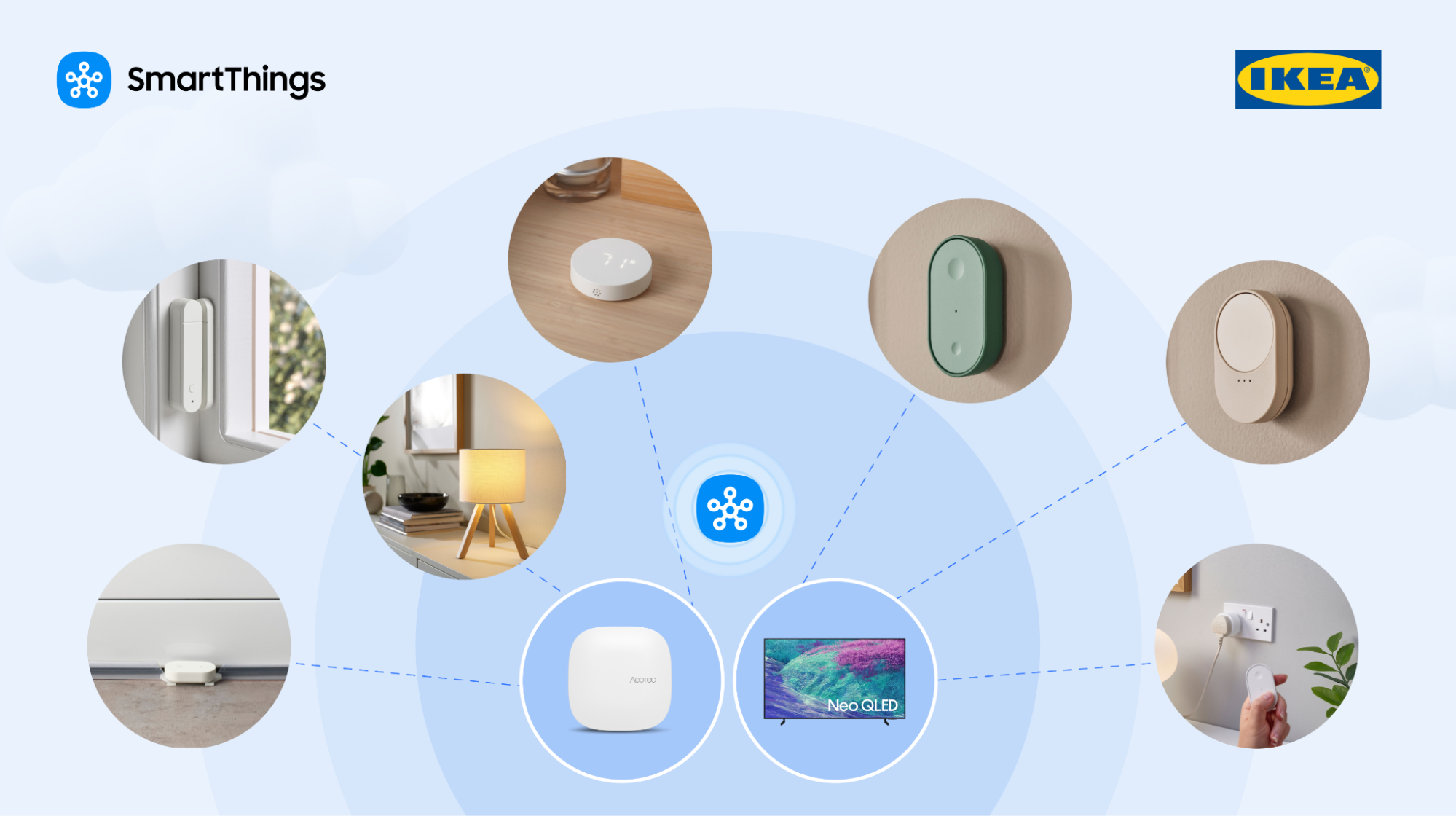
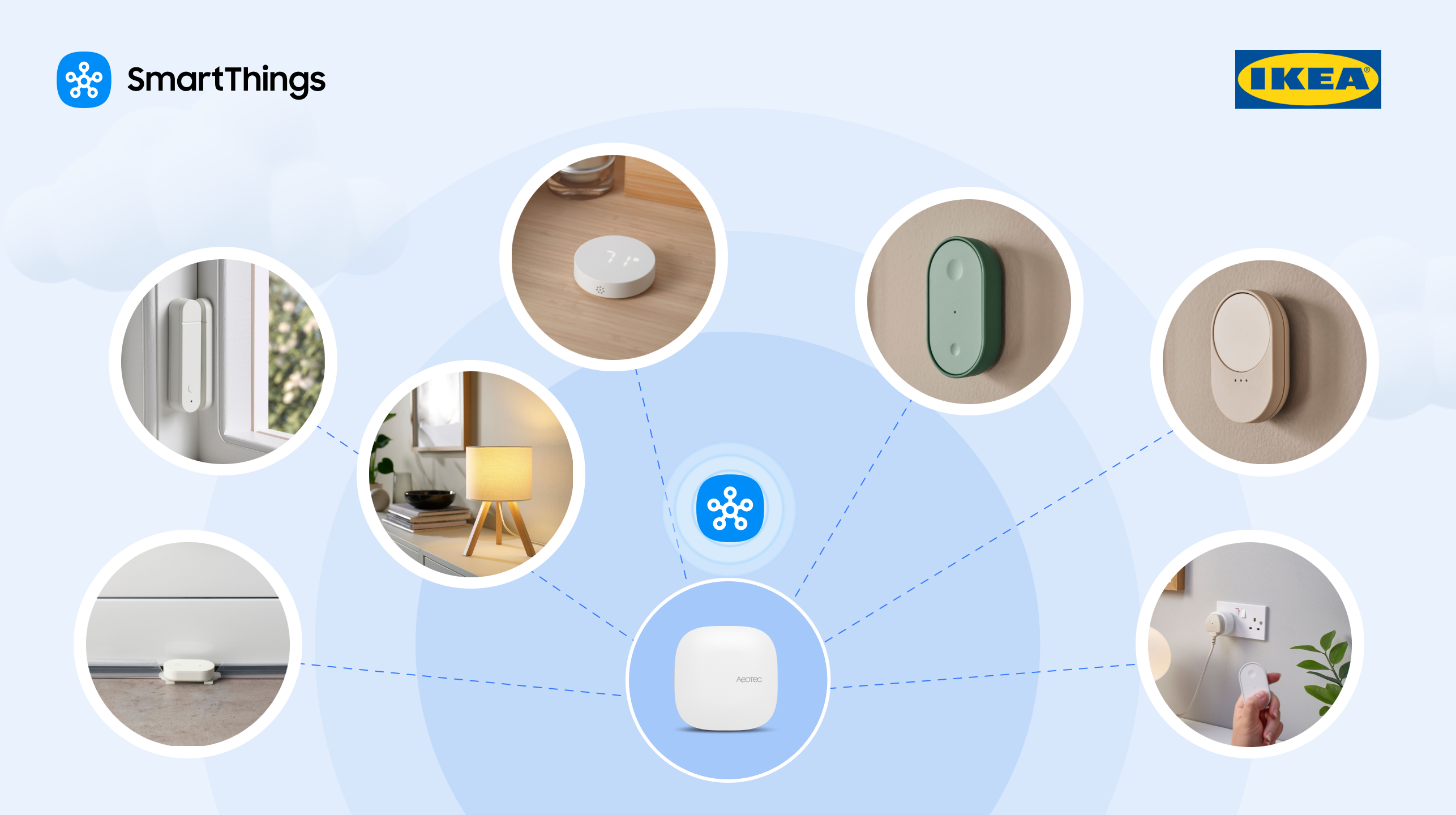
Did you know that Samsung SmartThings supports all IKEA Matter-over-Thread devices, including smart bulbs, plugs, remotes, and sensors that connect directly to a compatible SmartThings? Integrating these devices into an existing SmartThings ecosystem gives users a simple, cost-effective way to grow their smart home for family care, sleep optimization, environmental monitoring, leak detection and alerts, smart lighting control, and other practical automation solutions.  Can Users Add Affordable IKEA Matter Products to an Existing SmartThings System? Yes. IKEA's Matter-compatible products lets SmartThings users add affordable, compatible smart lights, smart plugs, sensors, and controls to enhance their current SmartThings setup as needed, rather than replacing compatible, previously purchased products. Do IKEA Matter Devices Require a DIRIGERA Hub with SmartThings? No. New IKEA Matter-over-Thread devices connect directly to a compatible SmartThings hub.. That means one less piece of hardware to buy, set up, and manage. Do IKEA Matter Products Work in a Mixed-Brand Smart Home? Yes. Supported IKEA Matter products integrate with compatible Samsung devices and other supported products using the SmartThings app. For example, users can connect an IKEA light, plug, control, or sensor and incorporate it into a SmartThings routine using a compatible Samsung appliance or device. Most homes run more than one brand. SmartThings lets users mix and match compatible products by category, lighting, sensors, appliances, plugs, and controls, and manage all of it from one app, instead of buying every device from a single brand. Do Door Sensors Work With SmartThings Family Care? Yes. A supported IKEA door sensor serves as an input, providing activity data alongside SmartThings Family Care. For example, a caregiver might place a sensor on a door a parent uses often, then use the resulting open-and-close activity, alongside Family Care, to get a sense of whether that parent’s day is off to a normal start. Can IKEA Air-Quality Sensors Support the SmartThings Sleep Environment Report? Yes. Compatible IKEA air-quality sensors provide data on bedroom conditions, i.e., temperature, humidity, and lighting levels, that SmartThings uses to generate the Sleep Environment Report. IKEA air-quality and temperature-and-humidity sensors measure parameters including temperature, humidity, CO₂ levels, and light intensity. SmartThings compares these readings against recommended sleep conditions and offers suggestions based on what it finds.   Do IKEA Sensors Trigger SmartThings Routines? Yes. Supported IKEA sensors provide conditions that trigger SmartThings routines involving doors, motion, moisture, temperature, humidity, and other environmental changes. For example, an IKEA humidity sensor detects rising humidity and activates dehumidifier mode on a compatible connected air-conditioning unit. A  water-leak sensor detects moisture and notifies the user of a possible water leak. Additionally, door and motion sensors generate activity signals for compatible monitoring and automation routines. The sensor spots the event; SmartThings handles the alert, notification, or next action.   Which IKEA Matter Devices Are Supported by SmartThings? IKEA Matter-compatible devices span multiple smart home product categories. Below is a breakdown of some examples: IKEA Product CategoryExampleHow to Use It With SmartThingsSmart bulbKAJPLATSLighting control and compatible routinesSmart LampVARMBLIXTLighting adjustment with color and temperatureSmart plugGRILLPLATS/TOFSMYGGAConnected-device control and compatible routinesSmart remote controlBILRESASupported lighting controlTemperature/humidity sensorTIMMERFLOTTEEnvironmental monitoring and humidity-based routinesAir-quality sensorALPSTUGAEnvironmental monitoring Open/closed sensor (door)MYGGBETTDoor activity and compatible monitoring routinesMoisture/water-leak sensorKLIPPBOKMoisture detection and alertsMotion sensorMYGGSPRAYMotion detection and compatible routines This range covers smart lighting, environmental monitoring, motion and activity detection, open/closed status, and connected-device control, so users can pick what fits their home. Does the IKEA BILRESA Scroll Wheel Remote Work With SmartThings? Yes. The IKEA BILRESA scroll wheel remote control supports lighting products through SmartThings. Rotating the wheel enables precise adjustments to brightness and color temperature. SmartThings and IKEA conducted multiple rounds of connectivity validation before market release to test pairing and operation through the SmartThings app. Currently, BILRESA supports lighting control and blind control (via Matter and Zigbee), with plans for expansion to more types of blinds and more device types in the future. What SmartThings Hardware Do Users Need for IKEA Matter-over-Thread Products? Supported IKEA Matter-over-Thread devices require access to a compatible SmartThings hub with Thread support. Select Samsung TVs, refrigerators, and monitors can serve as that hub. SmartThings hub and Thread border router functionality depend on the individual Samsung model, not just the product type. Users without one of these models can add a dedicated SmartThings hub, like the Aeotec Smart Home Hub 2. What Are Matter and Thread? Matter is an industry smart home connectivity standard developed by the Connectivity Standards Alliance to help compatible devices from different manufacturers work across supported ecosystems. Thread is a low-power wireless networking technology used by many Matter-compatible smart home devices. SmartThings supports Matter-over-Thread alongside other technologies such as Zigbee and Z-Wave, allowing compatible products using these technologies to operate through SmartThings. SmartThings was also the first to adopt Thread version 1.4, built  to increase interoperability between Thread networks from different manufacturers. SmartThings has supported Matter since the standard’s public launch and puts every certified device through rigorous, multi-round interoperability testing, reflecting its position as a quality leader in the Matter ecosystem. How Does IKEA Expand an Existing SmartThings Setup? With the addition of IKEA’s product lines to the list of options for customers of SmartThings that are compatible, SmartThings has given its customers additional options to select from when it comes to light control, sensor functionality, environmental monitoring, and automation. Today, users have more affordable Matter-based devices to meet their household needs, and SmartThings can help control them. These product integrations support SmartThings' strategy of growing its ecosystem through collaborations with other manufacturers, giving users more options to create a smart home system that meets their individual needs and preferences. Ready to add IKEA to your setup? Do the SmartThings — open the app and start connecting.
June 24, 2026

Get Peace Of Mind with SmartThings Safe Premium

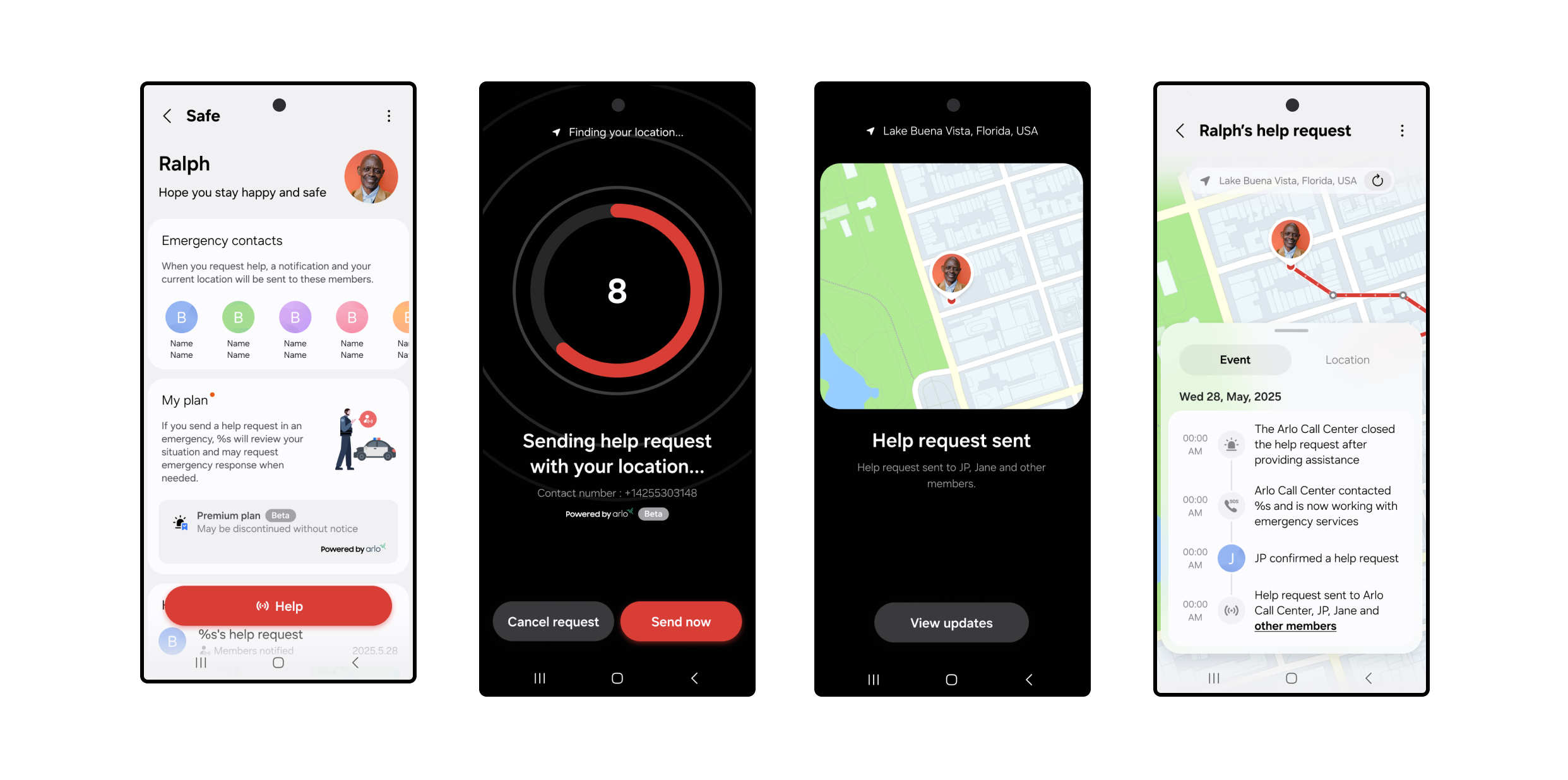
SmartThings Safe Premium is powered by Arlo, a third-party partner that operates the professional monitoring center and coordinates emergency dispatch on our behalf. Feeling safe, whether at home or on the go, shouldn’t take more than a tap. With SmartThings Safe Premium, users can instantly send help requests, from inside the SmartThings app, to Arlo-powered emergency response providers who can send police, fire, or medical help to their exact location. SmartThings Safe includes a Basic plan at no cost; the Premium plan adds 24/7 professional emergency dispatch through Arlo. How It Works When you press the Safe button, a 10-second countdown starts. After 10 seconds, a help request is automatically sent to a professional monitoring center. An Arlo monitoring agent will immediately call and text you to confirm what type of help (fire, police, or medical) is needed.  If they can’t reach you, they’ll request that local emergency responders (police by default) be dispatched to your current GPS location. At the same time, just like the basic plan, your Location Members will receive a push notification with a map of your location and options to call or text you directly. You can cancel your request at any time during the 10-second countdown. Once the alert is created, you can still cancel the request by responding to the monitoring center’s call or text. Setting Up SmartThings Safe Premium  Getting started takes just a few steps: Open the SmartThings app on your mobile device. Tap the Menu icon at the bottom right of the SmartThings app. Select Safe and complete setup, including agreeing to the terms agreement and completing identity verification. Go to My Plan and select Upgrade to Premium Plan. Follow the Samsung Checkout steps to activate your limited-time free access to SmartThings Safe Premium. Once activated, you’ll see your Safe button appear in the app, ready whenever you need it.  Share alerts with the people who matter. Add family or friends to any SmartThings location — home, office, wherever — and they'll stay in the loop automatically.  From the Home tab, tap the three-dot menu in the upper-right corner. Select Location Settings > Invite Members. Enter the Samsung account email addresses of the people you want to add. Added members will need the following to receive Safe alerts: Have the SmartThings app downloaded. Set up their own Samsung account. Tap the Menu icon at the bottom right of the SmartThings app. Tap the Safe icon and follow the prompts to get started. Review and agree to the Terms & Conditions and complete two-factor authentication.  Have notifications turned on to receive Safe alerts. These members will then become emergency contacts for dispatchers and the monitoring center. For even faster access, you can add the Safe button to your Galaxy home screen or Quick Panel by selecting Settings > Add to Home Screen from the device card. Make Sure Location Services Are On To share your real-time GPS location with the monitoring center and your added members using the Safe Premium plan, you’ll need to enable Location Services on your phone.  On Galaxy and Android devices: Go to Settings > Location > App permissions > SmartThings > Allow all the time. On iOS: Go to Settings > Privacy & Security > Location Services > SmartThings > Always and turn on Precise Location. Safe Premium is designed to work when your mobile device has a signal. The service is currently available in the U.S. for supported Galaxy, Android, and iOS devices. Both the Basic and Premium plans of SmartThings Safe are designed for manual, user-triggered help requests, making them a great complement to built-in SOS features on smartphones. While Safe Premium does not currently support automations, routines, or smartwatch-triggered requests, users can receive Safe notifications on Galaxy Watches and Apple Watches. Whether you’re checking in with loved ones or reaching out for help, SmartThings makes it simple to stay safe, connected, and in control. Activate your *limited-time free access to SmartThings Safe Premium in the SmartThings app today.  *SmartThings Safe Premium is currently available as a beta service. Free access may be changed or discontinued without notice.
May 5, 2026

Showcase Partner Brands and Products to Millions of SmartThings Users 

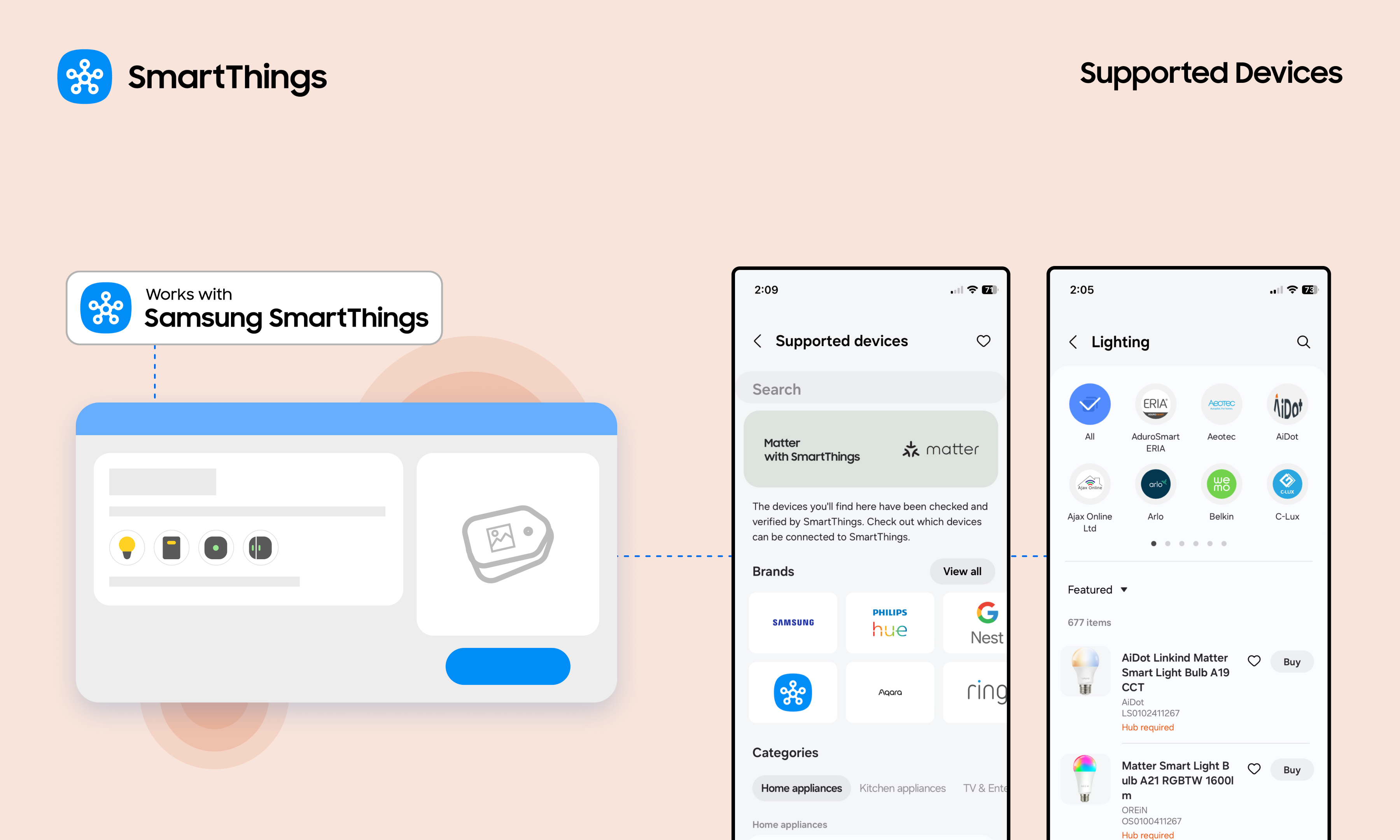
The Easy Steps for Partners to Update Brand and Product Pages We’re happy to share an exciting new feature that lets Works with SmartThings (WWST) partners manage their brand and certified product pages, seen by millions of SmartThings users. Partner brand pages, found on Partners.SmartThings.com and in the SmartThings app, are some of the most frequently visited resources. These pages are often the first place users go to discover new brands and confirm product compatibility before making a purchase. Additionally, because they are visible to everyone across the entire web, they expand partner’s reach and strengthen search engine optimization (SEO) for their brand and products. Now, partners can manage their brand and product pages to showcase offerings and encourage user purchases. Partners can follow these simple steps to update brand and product pages. An Easy Way to Showcase Brands and Certified Products This new feature is a key benefit of the Works with SmartThings (WWST) program. It enables partners to easily keep their brand and product information current, including the latest purchase links, for SmartThings users. The WWST program offers many benefits, such as: Opportunities to promote products to 450 million global SmartThings users Brand and product placement on the SmartThings website and within the app Use of the WWST badge Co-marketing opportunities Access to user engagement analytics Increased discoverability and trust from SmartThings users What Partners Can Update For Brands: Brand Name Brand URL Brand Description  Logo Customer Support Information  Company Contact Information  Contact Name For Products: Product Name Product Description  Model Number Product Images Product Category Purchase Links Product Distribution Locations How to Update: A Step-by-Step Guide For partners that already have an account linked to brands in the SmartThings Console, partners can start updating information immediately.  For partners without an account or if the brands are not linked, please contact the SmartThings team at partners@smartthings.com. 1. Access the SmartThings Console Access the Console by signing in to the SmartThings Developer Center. From the homepage, use the left-hand navigation to choose the path: Brands, for updating brand information, or Device Integrations for updating product information.  2. Refresh Brand Information Navigate: Click the Brands tab. Edit: Click the brand and select Edit Brand at the bottom right.  Make Updates: Update brand details, including logos, customer support information, and more. Submit: Update the details, check the permission box in the "Ready to submit?" section, and click Update Brand. 3. Update Product Information Navigate: Click the Device Integrations tab. Select: Click on the specific product name to edit. Refine: Update product details, including product names, model numbers, product images, purchase links, and more. Submit: Update the details, check the permission box in the "Ready to submit?" section, and click Update Product. 4. Review and Approval Once approved, the updated brand and product details will go live in the SmartThings app (please note a brief delay may occur due to caching). Updates will typically appear on the web-based partner brand page within 5-7 business days. Update Brand and Product Pages Today Partners can now make these updates in the SmartThings Developer Center today!
April 23, 2026

Ignite Your Senses with Nanoleaf and SmartThings Music Sync

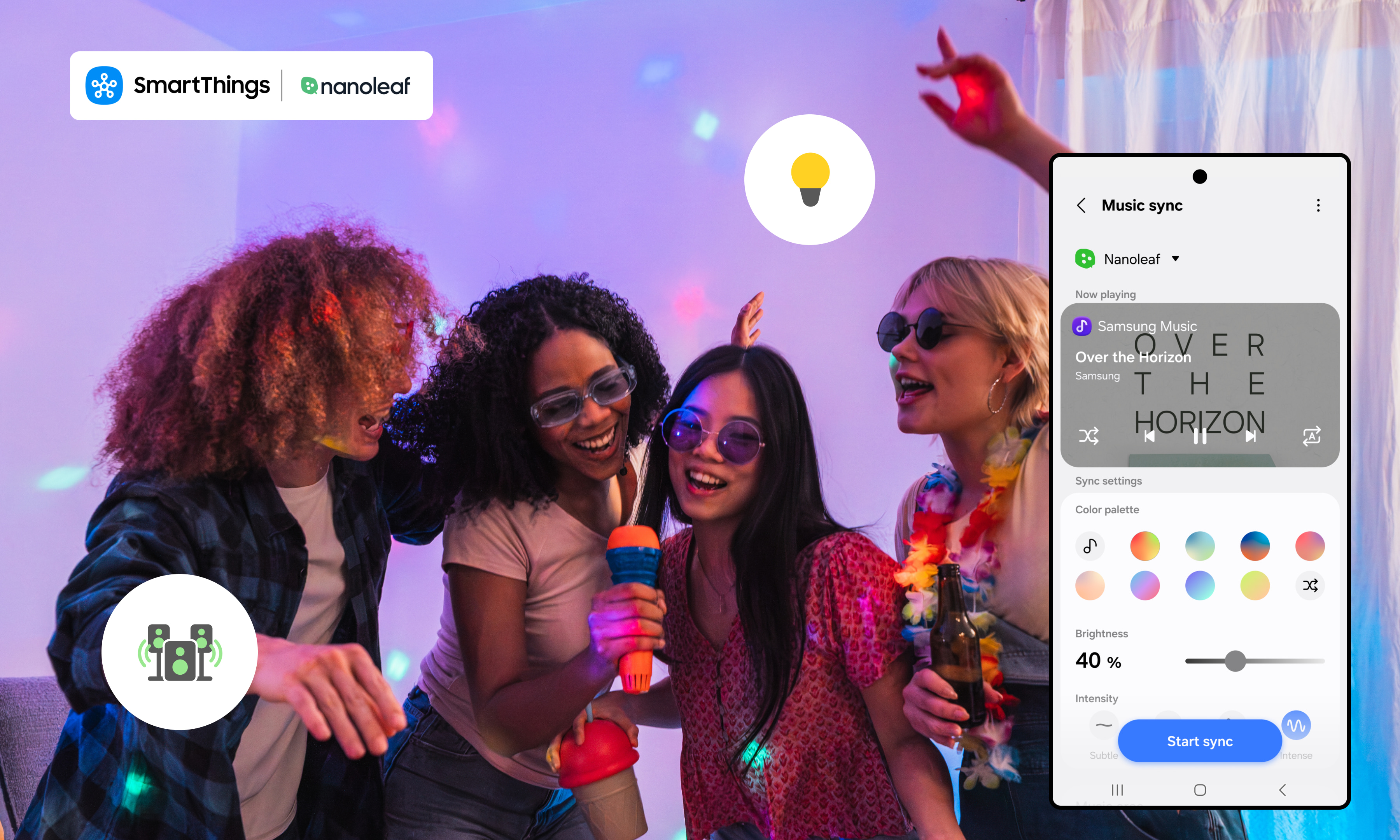
Lighting moves in real time with music through SmartThings Music Sync, creating a seamless, in-the-moment experience from the first beat to the last. Lighting shapes the entire experience of a space, influencing how it looks, feels, and functions from the moment you walk in. With SmartThings expanding its partnership with Nanoleaf, your lights don’t just turn on and off, they respond to what you’re doing, what you’re listening to, and the kind of moment you want to create. Whether you’re starting your day, hosting friends, or putting on your favorite playlist, your lighting becomes part of the experience. SmartThings Music Sync connects your lighting directly to your music, so your lights move in real time with what you’re playing. The result is a more seamless, in-sync experience that feels intentional from the first beat - right from your Galaxy device. Turn Your Space Into a Living Visualizer Nanoleaf is known for bold, colorful lighting and animated scenes, but with SmartThings Music Sync, that experience becomes more intentional and immersive. Instead of reacting to sound in the room, SmartThings connects directly to your music source from your Galaxy device, so your Nanoleaf lights move in sync with what you’re actually playing. Every beat, drop, and transition feels precise. No guesswork. No delays. Whether you're gaming, watching, or listening, your lighting keeps up in real time, bringing a new level of energy to every moment and turning your space into a living, breathing visualizer. Elevate Your Gaming Experience Gaming is all about immersion and lighting can take it even further. With SmartThings Music Sync and Nanoleaf, your space responds in real time as you play. Background music, in-game soundtracks, and audio cues are reflected through dynamic lighting that shifts with the intensity of the moment. Exploring a new world? Your lighting sets the tone.In the middle of a fast-paced match? Colors pulse with the action.Winding down post-game? Your space transitions with you. It adds another layer to the experience, one that pulls you deeper into what you see, hear, and feel.  A Full Experience, Not Just Lighting Lighting is just one part of the moment. With SmartThings, your Nanoleaf setup can work alongside other devices to create a more complete experience. Start a routine and your lights, music, and speakers can respond together.That means your space doesn’t just change, it comes together. Start a playlist and your environment responds instantly. No switching between apps. No extra steps. Just a setup that works the way you expect it to. Choose the Mood, Everything Follows SmartThings makes it easy to build routines that fit your day. From your Galaxy device, you can set up automations like: Lights gradually brightening in the morning A wind-down routine with softer tones at night A party setup that activates music sync and dynamic scenes Lights turning off when you leave Once it’s set, everything runs in the background, so your space is always ready when you are. Easy to Get Started Adding Nanoleaf to SmartThings only takes a few steps: First, make sure you have a hub available Open the SmartThings app on your Galaxy device Tap the “+” icon and select “Add device” Search for  Nanoleaf and select your device Follow the prompts to connect From there, you can group your lights, create automations, and start building routines right away.  After setting up your routines, go to the Life tab within the SmartThings app. Select Music Sync and follow the prompts to complete the sync with your Nanoleaf devices. A Space That Feels Just Right Your space should adapt to you, not the other way around. With Nanoleaf and SmartThings, lighting becomes something more personal. It shifts with your mood, keeps up with your music, and helps create moments that feel effortless. Bring your space to life today and visit partners.smartthings.com/partners/nanoleaf to learn more.
April 20, 2026

Samsung SmartThings Expands Seamless Integration With IKEA Matter Devices

SmartThings, Samsung Electronics’ global smart home platform, has built enhanced integrations with furniture retailer IKEA’s new smart home product line. Samsung Electronics has enabled seamless integration of IKEA’s 25 practical Matter-over-Thread smart home devices—including smart bulbs and plugs—into the SmartThings platform, allowing users to effortlessly incorporate them into daily life. Easy Integration with SmartThings Through Matter-Enabled IKEA Devices 25 IKEA smart home devices including a scroll wheel remote, smart bulbs, plugs, temperature and humidity sensors, air quality sensors, motion sensors, door sensors and water leak sensors, now support the global smart home standard Matter.1 Previously, connecting IKEA devices to SmartThings required an IKEA smart home hub2 and SmartThings hub, but they can now be connected directly to a SmartThings hub. They also work with Samsung appliances including TVs, air conditioners and washing machines, as well as a wide range of third-party devices and protocols supported by the platform. Smarter Care — From Checking on Loved Ones to Optimizing Sleep Environments For example, users can connect an IKEA door sensor to SmartThings and attach it to a frequently used door to monitor when their parents start their day and whether they are active at home through SmartThings Family Care. This offers a convenient way to check on loved ones, even when living apart. Installed on a wall, IKEA’s air quality and temperature and humidity sensors collect data on temperature, humidity, carbon dioxide levels and light intensity. SmartThings compares these readings with recommended ranges for optimal sleep and provides a sleep environment report with actionable insights — such as lowering the temperature to 19-21°C — helping create an ideal bedroom environment. Users can also set routines that activate the air conditioner’s dehumidification mode when rising humidity is detected. If the water leak sensor detects moisture, it sends an immediate alert enabling a prompt response. Intuitive Control With the Scroll Wheel Remote Ahead of launch, Samsung and IKEA conducted multiple rounds of validation to enhance connectivity stability and implemented a dedicated user experience within the SmartThings app for full compatibility. A standout device is the scroll wheel remote, which significantly enhances user experience. When connected to lighting, users can precisely adjust brightness and color temperature by rotating the wheel, making it easy to create the desired ambiance. It can also be used for devices requiring fine control, such as blinds.3 It targets the design-conscious younger generation, who prioritizes aesthetic value in every detail, down to a single switch or lighting.  Expanding a Boundless Smart Home Ecosystem With Early Adoption of Thread SmartThings was the first to adopt Thread4 1.4 — a low-power, short-range networking technology essential for smart home ecosystems — enabling Thread networks across brands to operate as a single unified system that enhances user convenience. “By connecting IKEA devices to SmartThings, even first-time smart home users can enjoy a familiar and easy connectivity experience without financial burden,” said Jaeyeon Jung, Executive Vice President of SmartThings, AI Platform Center at Samsung Electronics. “SmartThings will continue to expand its ecosystem through partnerships, enabling more consumers to enjoy seamless and convenient smart home experience within the platform regardless of brand or protocol.” 1 Matter is a global smart home connectivity standard developed by the Connectivity Standards Alliance to improve interoperability among devices. 2 Hub is a central smart home device that connects multiple smart devices using different wireless protocols and enables unified control through a single platform. 3 As of April 1, 2026, only lighting control is supported. blind control will be available later this year. 4 Thread is a low-power, mesh networking-based wireless protocol used in the Matter standard that enables smart home devices to communicate with each other quickly and reliably independent of Wi-Fi.
December 18, 2025

SmartThings Expands Camera Support with Introduction of Matter 1.5

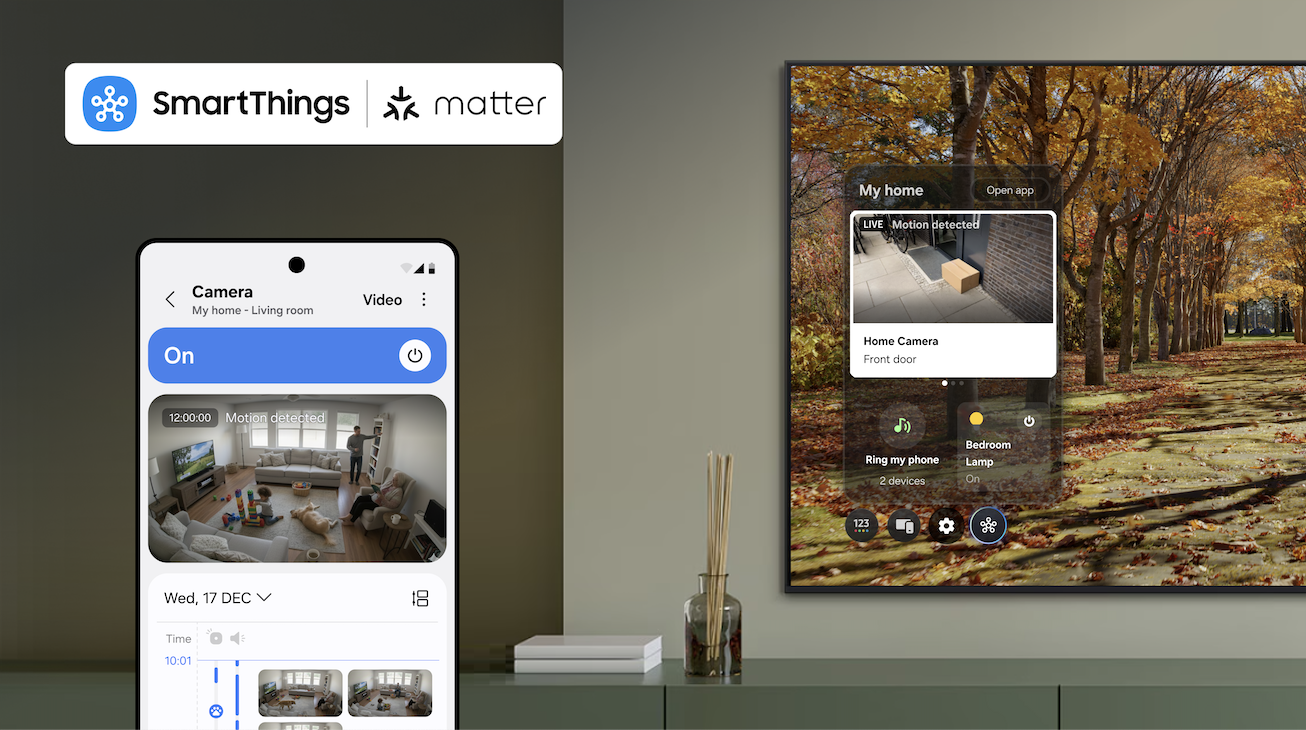
As the first smart home ecosystem to support Matter 1.5 compatible cameras, SmartThings is partnering with Aqara, Eve and Xthings, to bring users comprehensive security and safety monitoring features. SmartThings, Samsung’s AI Home platform, is the first global smart home platform to support Matter-compatible cameras as a fully supported device category, enabling users access to comprehensive security and safety monitoring experiences within a single platform across brands on the latest specification, Matter 1.5.   Matter cameras are essential for any smart home, providing reliable security and monitoring for indoor and outdoor spaces. With this update, SmartThings users can seamlessly integrate cameras alongside lights, locks, sensors, and other Matter-enabled devices to create a unified and secure smart home experience. To bring these capabilities to market, SmartThings is partnering with Aqara, Eve and Xthings.  Each company will bring its own Matter-compatible camera to market in early 2026, all of which will be supported by SmartThings. And now, manufacturers can deploy Matter cameras without building separate APIs, simplifying development and accelerating time to market. Launched in November by the Connectivity Standards Alliance (CSA), Matter 1.5 brings cameras into the standard and enhances support for blinds, awnings, and garage doors, giving users more control and improving energy efficiency throughout the home. “As one of the first platforms to support Matter 1.5, SmartThings underscores its commitment to delivering the best possible experience for our users,” said Mark Benson, Head of Samsung SmartThings. “Our leadership in Matter has allowed us to build one of the largest and fastest-growing libraries of supported and certified Matter devices, enabling users to integrate new Matter devices with confidence.” With the Matter 1.5 update, SmartThings’ support for Matter cameras will include: Live streaming — Watch your home in real time from anywhere. Clip storage — Securely save and access video recordings. Two-way talk — Communicate through your camera. Motion detection — Receive alerts for movement in or around your home. Advanced camera settings – Customize preferences to suit your needs. Event history — See a timeline of event notifications. Motion and privacy zones — Block zones from reporting motion and from clear view to protect your privacy.  Together, these features will be accessible directly through SmartThings Hubs (Aeotec Smart Home Hub 2, Aeotec Smart Home Hub, SmartThings Hub 2018, and the ThingsOne Smart Home Hub) at initial launch, with updates to come in 2026 to SmartThings Hub 2015, making it easier than ever to manage connected devices from a single platform. SmartThings continues to lead in smart home innovation by rapidly rolling out support for Matter standards just as it has done with every Matter release to date. Today, SmartThings supports 58 Matter device types through the 1.5 specification, and this update also opens the door for new Works With SmartThings-certified partners to bring cameras to millions of households worldwide. "Partnering with SmartThings to bring our Matter-certified camera to their platform is an important milestone for Aqara," said Cathy You, Senior Vice President of Global Business and Strategy at Aqara. "This integration gives users a secure, intelligent, and seamless home monitoring experience, and paves the way for a future of connected living with even more innovative Matter-enabled devices in the future. We look forward to continuing our long-term partnership with SmartThings to drive the mass adoption of smart home technology." With Matter 1.5, SmartThings is strengthening its position as an open, unified and trusted smart home platform, helping its base of over 425 million users create safer, smarter, and more connected homes. For more information, visit www.samsung.com/smartthings.  
October 27, 2025

Samsung Electronics Strengthens AI Home Experience with the Aeotec Smart Home Hub 2

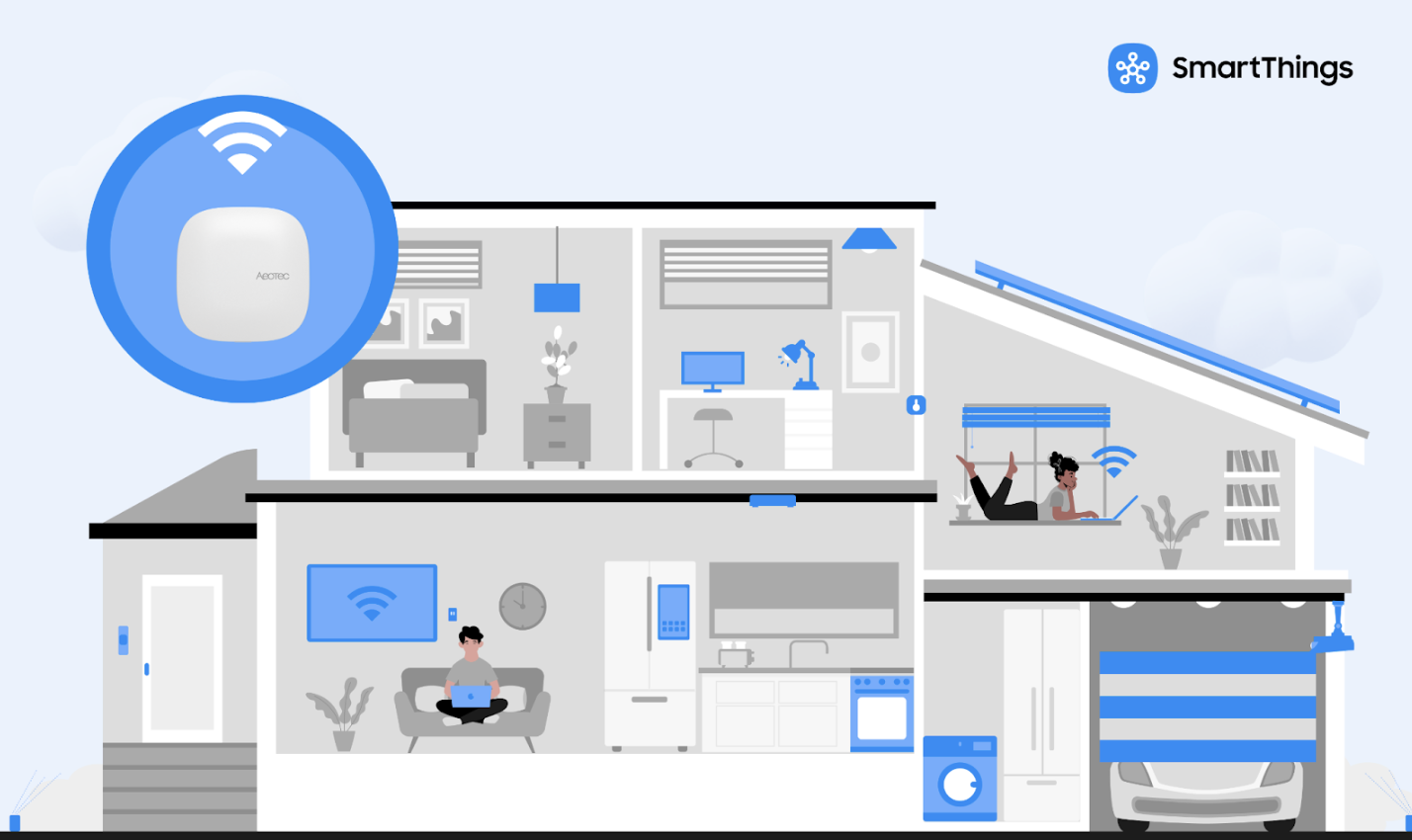
Smaller, faster, and more versatile, the new Samsung SmartThings hub strengthens connectivity for the world’s most advanced smart home ecosystem. Samsung Electronics has recently announced the release of the Aeotec Smart Home Hub 2, the most advanced and compact smart home hub to date. Coming soon to Samsung.com, the hub is designed to be the foundation of responsive and reliable smart homes, with the latest connectivity, the Smart Home Hub 2 works as a Samsung SmartThings Hub and supports popular smart home standards, allowing users to create the personalized AI Home experiences they want, with the devices they want. For more than a decade, SmartThings has connected millions of users worldwide to a more convenient, secure, and efficient lifestyle. Through the Works with SmartThings (WWST) program, SmartThings collaborates with approximately 380 partners to support more than 4,500 certified devices, ensuring broad compatibility across brands. In addition, SmartThings is a leader in supporting Matter, the global smart home standard that further expands the ecosystem, making it even easier for users to connect and control devices from multiple brands within a single, seamless experience. “With Smart Home Hub 2, we’re enabling more people to start and grow their AI Home experience with the speed and reliability of a dedicated hub, industry-leading Matter support, and of course the power and breadth of the SmartThings ecosystem,” said Jaeyeon Jung, Executive Vice President and Head of SmartThings at Samsung Electronics. “We will continue working closely with partners to strengthen the SmartThings ecosystem and maintain our leadership in setting global smart home standards.” Smarter, Smaller, and Faster Developed in collaboration with partners through Samsung’s WWST certification program, and distributed by Samjin in Korea and Aeotec globally, the Smart Home Hub 2 supports Zigbee, Thread, and Matter protocols, enabling robust interoperability across a wide range of smart home devices. Key performance upgrades include: Expanded device capacity allows the hub to control more connected devices  70% faster CPU performance compared to the previous model Double the RAM for smoother multi-device connections 50% smaller footprint for easier placement Wall-mount option to maximize installation flexibility Local-first communication so automations continue to run even if internet connectivity is lost These upgrades ensure connecting and controlling devices is fast, responsive, reliable, and ready to grow with your smart home and everyone in it. The Smart Home Hub 2 will be available for purchase through Aeotec’s distribution channels and Samsung.com. Leading the Matter Standard with Unmatched Compatibility SmartThings has not only been a leader in developing Matter, but was the first ecosystem to support Matter, has been among the fastest to implement new Matter versions, and has publicly committed to timely device support and feature updates. The Smart Home Hub 2 delivers the best experience for users looking to start and grow their smart home with Matter, with support for hundreds of Matter-certified devices from a wide range of brands, including Matter-over-Thread products via its integrated Thread Border Router. “Samsung SmartThings has been a leader in Matter since day one. Not just in its contribution to the standard itself, but in its consistent commitment to delivering Matter benefits and updates to SmartThings users and device makers,” said Tobin Richardson, President and CEO of the Connectivity Standards Alliance. “It’s exciting to see the release of the newest SmartThings-compatible hub continuing that commitment and giving users a new way to build their smart homes with Matter.” Effortless Setup and Powerful Automation Smart Home Hub 2’s streamlined onboarding process enables quick setup, even for first-time smart home users. Once connected, the hub enables advanced automation, such as: Automated home security with real-time alerts, streaming, and smart locks Adaptive climate control based on presence detection Energy monitoring to identify and optimize high-consumption devices Safety enhancements like leak detection, smoke alarms, and air quality monitoring Sign up today to be the first to know when the Smart Home Hub 2 is available for purchase on Samsung.com here.