
Recent Articles

July 2, 2014

4th of July Spotlight: The GE Outdoor Power Outlet

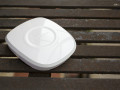
With the 4th of July weekend just a few days away, we wanted to highlight a device that makes going outside and enjoying backyard BBQs and fireworks a breeze: the GE Outdoor Power Outlet. Part security, part convenience, and part outdoor party-starter, this dark and handsome stallion is a triple threat. What it Does: A smart home should extend beyond your front door. That's where this guy comes in. Perfect for summertime, nighttime, or anytime, this weather-resistant device plugs into any standard outlet and lets you automate and control your outdoor lights, electronics, and small appliances from anywhere using your smartphone. [pullquote]A smart home should extend beyond your front door. That's where this guy comes in."[/pullquote] You can also set up the GE Outdoor Power Outlet to automatically trigger what's plugged in to it to turn on or off when various actions occur (ie: people arriving, motion detected, doors opening, etc.). Setup: The GE Outdoor Power Outlet is found under the "Switches & Dimmers" category of the SmartSetup section of the app. By tapping on it, you can browse a list of popular use cases and then easily set them up by following a few quick prompts: Favorite Ways to Use the GE Outdoor Power Outlet: Light By plugging in an outdoor light near your front walk or driveway to the GE Power Outlet, you can easily... • Set lights to come on when you approach your home (by using either a SmartSense Presence sensor or by carrying your smartphone) and then to turn off several minutes later. Pretty cool to see your outdoor lights come on as you roll in to the driveway. • Turn your lights on and off based on a set schedule. • Turn lights on and off when motion is detected (if you have an Aeon Multi-Sensor). In addition to conveniently lighting your path to the front or back door, this option provides a great security measure against intruders. • Trigger lights to come on when you open a door. Have a door that leads out to your patio or deck? Easy. And super convenient. Temperature Porches and outdoor spaces can get a little sweaty in the summer. Cool down with this idea using the GE Outdoor Power Outlet... • Go to the "Green Living" category of "More" in SmartSetup to configure "Virtual Thermostat." By following the prompts, you can trigger a fan (or any electronic, for that matter) to automatically turn on if the temperature exceeds a certain threshold. Want to get fancy? If you have an Aeon Multi-Sensor, you can set up "Virtual Thermostat" to automatically turn on a fan or appliance if the temperature reaches a certain threshold and there's motion detected – like, if you're outside grilling or chilling in a hammock. Parties If the Hub is the "brain" of the SmartThings family, the GE Outdoor Power Outlet is the fun younger sibling who's always always down to hit up a happy hour. And maybe do a keg stand. Here are three ways it can get the party started at your next outdoor gathering: • Anyone who's ever hosted an outdoor party knows it's a chore to have to shuttle inside to the kitchen every time someone wants another margarita. Solution: Bring the blender outside, plug it into the GE Power Outlet and let friends make their own drinks. Or even cooler: Whip up a pitcher from across the yard with a simple tap of a button in your SmartThings app. • A party without music is like a bike without wheels. Bring your stereo or speakers outdoors and control it from anywhere using your smartphone. • Assuming your shindig lingers into the evening, create a little ambiánce (French?) by turning on overhead string lights that are plugged into the GE Power Outlet directly from the SmartThings app.
July 1, 2014

[VIDEO] Hello, Smart Home: James

Welcome to our latest installment of “Hello, Smart Home,” a video series where we head inside customers’ houses and apartments to see how they’re using SmartThings to secure their homes, gain peace of mind, and complement their preferences and patterns. Today, we meet James, a busy professional who wakes up incredibly early and uses SmartThings to help make his mornings easier. (more…)
June 30, 2014

New iOS Version 1.6.3 is Here

Following our recent Android update, we've just released a new version of the SmartThings iOS app that's available for free download in the iTunes store! In addition to several performance tweaks and improvements, we've also introduced a new feature in the SmartSetup area to help brand-new users. When first downloading 1.6.3 and tapping the "+" icon to navigate to SmartSetup, you'll see a quick tip to introduce you to each of the different categories that you'll find within SmartSetup. To hide the tip, simply tap the "x" and it will vanish! Thanks! – The SmartThings Product & Design team    
June 26, 2014

#USA

We believe. Do you? #USMNT #WorldCup2014 #Brazil2014
June 23, 2014

[VIDEO] America’s Smartest Home

The Wall Street Journal recently explored what it's like to live in "America's smartest home"– a two-story Craftsman where SmartThings' CEO Alex Hawkinson has breathed life into more than 100 devices to gain convenience, peace of mind, and security. (more…)
June 20, 2014

A Smarter Way To Do Laundry

A woman explains how she uses SmartThings to remind her husband that the laundry is done–especially while he's watching sports. (more…)
June 17, 2014

The New SmartThings Experience for Android is Here

We’re excited to announce that the brand-new SmartThings app and experience is now available for free download on Android! Just like the iOS version, the enhanced app experience for Android includes several new features to help you tap into the open SmartThings Platform. To help highlight what’s new and improved, check out the video tour below, featuring SmartThings’ head of product and design, James Stolp.
June 16, 2014

SmartThings Smells Trouble

Cover your noses, 'cause this is one of the more pungent stories about how SmartThings saved the day :-) (more…)
June 13, 2014

[VIDEO] Hello, Smart Home: Brendon

Welcome to our latest installment of “Hello, Smart Home,” a video series where we head inside customers’ houses and apartments to see how they’re using SmartThings to secure their homes, gain peace of mind, and fit their lifestyle. Today, we meet Brendon, a full-time dad who uses SmartThings to help keep an eye on his adorable twins. So c'mon in, take off your shoes, and please don't step on the toy dinosaurs. (more…)
June 10, 2014

Spotlight: Knowing When People Come & Go

Welcome back to the second edition of a brand-new feature on the blog called Spotlight! (more…)