
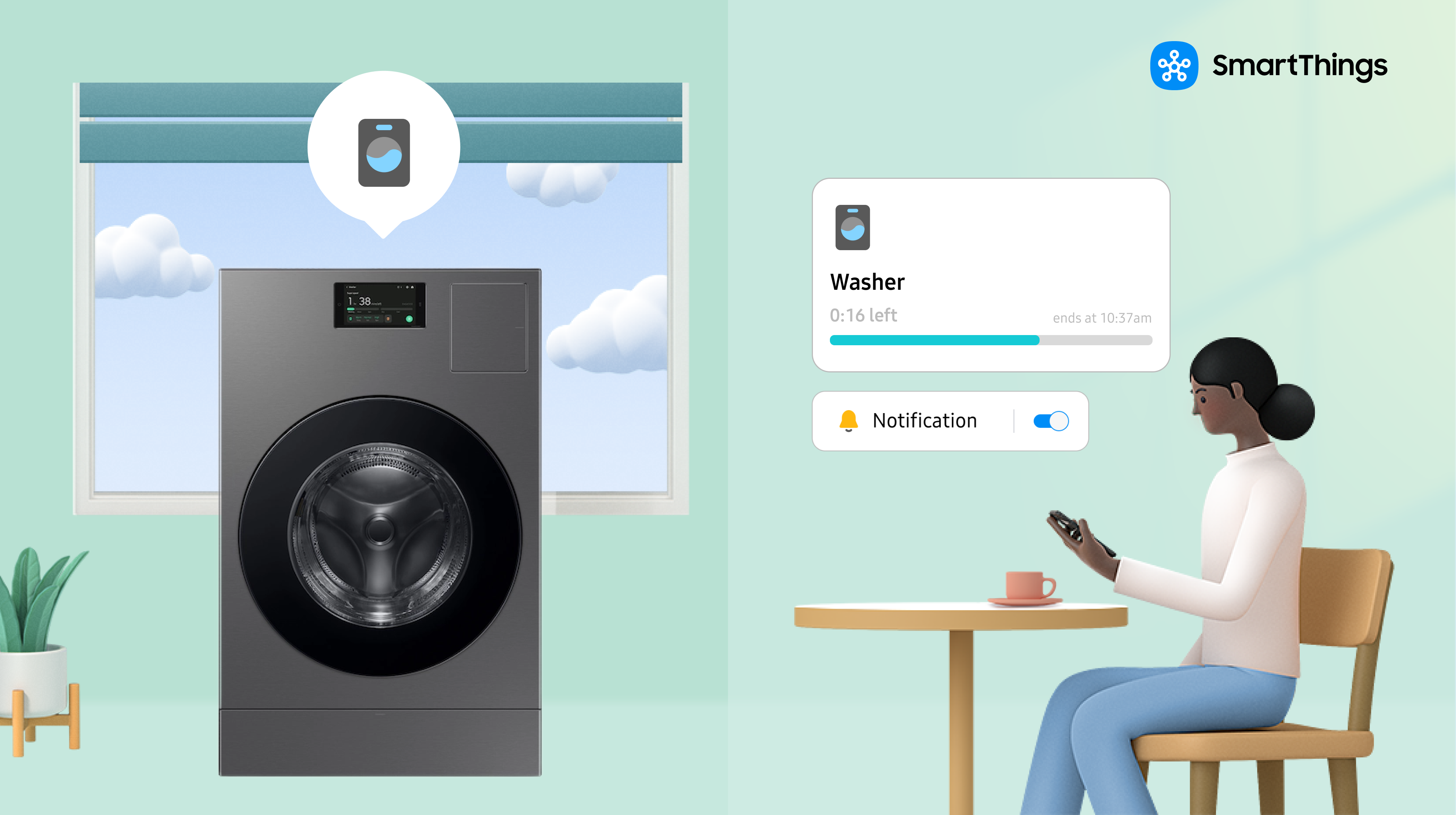
SmartThings adds real-time cycle notifications, customizable wash and dry settings, remote start/stop/scheduling, built-in maintenance alerts, and cross-appliance intelligence to a connected Samsung washer and dryer, all managed from the SmartThings app rather than the appliance’s own controls.
Laundry is a small, recurring task that’s easy to lose track of-a load forgotten in the washer, a cycle that finishes while nobody’s home to move it along. SmartThings targets that specific gap: instead of adding a new feature that requires attention, it moves the tracking into the background and only surfaces a notification when something actually needs a decision.
SmartThings Laundry Features at a Glance
| Feature | What it does | Best for |
| Real-time notifications | Alerts when a cycle starts, pauses, or finishes | Avoiding forgotten loads |
| Specialty cycles | Fabric- and load-specific wash and dry settings | Better fabric care |
| Maintenance and diagnostics | Flags performance issues and guides self-diagnosis | Preventing breakdowns |
| Remote control | Start, stop, monitor, and schedule from a phone | Off-peak energy savings |
| Cross-appliance intelligence | Recommends dryer settings based on the wash cycle used | Less guesswork |
Does SmartThings Notify Me When a Laundry Cycle Is Done?
Yes. SmartThings sends a notification when a cycle starts, pauses, or finishes, so there’s no need to guess or keep checking. If a load sits too long after drying, SmartThings sends a follow-up reminder before clothes sit long enough to need rewashing.
Can I Customize Wash and Dry Cycles in the SmartThings App?
Yes. Rather than relying on the dial or panel on the machine itself, SmartThings lets a user choose cycles directly in the app based on fabric type, load size, or soil level, along with temperature and spin intensity. Combinations can be saved, so a household’s regular routines are one tap away instead of reconfigured every time.
What Specialty Cycles and Settings Does SmartThings Offer?
| Cycle or setting*Specialty cycles and settings may vary by country and model. | What it’s for |
| Activewear | Jersey and moisture-wicking gym clothes |
| Bedding | Bulky sheets and comforters |
| Baby Care | Gentle sanitizing at a high temperature |
| Fabric-specific cycles | Wool, denim, delicates, or a custom blend |
| Wrinkle Prevent | Keeps clothes wrinkle-free for up to three hours after a cycle ends |
| Damp Alert | Flags the optimal time to iron clothes right out of the dryer |
| Eco-modes | Balances performance and energy efficiency |
| Unemptied Laundry Alerts | Reminds a user up to 24 hours later to remove or fold a finished load |
| Sensor Dry | Automatically adjusts dry time based on moisture levels |
Can SmartThings Help Diagnose Washer or Dryer Problems?
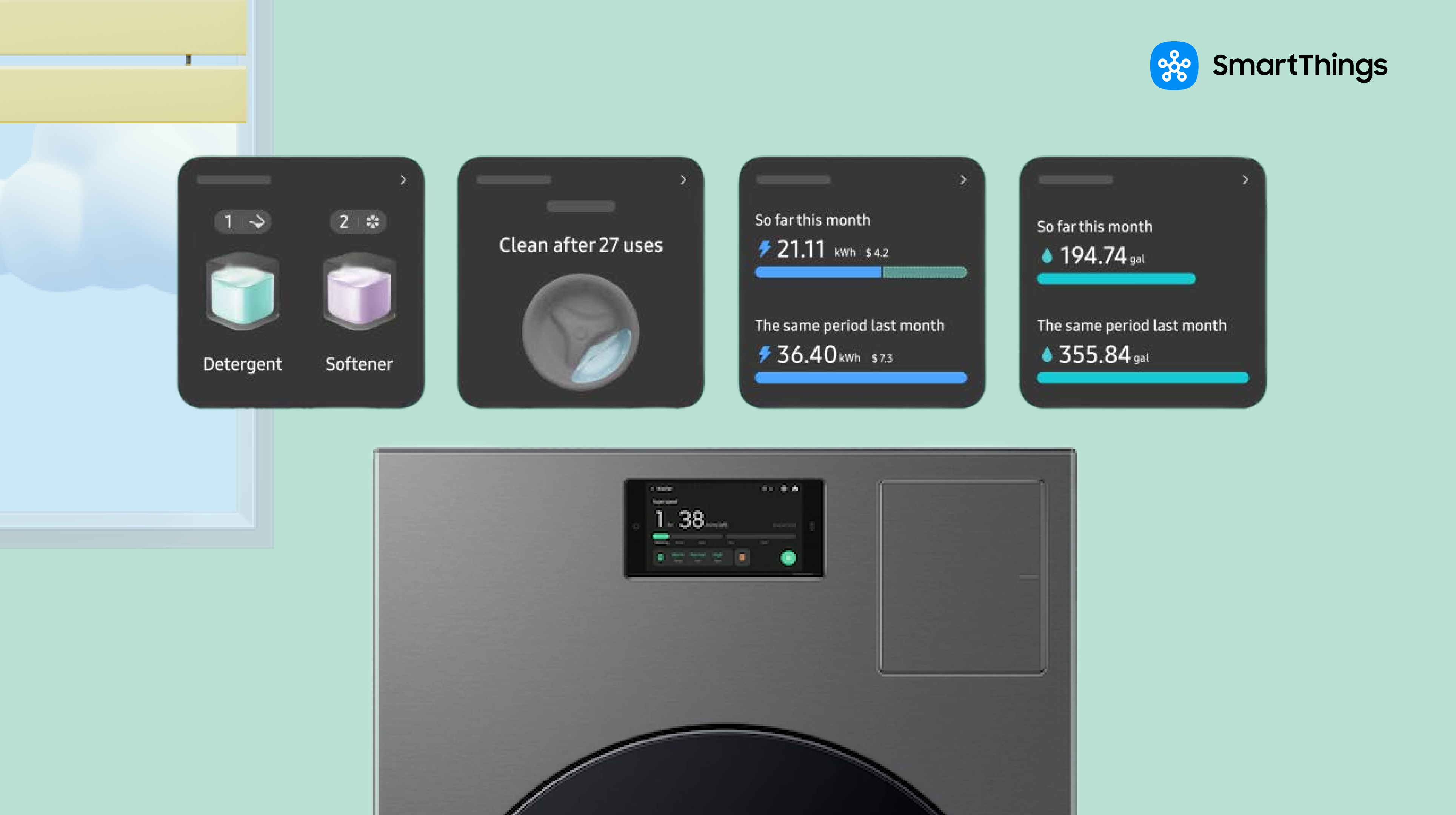
Yes. SmartThings offers maintenance modes to help keep a washer and dryer clean, and it can alert a user to performance issues and walk through self-diagnosis steps, often before a problem becomes obvious on its own. Samsung positions this as a way to catch issues early rather than after a breakdown, which can reduce the need for a service call, though SmartThings doesn’t replace an actual repair when one is genuinely needed.
Can I Start or Stop My Washer and Dryer Remotely?
Yes. A connected washer and dryer can be started, stopped, or monitored directly from a phone through the SmartThings app, without needing to be in the laundry room. Cycles can also be scheduled to run when electricity rates are lower, or simply whenever is most convenient, rather than only running on demand. This works the same way SmartThings already lets a phone act as a remote for a Samsung TV — one app extending control to whichever connected device needs it, rather than a separate remote or panel for each appliance.
Does SmartThings Recommend Dryer Settings Based on the Wash Cycle?
Yes. SmartThings can connect the two appliances’ behavior rather than treating them as separate machines: after a wash finishes on a specific setting, such as Heavy Duty, SmartThings can recommend a matching dryer setting for that load. This reduces the guesswork of matching wash and dry settings manually, though the two appliances still need to be linked in the same SmartThings account for the recommendation to work.
Why Connect a Washer and Dryer to SmartThings at All?
None of these features change what a washer or dryer physically does — a cycle still washes or dries the same way whether or not it’s connected. What changes is where the attention goes. Without an app, tracking a load means either setting a timer, listening for the machine to stop, or periodically walking over to check, and none of those scale well when a household is running multiple loads across a day. Connecting to SmartThings shifts that tracking off the person and onto the app, which then interrupts only when there’s an actual decision to make: pull the load out, run it through the dryer, or check on a performance issue before it becomes a bigger repair. For a household with a demanding laundry routine — bedding one day, activewear another, a baby’s clothes needing a gentler cycle — the specialty cycles compound that same benefit: matching the cycle to the load doesn’t need to be remembered or looked up each time once a combination has been saved.
SmartThings Laundry: Compatibility and Limitations
Appliance compatibility. SmartThings laundry features are built around Samsung washers and dryers specifically; additional brands washers and dryers that Work with SmartThings may also be connected.
Connectivity. A washer and dryer connect to the SmartThings app over Wi-Fi rather than through a separate SmartThings hub.
Notification timing. Wrinkle Prevent holds for up to three hours after a cycle ends, and Unemptied Laundry Alerts continue for up to 24 hours.
Account linking. Cross-appliance recommendations, such as a suggested dryer setting based on the wash cycle used, depend on the washer and dryer being connected to the same SmartThings account.
Scope of cross-appliance automation. The cross-appliance intelligence described here is specifically a wash-to-dry setting recommendation between a washer and dryer.
Popular Tags
Subscribe for more articles like this!
Your email address
[contact-form-7 id="831e457" title="Contact form"] You may opt-out at any time. Privacy Policy.Learn more about becoming a SmartThings partner.
Work With Us
Inspire the world and create the future of IoT at SmartThings.