In this Article

The Easy Steps for Partners to Update Brand and Product Pages We’re happy to share an exciting new feature that lets Works…

Share this Blog Post

The Easy Steps for Partners to Update Brand and Product Pages
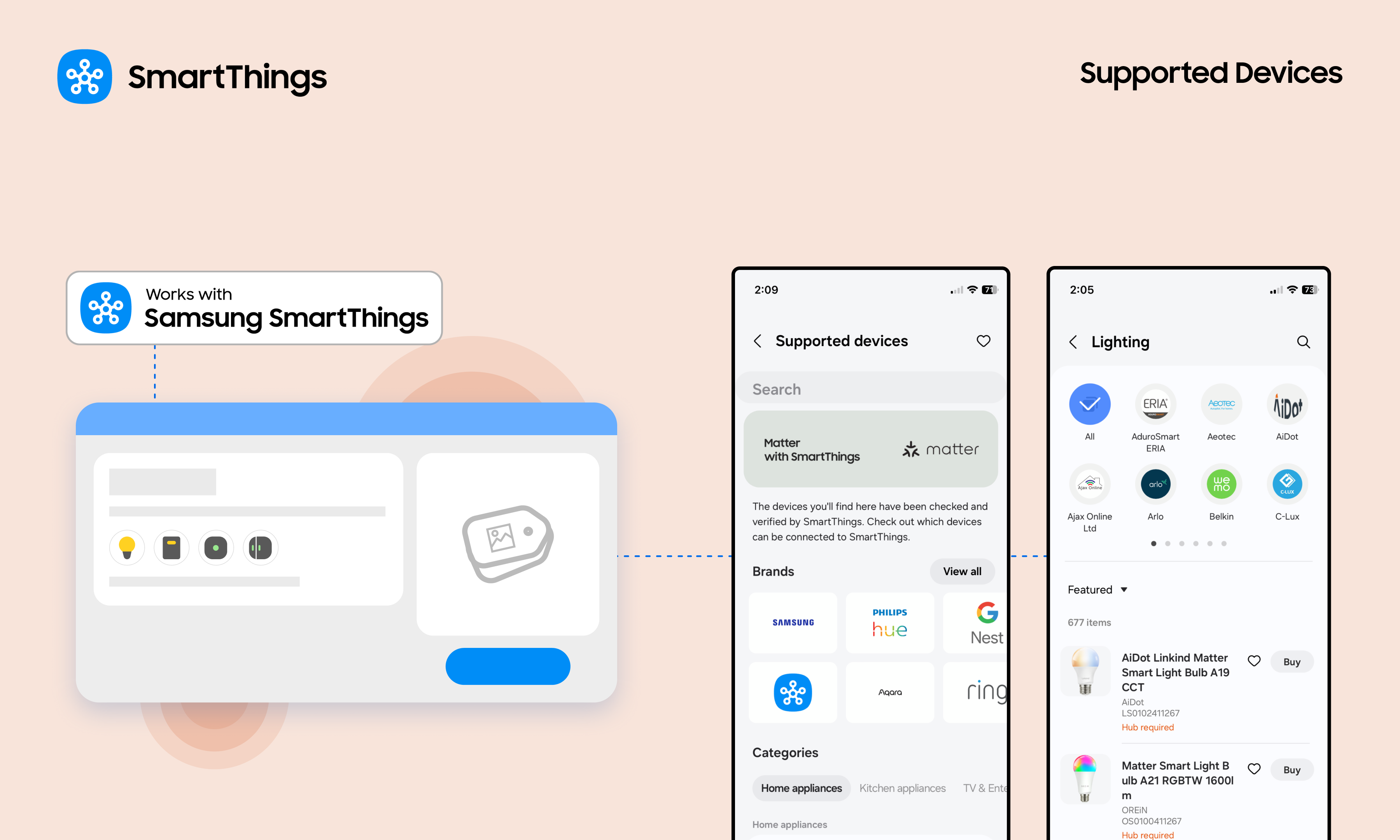
SmartThings WWST Partners can Update their Supported Devices pages

We’re happy to share an exciting new feature that lets Works with SmartThings (WWST) partners manage their brand and certified product pages, seen by millions of SmartThings users.

Partner brand pages, found on Partners.SmartThings.com and in the SmartThings app, are some of the most frequently visited resources. These pages are often the first place users go to discover new brands and confirm product compatibility before making a purchase. Additionally, because they are visible to everyone across the entire web, they expand partner’s reach and strengthen search engine optimization (SEO) for their brand and products.

Now, partners can manage their brand and product pages to showcase offerings and encourage user purchases.

Partners can follow these simple steps to update brand and product pages.
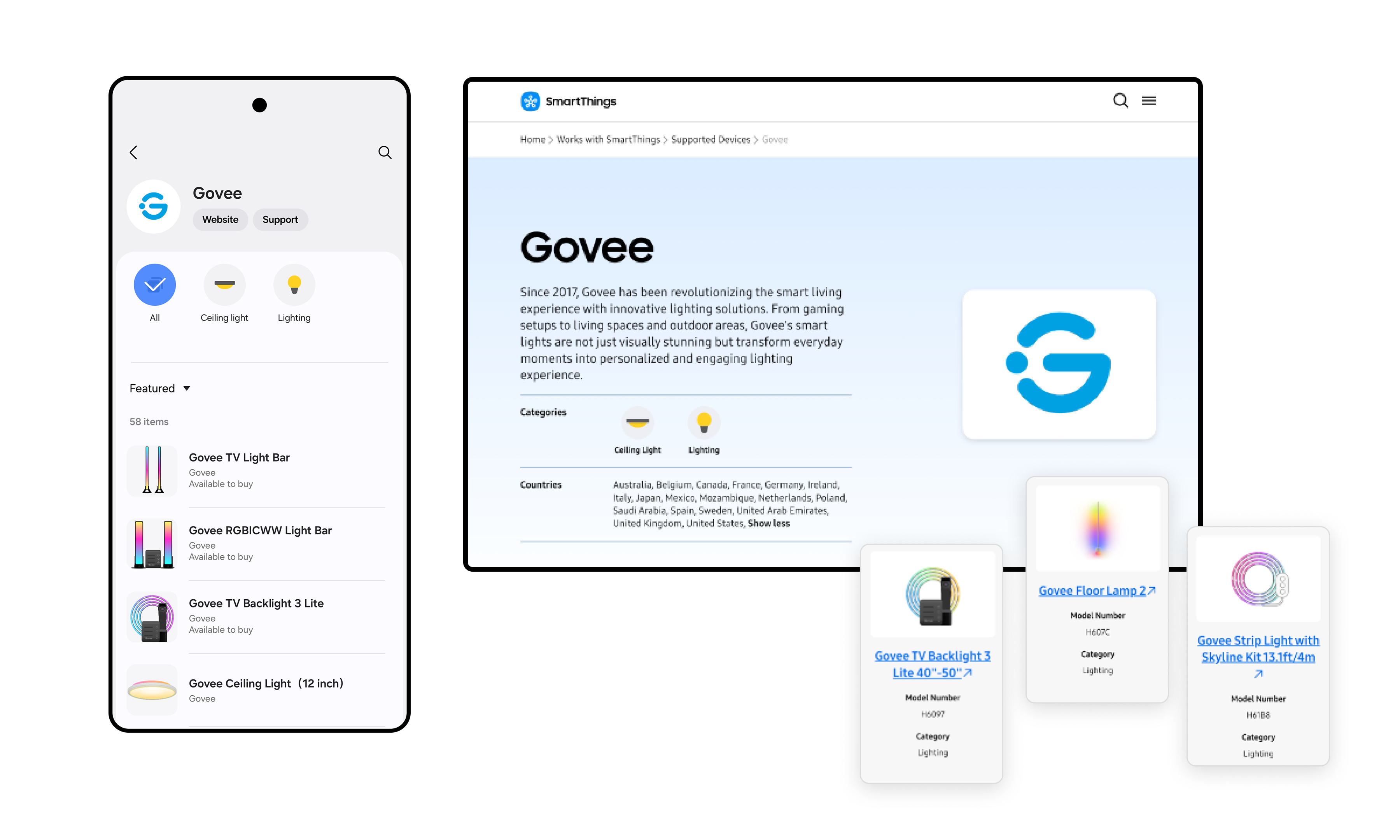
SmartThings Partner Brand and Product Pages - Govee

An Easy Way to Showcase Brands and Certified Products

This new feature is a key benefit of the Works with SmartThings (WWST) program. It enables partners to easily keep their brand and product information current, including the latest purchase links, for SmartThings users.

The WWST program offers many benefits, such as:

  • Opportunities to promote products to 450 million global SmartThings users
  • Brand and product placement on the SmartThings website and within the app
  • Use of the WWST badge
  • Co-marketing opportunities
  • Access to user engagement analytics
  • Increased discoverability and trust from SmartThings users

What Partners Can Update

For Brands:

  • Brand Name
  • Brand URL
  • Brand Description 
  • Logo
  • Customer Support Information 
  • Company Contact Information 
  • Contact Name

For Products:

  • Product Name
  • Product Description 
  • Model Number
  • Product Images
  • Product Category
  • Purchase Links
  • Product Distribution Locations

How to Update: A Step-by-Step Guide

For partners that already have an account linked to brands in the SmartThings Console, partners can start updating information immediately. 

For partners without an account or if the brands are not linked, please contact the SmartThings team at partners@smartthings.com.
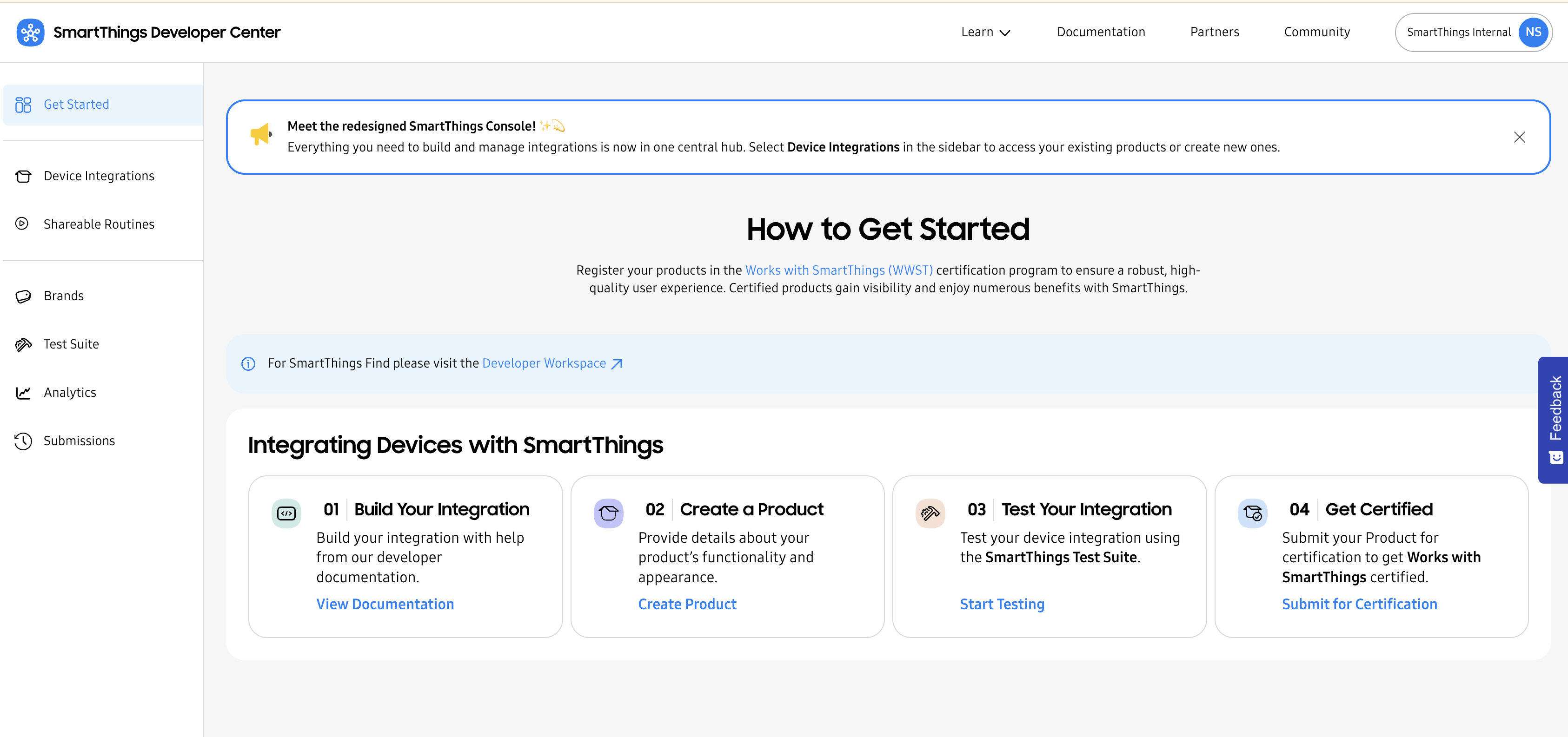
SmartThings Developer Center Console

1. Access the SmartThings Console

Access the Console by signing in to the SmartThings Developer Center. From the homepage, use the left-hand navigation to choose the path: Brands, for updating brand information, or Device Integrations for updating product information. 

2. Refresh Brand Information

  • Navigate: Click the Brands tab.
  • Edit: Click the brand and select Edit Brand at the bottom right. 
  • Make Updates: Update brand details, including logos, customer support information, and more.
  • Submit: Update the details, check the permission box in the “Ready to submit?” section, and click Update Brand.

3. Update Product Information

  • Navigate: Click the Device Integrations tab.
  • Select: Click on the specific product name to edit.
  • Refine: Update product details, including product names, model numbers, product images, purchase links, and more.
  • Submit: Update the details, check the permission box in the “Ready to submit?” section, and click Update Product.

4. Review and Approval

Once approved, the updated brand and product details will go live in the SmartThings app (please note a brief delay may occur due to caching). Updates will typically appear on the web-based partner brand page within 5-7 business days.

Update Brand and Product Pages Today

Partners can now make these updates in the SmartThings Developer Center today!

Subscribe for more articles like this!

Your email address
[contact-form-7 id="831e457" title="Contact form"] You may opt-out at any time. Privacy Policy.

Learn more about becoming a SmartThings partner.
Work With Us

Inspire the world and create the future of IoT at SmartThings.

You Might Also Like...

SmartThings Updates

August 14, 2014

SmartThings, Samsung, and the Open Platform

Friends, Today is a big day for SmartThings. I’m excited to announce that SmartThings has been acquired by Samsung and will operate as an independent company within Samsung’s Open Innovation Center group. It has always been our goal to create a totally open smart home platform that brings together third-party developers, device makers, and consumers. We’re thrilled that Samsung fully supports this vision. We will continue to run SmartThings the way we always have: by embracing our community of customers, developers, and device makers and championing the creation of the leading open platform for the smart home. Our growing team will remain fully intact and will relocate to a new headquarters in Palo Alto, CA. In short: SmartThings will remain SmartThings. (more…)
Read More
SmartThings Updates

March 31, 2015

Update: SmartThings Hub & Hardware V2

Earlier this year we announced that we’ll soon unveil the next generation of the SmartThings Hub and several sensors. We wanted to provide a quick update on our progress to date. (more…)
Read More
SmartThings Updates

September 3, 2015

The Next Generation of SmartThings is Here

We’re excited to announce that the next generation of the Samsung SmartThings Hub, a new lineup of products, and a brand-new SmartThings app experience is available today. Our mission has always been to create the easiest way for people to turn their home into a smart home. In fact, we started SmartThings out of a desire to know the answer to a basic but deeply personal question: is everything OK in my home.  We believe our latest product evolution delivers on this ambition. Here's a look at what's new and improved: The New Samsung SmartThings Hub and Sensors The new Hub enables video streaming, has battery backup that lasts up to 10 hours, and can run certain functions locally to improve performance and continue to operate without an internet connection. The Hub will continue to support ZigBee, Z-Wave, and local internet connected devices. Two USB ports and embedded Bluetooth will support future expansion. The new collection of Samsung SmartThings sensors are now smaller and have been redesigned with a sleeker, more contemporary look to fit seamlessly into the background of your home. The New SmartThings App Experience The free SmartThings app has been redesigned for easier navigation and a more intuitive experience.  You can now directly organize and control your connected devices by room, view live streaming from cameras, quickly set up and run routines, explore the marketplace of nearly 200 devices now compatible with SmartThings, and so much more. One of the exciting new features of the SmartThings app experience is Smart Home Monitor– an integrated home monitoring solution. Smart Home Monitor allows you to receive alerts and take action when SmartThings detects unwanted entry or motion, smoke or fire, leaks, or other important activity. Existing customers will be able to configure Smart Home Monitor from their dashboard within 24 hours after downloading the updated app. With Smart Home Monitor, our Hub version 2, and a connected camera, you can also get instant alerts with an accompanying video-clip when these unexpected events occur.  Video buffering in the new hub means clips can start prior to the event so you can see exactly what is happening in your home. Video clips will eventually be a premium feature within Smart Home Monitor but are available in beta as a free trial through 2015. After the free trial, a premium version of Smart Home Monitor, which includes video clips, will be available for $4.99 per month. Live streaming will always be free. The new SmartThings app will be available for free download on iOS and Android starting today, with Apple Watch, and Gear S apps to follow. Be sure to check out our post for a more in-depth look at the app’s new features. We would like to extend our heart-felt thanks to our customers, supporters, and developer community. Your commitment, feedback, and ideas are what make our open platform truly special. We hope you you enjoy the new SmartThings experience.    
Read More

Our Most Popular Categories