Featured Stories

Matter

April 19, 2026

Samsung SmartThings Expands Seamless Integration With IKEA Matter Devices

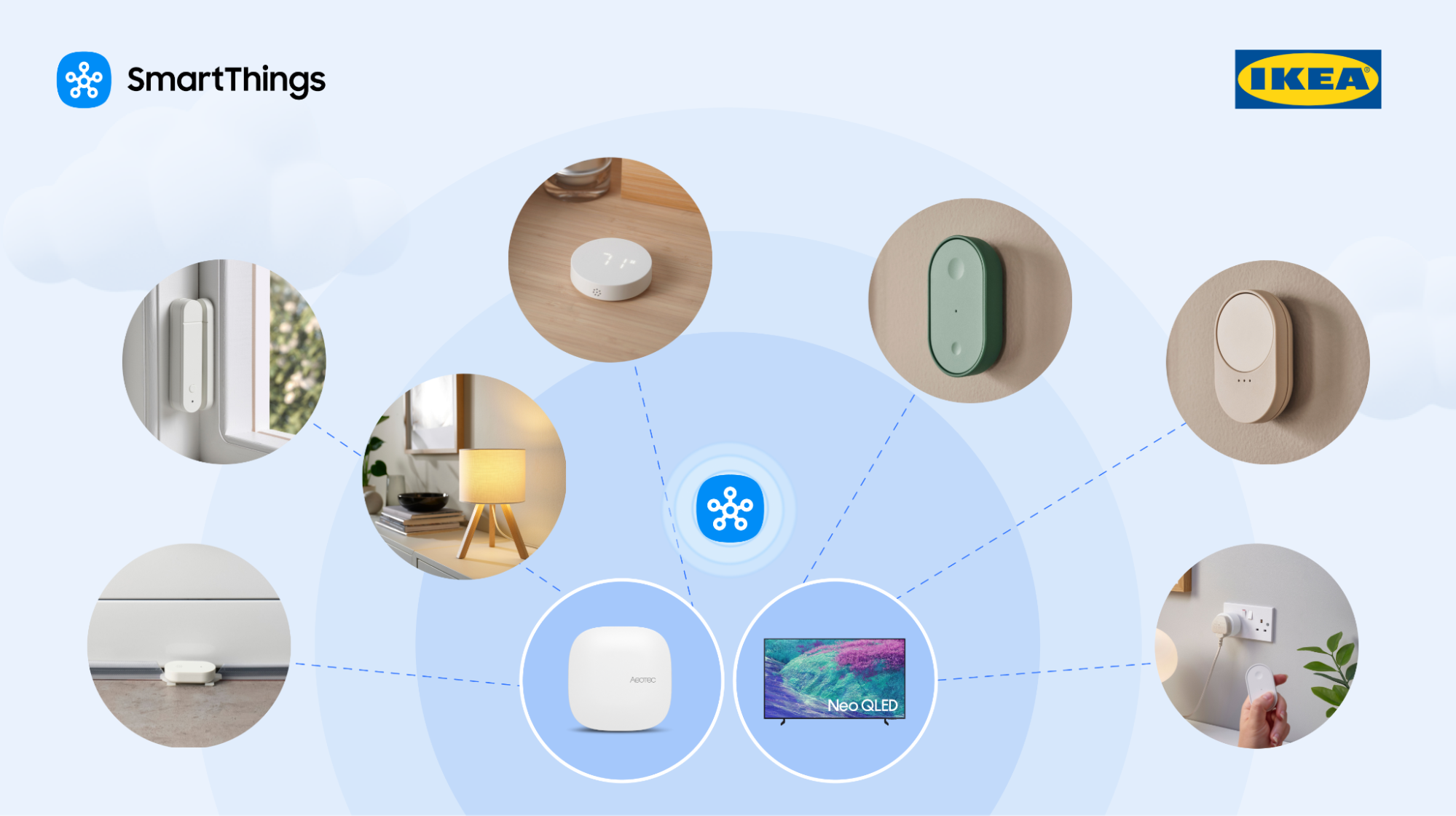
SmartThings, Samsung Electronics’ global smart home platform, has built enhanced integrations with furniture retailer IKEA’s new smart home product line. Samsung Electronics has enabled seamless integration of IKEA’s 25 practical Matter-over-Thread smart home devices—including smart bulbs and plugs—into the SmartThings platform, allowing users to effortlessly incorporate them into daily life. Easy Integration with SmartThings Through Matter-Enabled IKEA Devices 25 IKEA smart home devices including a scroll wheel remote, smart bulbs, plugs, temperature and humidity sensors, air quality sensors, motion sensors, door sensors and water leak sensors, now support the global smart home standard Matter. Previously, connecting IKEA devices to SmartThings required an IKEA smart home hub and SmartThings hub, but they can now be connected directly to SmartThings hub. They also work with Samsung appliances including TVs, air conditioners and washing machines, as well as a wide range of third-party devices and protocols supported by the platform. Smarter Care — From Checking on Loved Ones to Optimizing Sleep Environments For example, users can connect an IKEA door sensor to SmartThings and attach it to a frequently used door to monitor when their parents start their day and whether they are active at home through SmartThings Family Care. This offers a convenient way to check on loved ones, even when living apart. Installed on a wall, IKEA’s air quality and temperature and humidity sensors collect data on temperature, humidity, carbon dioxide levels and light intensity. SmartThings compares these readings with recommended ranges for optimal sleep and provides a sleep environment report with actionable insights — such as lowering the temperature to 19-21°C — helping create an ideal bedroom environment. Users can also set routines that activate the air conditioner’s dehumidification mode when rising humidity is detected. If the water leak sensor detects moisture, it sends an immediate alert enabling a prompt response. Intuitive Control With the Scroll Wheel Remote Ahead of launch, Samsung and IKEA conducted multiple rounds of validation to enhance connectivity stability and implemented a dedicated user experience within the SmartThings app for full compatibility. A standout device is the scroll wheel remote, which significantly enhances user experience. When connected to lighting, users can precisely adjust brightness and color temperature by rotating the wheel, making it easy to create the desired ambiance. It can also be used for devices requiring fine control, such as blinds. It targets the design-conscious younger generation, who prioritizes aesthetic value in every detail, down to a single switch or lighting.  Expanding a Boundless Smart Home Ecosystem With Early Adoption of Thread SmartThings was the first to adopt Thread 1.4 — a low-power, short-range networking technology essential for smart home ecosystems — enabling Thread networks across brands to operate as a single unified system that enhances user convenience. “By connecting IKEA devices to SmartThings, even first-time smart home users can enjoy a familiar and easy connectivity experience without financial burden,” said Jaeyeon Jung, Executive Vice President of SmartThings, AI Platform Center at Samsung Electronics. “SmartThings will continue to expand its ecosystem through partnerships, enabling more consumers to enjoy seamless and convenient smart home experience within the platform regardless of brand or protocol.” 1 Matter is a global smart home connectivity standard developed by the Connectivity Standards Alliance to improve interoperability among devices. 2 Hub is a central smart home device that connects multiple smart devices using different wireless protocols and enables unified control through a single platform. 3 As of April 1, 2026, only lighting control is supported. blind control will be available later this year. 4 Thread is a low-power, mesh networking-based wireless protocol used in the Matter standard that enables smart home devices to communicate with each other quickly and reliably independent of Wi-Fi.
Read More
SmartThings Family Care Update April 2026
SmartThings Updates

April 15, 2026

Samsung Elevates Experiences to Care for Users and Their Families with SmartThings Update

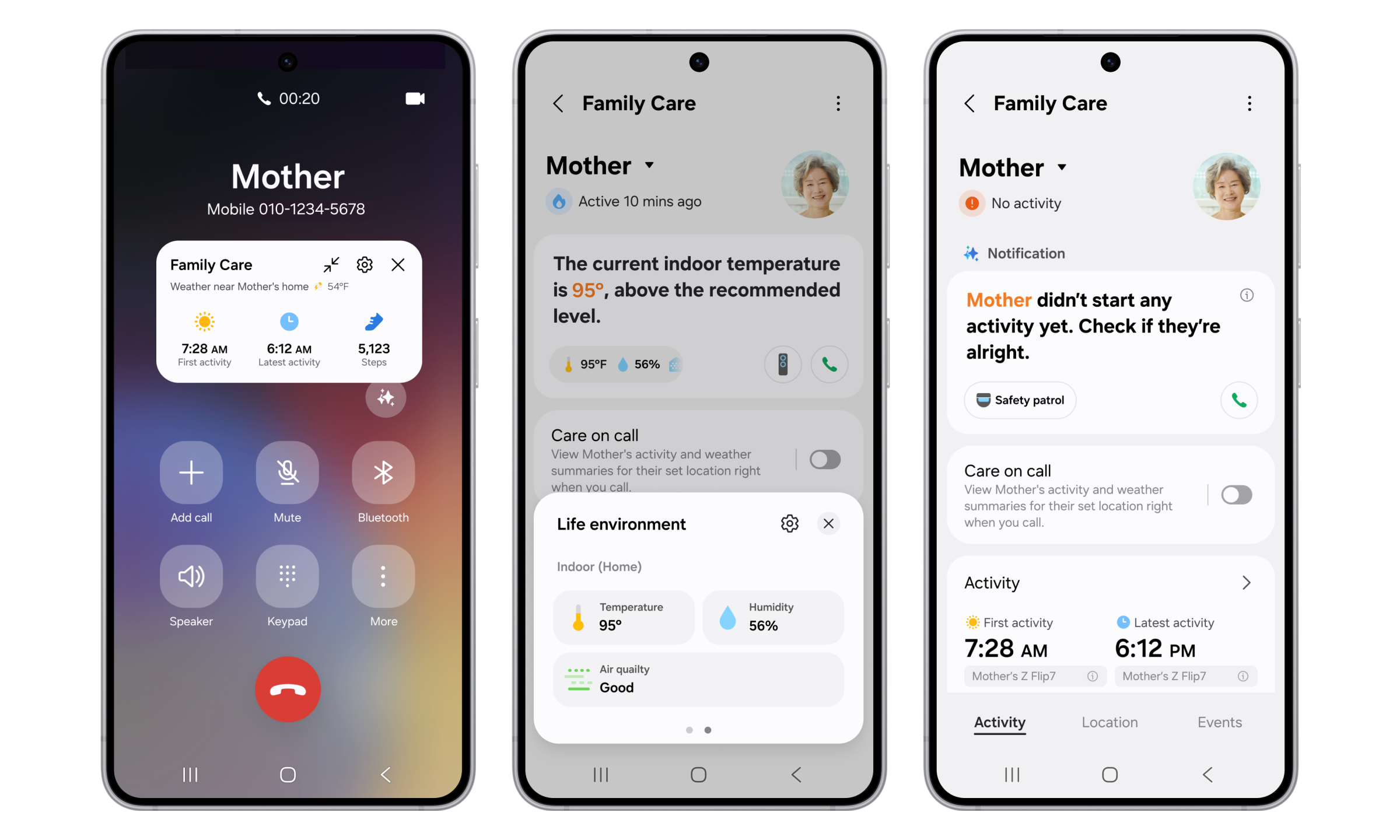
Enhanced SmartThings Family Care provides more thoughtful support for families living apart Galaxy Now Brief integrates Home Security, Family Care and Pet Care and expands to TVs and Family Hub refrigerators SEOUL, Korea – April 16, 2026 – Samsung Electronics Co., Ltd. today announced that it has updated its global smart home platform SmartThings to provide improved experiences that help users better care for their families and themselves in everyday life. With the latest update, SmartThings has strengthened its Family Care service so users can better support parents they live apart from. It also integrates additional key SmartThings features into Now Brief, the personalized briefing service available on Galaxy mobile devices, to further enhance the convenience and comfort of the customer's daily life. Samsung plans to roll out these new Now Brief capabilities to TVs and Family Hub refrigerators in phases. “Samsung’s AI technology goes beyond everyday convenience to help users care for themselves and their families with greater peace of mind,” said Jaeyeon Jung, Executive Vice President and Head of the SmartThings Team, AI Platform Center, Samsung Electronics. “SmartThings will continue to strengthen its role as a platform that seamlessly connects customers’ daily lives with AI, and it will keep expanding differentiated services on an ongoing basis.” Enhanced Family Care Makes It Easier To Check In on Loved Ones Family Care connects SmartThings with a range of home appliances and mobile devices to provide notifications regarding the activities of users’ aging parents and reminders for medication and hospital visits — as well as location-based alerts. With this update, the service enables even more thoughtful care. Additionally, Samsung’s new Care on Call1 feature allows users to more closely check on the status of the care recipient through a simple phone call. When a caregiver using the service calls the care recipient, a floating pop-up that displays key information like the time of the first activity of the day, the most recent activity time and the local weather — all at a glance — appears before the call begins. This helps caregivers ask more meaningful check-in questions and respond accordingly. SmartThings can also continuously monitor devices like air conditioners, air purifiers, dehumidifiers and humidifiers for indoor temperature, humidity and air quality. If unusual usage patterns are detected, the caregiver is immediately notified and can remotely control the relevant device.2 Family Care has made the Safety Patrol feature — which utilizes SmartThings to send a new Bespoke AI Jet Bot Steam Ultra to check various areas around the house — even more convenient. If the care recipient’s activity is not detected for a specified period of time, users receive a notification and the feature can be remotely activated if the caregiver needs to take action.3 Using a camera built into the robot vacuum, caregivers can view issues that might occur — such as a person lying incapacitated — and two-way communication through the built-in speaker and microphone allows them to act. To further enhance the level of care provided to loved ones, the Care Insight feature has been enhanced to provide even more actionable, long-term data within the Family Care service. It analyzes factors like temperature and humidity levels, paying attention to whether they deviate from optimal ranges. It also tracks significant changes in activity levels and connected device usage compared to the previous week.  Expansion of Now Brief to TVs and Family Hub Now Brief delivers a rich AI experience by integrating a broad range of key SmartThings services that help users stay informed about their daily lives, their family members and conditions inside and outside the home. With the launch of the Galaxy S26 series, Now Brief will support Home Security, Family Care and Pet Care, in addition to existing features that include Home Insight, Energy and the Sleep Environment Report. Through Now Brief, users can access the useful information needed to care for themselves, their families and their homes at a glance.  Now Brief is set to deliver a consistent customized experience throughout the home4, and will soon roll out in phases to TVs launched in 2024 or later, as well as Family Hub refrigerators launched in 2021 or later. For added convenience, users will not need to manually launch Now Brief. If the feature is set up in advance, it will be automatically activated when they approach the TV, touch the Family Hub refrigerator screen or open and close the refrigerator door. And now, whether at home or on the go, the expanded Now Brief helps users stay up to date by providing information such as home device status and energy usage, as well as the sleep status of the previous night, Home Security updates based on door locks, door sensors, and security mode, parents’ daily activity updates and dog-walking information.5 About Samsung Electronics Co., Ltd. Samsung inspires the world and shapes the future with transformative ideas and technologies. The company is redefining worlds of TVs, digital signage, smartphones, wearables, tablets, home appliances and network systems, as well as memory, system LSI and foundry. Samsung is also advancing medical imaging technologies, HVAC solutions and robotics, while creating innovative automotive and audio products through Harman. With its SmartThings ecosystem, open collaboration with partners, and integration of AI across its portfolio, Samsung delivers a seamless and intelligent connected experience. For the latest news, please visit the Samsung Newsroom at news.samsung.com. 1 Care on Call is available on Galaxy smartphones running One UI 8.5 or later. Internet calls are not supported. 2 Remote control is available when the caregiver has been set up to remotely control the care recipient's devices. 3 Remote control is available when the caregiver has been set up to remotely control the care recipient's devices. Availability may vary depending on product, model and region. 4 Availability may vary depending on product, model, region, and each product’s Over The Network (OTN) software update schedule.  5 The relevant devices should be registered in SmartThings, and the service must be activated in the Life tab.
Read More
SmartThings Updates

April 15, 2026

Your Galaxy Is Your New Front Door Key

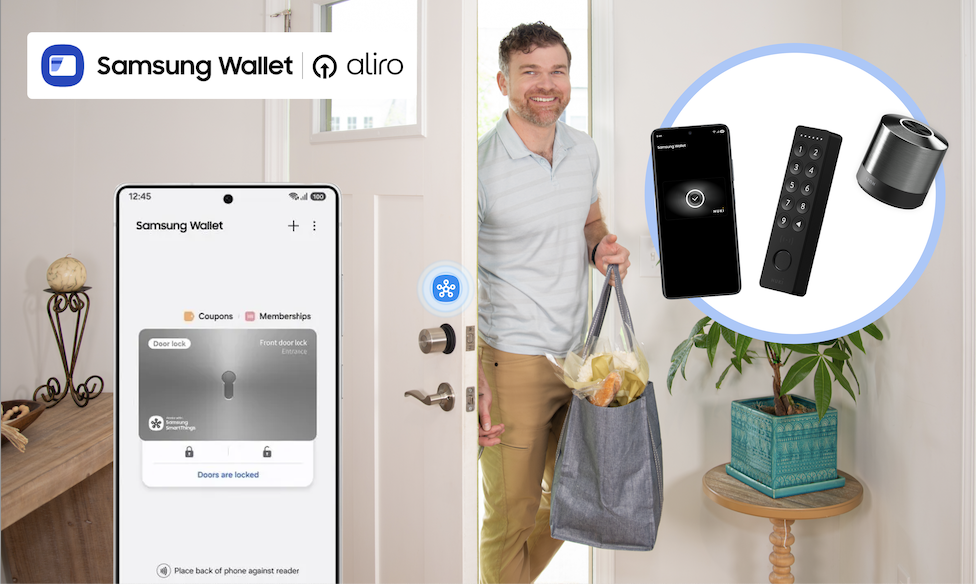
Samsung Wallet, Aliro Locks, and SmartThings turn a simple tap into total home control What if getting into your home didn’t require fumbling for keys, digging through bags, or wondering whether you locked the door on your way out? With the Samsung Wallet, SmartThings, and Aliro-certified smart locks from trusted brands like Aqara, Nuki, ULTRALOQ, and Schlage, your Galaxy phone can become your new door key, unlocking a smarter, safer, and more convenient home experience. Now available on Samsung.com, Aliro-certified locks integrate with SmartThings and Samsung Wallet, giving you tap-to-unlock access, remote control, and powerful home automations that start the moment you walk through the door. Tap to Unlock. Walk Right In. Ever arrive home from a run with nowhere to stash your keys? Instead of slowing down, soon you can simply tap your Galaxy phone on your smart lock. The door unlocks instantly, no physical keys required. Samsung Wallet securely stores your digital keys, while SmartThings keeps everything connected behind the scenes. It’s a simple gesture that makes everyday routines feel effortless. Unlocking your door can trigger far more than just entry. When paired with SmartThings and a compatible hub, Aliro-certified smart locks can become the starting point for your entire home: Lights turn on as you step inside Thermostat adjusts to your preferred temperature Security cameras shift modes Alarms disarm and re-arm automatically Heading out? Lock the door from your phone when you leave, and SmartThings takes care of the rest, shutting off lights or securing devices so you can leave with peace of mind. Designed for Real-Life Moments Technology should make life easier, especially in the moments that matter most. Active lifestyles: Going for a run or walking the dog? Leave your keys behind. Your Galaxy has you covered. Locked-out scares: Step outside to take out the trash and hear the door click shut? No panic required, tap your phone and get back in. Family members: Share secure digital keys with family members through Samsung Wallet, and use SmartThings to manage alarms and routines while they’re inside. Members added to SmartThings can use a designated PIN as well to use the features.  Built for What’s Next: Aliro-Certified Smart Locks Samsung’s tap-to-unlock experience is powered by Aliro Home Key certification, an industry standard created to make digital access to your home more secure, reliable, and interoperable across devices. Aliro-certified smart locks will work seamlessly with Galaxy phones through Samsung Wallet, delivering consistent tap-to-unlock access whether you’re coming home from work, heading out for a run, or letting in a guest remotely. And this ecosystem is growing. Samsung is partnering with a broad range of Aliro-certified lock makers, including Aqara, Nuki, and Allegion brands like Schlage, giving homeowners more flexibility and choice when upgrading their front door. That means confidence today and peace of mind that your home is ready for what comes next. How to Set Up an Aliro-Certified Lock with Galaxy Getting started is easier than you might think. Step 1: Install Your Aliro-Certified Lock Follow the manufacturer’s instructions to physically install your lock. Step 2: Add the Lock in the SmartThings App Open the SmartThings app. Tap Add device and follow the on-screen prompts to connect your lock. Step 3: Add Your Digital Key to Samsung Wallet Once connected, you’ll receive the option to add your home key to Samsung Wallet. Confirm and authenticate, your Galaxy phone is now your key. Step 4: Test Tap-to-Unlock Hold your Galaxy phone near the lock. Tap. Unlock. Done. Want a Routine to try? Try This! Routine Name: “I’m Home!” Trigger: When front door unlocks Actions: Turn on entryway and living room lights Adjust thermostat to comfort setting Disarm security system Turn on Samsung TV Plus automatically  Now your home responds automatically the moment you walk in. You can customize this routine for mornings, evenings, guests, or even specific users. Ready to upgrade? Shop the Aliro-compatible smart locks, Galaxy Devices, and SmartThings hubs now on Samsung.com and fully unlock your home’s potential.
Read More

Connected, Smart Living

Simplify your everyday with the SmartThings App. Enjoy a customized smart home with innovative SmartThings-compatible devices that let you check the front door, set the mood, and automate your daily routines — all from anywhere.

SmartThings Connected

SmartThings Updates

Smartthings Updates

April 19, 2026

Samsung SmartThings Expands Seamless Integration With IKEA Matter Devices

SmartThings, Samsung Electronics’ global smart home platform, has built enhanced integrations with furniture retailer IKEA’s new smart home product line. Samsung Electronics has enabled seamless integration of IKEA’s 25 practical Matter-over-Thread smart home devices—including smart bulbs and plugs—into the SmartThings platform, allowing users to effortlessly incorporate them into daily life. Easy Integration with SmartThings Through Matter-Enabled IKEA Devices 25 IKEA smart home devices including a scroll wheel remote, smart bulbs, plugs, temperature and humidity sensors, air quality sensors, motion sensors, door sensors and water leak sensors, now support the global smart home standard Matter. Previously, connecting IKEA devices to SmartThings required an IKEA smart home hub and SmartThings hub, but they can now be connected directly to SmartThings hub. They also work with Samsung appliances including TVs, air conditioners and washing machines, as well as a wide range of third-party devices and protocols supported by the platform. Smarter Care — From Checking on Loved Ones to Optimizing Sleep Environments For example, users can connect an IKEA door sensor to SmartThings and attach it to a frequently used door to monitor when their parents start their day and whether they are active at home through SmartThings Family Care. This offers a convenient way to check on loved ones, even when living apart. Installed on a wall, IKEA’s air quality and temperature and humidity sensors collect data on temperature, humidity, carbon dioxide levels and light intensity. SmartThings compares these readings with recommended ranges for optimal sleep and provides a sleep environment report with actionable insights — such as lowering the temperature to 19-21°C — helping create an ideal bedroom environment. Users can also set routines that activate the air conditioner’s dehumidification mode when rising humidity is detected. If the water leak sensor detects moisture, it sends an immediate alert enabling a prompt response. Intuitive Control With the Scroll Wheel Remote Ahead of launch, Samsung and IKEA conducted multiple rounds of validation to enhance connectivity stability and implemented a dedicated user experience within the SmartThings app for full compatibility. A standout device is the scroll wheel remote, which significantly enhances user experience. When connected to lighting, users can precisely adjust brightness and color temperature by rotating the wheel, making it easy to create the desired ambiance. It can also be used for devices requiring fine control, such as blinds. It targets the design-conscious younger generation, who prioritizes aesthetic value in every detail, down to a single switch or lighting.  Expanding a Boundless Smart Home Ecosystem With Early Adoption of Thread SmartThings was the first to adopt Thread 1.4 — a low-power, short-range networking technology essential for smart home ecosystems — enabling Thread networks across brands to operate as a single unified system that enhances user convenience. “By connecting IKEA devices to SmartThings, even first-time smart home users can enjoy a familiar and easy connectivity experience without financial burden,” said Jaeyeon Jung, Executive Vice President of SmartThings, AI Platform Center at Samsung Electronics. “SmartThings will continue to expand its ecosystem through partnerships, enabling more consumers to enjoy seamless and convenient smart home experience within the platform regardless of brand or protocol.” 1 Matter is a global smart home connectivity standard developed by the Connectivity Standards Alliance to improve interoperability among devices. 2 Hub is a central smart home device that connects multiple smart devices using different wireless protocols and enables unified control through a single platform. 3 As of April 1, 2026, only lighting control is supported. blind control will be available later this year. 4 Thread is a low-power, mesh networking-based wireless protocol used in the Matter standard that enables smart home devices to communicate with each other quickly and reliably independent of Wi-Fi.
Read More
SmartThings Family Care Update April 2026
Smartthings Updates

April 15, 2026

Samsung Elevates Experiences to Care for Users and Their Families with SmartThings Update

Enhanced SmartThings Family Care provides more thoughtful support for families living apart Galaxy Now Brief integrates Home Security, Family Care and Pet Care and expands to TVs and Family Hub refrigerators SEOUL, Korea – April 16, 2026 – Samsung Electronics Co., Ltd. today announced that it has updated its global smart home platform SmartThings to provide improved experiences that help users better care for their families and themselves in everyday life. With the latest update, SmartThings has strengthened its Family Care service so users can better support parents they live apart from. It also integrates additional key SmartThings features into Now Brief, the personalized briefing service available on Galaxy mobile devices, to further enhance the convenience and comfort of the customer's daily life. Samsung plans to roll out these new Now Brief capabilities to TVs and Family Hub refrigerators in phases. “Samsung’s AI technology goes beyond everyday convenience to help users care for themselves and their families with greater peace of mind,” said Jaeyeon Jung, Executive Vice President and Head of the SmartThings Team, AI Platform Center, Samsung Electronics. “SmartThings will continue to strengthen its role as a platform that seamlessly connects customers’ daily lives with AI, and it will keep expanding differentiated services on an ongoing basis.” Enhanced Family Care Makes It Easier To Check In on Loved Ones Family Care connects SmartThings with a range of home appliances and mobile devices to provide notifications regarding the activities of users’ aging parents and reminders for medication and hospital visits — as well as location-based alerts. With this update, the service enables even more thoughtful care. Additionally, Samsung’s new Care on Call1 feature allows users to more closely check on the status of the care recipient through a simple phone call. When a caregiver using the service calls the care recipient, a floating pop-up that displays key information like the time of the first activity of the day, the most recent activity time and the local weather — all at a glance — appears before the call begins. This helps caregivers ask more meaningful check-in questions and respond accordingly. SmartThings can also continuously monitor devices like air conditioners, air purifiers, dehumidifiers and humidifiers for indoor temperature, humidity and air quality. If unusual usage patterns are detected, the caregiver is immediately notified and can remotely control the relevant device.2 Family Care has made the Safety Patrol feature — which utilizes SmartThings to send a new Bespoke AI Jet Bot Steam Ultra to check various areas around the house — even more convenient. If the care recipient’s activity is not detected for a specified period of time, users receive a notification and the feature can be remotely activated if the caregiver needs to take action.3 Using a camera built into the robot vacuum, caregivers can view issues that might occur — such as a person lying incapacitated — and two-way communication through the built-in speaker and microphone allows them to act. To further enhance the level of care provided to loved ones, the Care Insight feature has been enhanced to provide even more actionable, long-term data within the Family Care service. It analyzes factors like temperature and humidity levels, paying attention to whether they deviate from optimal ranges. It also tracks significant changes in activity levels and connected device usage compared to the previous week.  Expansion of Now Brief to TVs and Family Hub Now Brief delivers a rich AI experience by integrating a broad range of key SmartThings services that help users stay informed about their daily lives, their family members and conditions inside and outside the home. With the launch of the Galaxy S26 series, Now Brief will support Home Security, Family Care and Pet Care, in addition to existing features that include Home Insight, Energy and the Sleep Environment Report. Through Now Brief, users can access the useful information needed to care for themselves, their families and their homes at a glance.  Now Brief is set to deliver a consistent customized experience throughout the home4, and will soon roll out in phases to TVs launched in 2024 or later, as well as Family Hub refrigerators launched in 2021 or later. For added convenience, users will not need to manually launch Now Brief. If the feature is set up in advance, it will be automatically activated when they approach the TV, touch the Family Hub refrigerator screen or open and close the refrigerator door. And now, whether at home or on the go, the expanded Now Brief helps users stay up to date by providing information such as home device status and energy usage, as well as the sleep status of the previous night, Home Security updates based on door locks, door sensors, and security mode, parents’ daily activity updates and dog-walking information.5 About Samsung Electronics Co., Ltd. Samsung inspires the world and shapes the future with transformative ideas and technologies. The company is redefining worlds of TVs, digital signage, smartphones, wearables, tablets, home appliances and network systems, as well as memory, system LSI and foundry. Samsung is also advancing medical imaging technologies, HVAC solutions and robotics, while creating innovative automotive and audio products through Harman. With its SmartThings ecosystem, open collaboration with partners, and integration of AI across its portfolio, Samsung delivers a seamless and intelligent connected experience. For the latest news, please visit the Samsung Newsroom at news.samsung.com. 1 Care on Call is available on Galaxy smartphones running One UI 8.5 or later. Internet calls are not supported. 2 Remote control is available when the caregiver has been set up to remotely control the care recipient's devices. 3 Remote control is available when the caregiver has been set up to remotely control the care recipient's devices. Availability may vary depending on product, model and region. 4 Availability may vary depending on product, model, region, and each product’s Over The Network (OTN) software update schedule.  5 The relevant devices should be registered in SmartThings, and the service must be activated in the Life tab.
Read More
Smartthings Updates

April 15, 2026

Your Galaxy Is Your New Front Door Key

Samsung Wallet, Aliro Locks, and SmartThings turn a simple tap into total home control What if getting into your home didn’t require fumbling for keys, digging through bags, or wondering whether you locked the door on your way out? With the Samsung Wallet, SmartThings, and Aliro-certified smart locks from trusted brands like Aqara, Nuki, ULTRALOQ, and Schlage, your Galaxy phone can become your new door key, unlocking a smarter, safer, and more convenient home experience. Now available on Samsung.com, Aliro-certified locks integrate with SmartThings and Samsung Wallet, giving you tap-to-unlock access, remote control, and powerful home automations that start the moment you walk through the door. Tap to Unlock. Walk Right In. Ever arrive home from a run with nowhere to stash your keys? Instead of slowing down, soon you can simply tap your Galaxy phone on your smart lock. The door unlocks instantly, no physical keys required. Samsung Wallet securely stores your digital keys, while SmartThings keeps everything connected behind the scenes. It’s a simple gesture that makes everyday routines feel effortless. Unlocking your door can trigger far more than just entry. When paired with SmartThings and a compatible hub, Aliro-certified smart locks can become the starting point for your entire home: Lights turn on as you step inside Thermostat adjusts to your preferred temperature Security cameras shift modes Alarms disarm and re-arm automatically Heading out? Lock the door from your phone when you leave, and SmartThings takes care of the rest, shutting off lights or securing devices so you can leave with peace of mind. Designed for Real-Life Moments Technology should make life easier, especially in the moments that matter most. Active lifestyles: Going for a run or walking the dog? Leave your keys behind. Your Galaxy has you covered. Locked-out scares: Step outside to take out the trash and hear the door click shut? No panic required, tap your phone and get back in. Family members: Share secure digital keys with family members through Samsung Wallet, and use SmartThings to manage alarms and routines while they’re inside. Members added to SmartThings can use a designated PIN as well to use the features.  Built for What’s Next: Aliro-Certified Smart Locks Samsung’s tap-to-unlock experience is powered by Aliro Home Key certification, an industry standard created to make digital access to your home more secure, reliable, and interoperable across devices. Aliro-certified smart locks will work seamlessly with Galaxy phones through Samsung Wallet, delivering consistent tap-to-unlock access whether you’re coming home from work, heading out for a run, or letting in a guest remotely. And this ecosystem is growing. Samsung is partnering with a broad range of Aliro-certified lock makers, including Aqara, Nuki, and Allegion brands like Schlage, giving homeowners more flexibility and choice when upgrading their front door. That means confidence today and peace of mind that your home is ready for what comes next. How to Set Up an Aliro-Certified Lock with Galaxy Getting started is easier than you might think. Step 1: Install Your Aliro-Certified Lock Follow the manufacturer’s instructions to physically install your lock. Step 2: Add the Lock in the SmartThings App Open the SmartThings app. Tap Add device and follow the on-screen prompts to connect your lock. Step 3: Add Your Digital Key to Samsung Wallet Once connected, you’ll receive the option to add your home key to Samsung Wallet. Confirm and authenticate, your Galaxy phone is now your key. Step 4: Test Tap-to-Unlock Hold your Galaxy phone near the lock. Tap. Unlock. Done. Want a Routine to try? Try This! Routine Name: “I’m Home!” Trigger: When front door unlocks Actions: Turn on entryway and living room lights Adjust thermostat to comfort setting Disarm security system Turn on Samsung TV Plus automatically  Now your home responds automatically the moment you walk in. You can customize this routine for mornings, evenings, guests, or even specific users. Ready to upgrade? Shop the Aliro-compatible smart locks, Galaxy Devices, and SmartThings hubs now on Samsung.com and fully unlock your home’s potential.
Read More

Start Building with SmartThings

Ready to add your IoT products to the SmartThings ecosystem? Visit our Developer Center to get Works with SmartThings Certified and learn more about our unique integration opportunities.

Works with Samsung SmartThings

Develop, certify, launch, and promote your devices to millions of users across the Samsung and SmartThings ecosystem.

Level up your integrations with differentiating features and automations that enhance your users’ experience.

Partner Spotlight

Partner Spotlight

October 20, 2025

Ditch the Keys, Unlock the Future

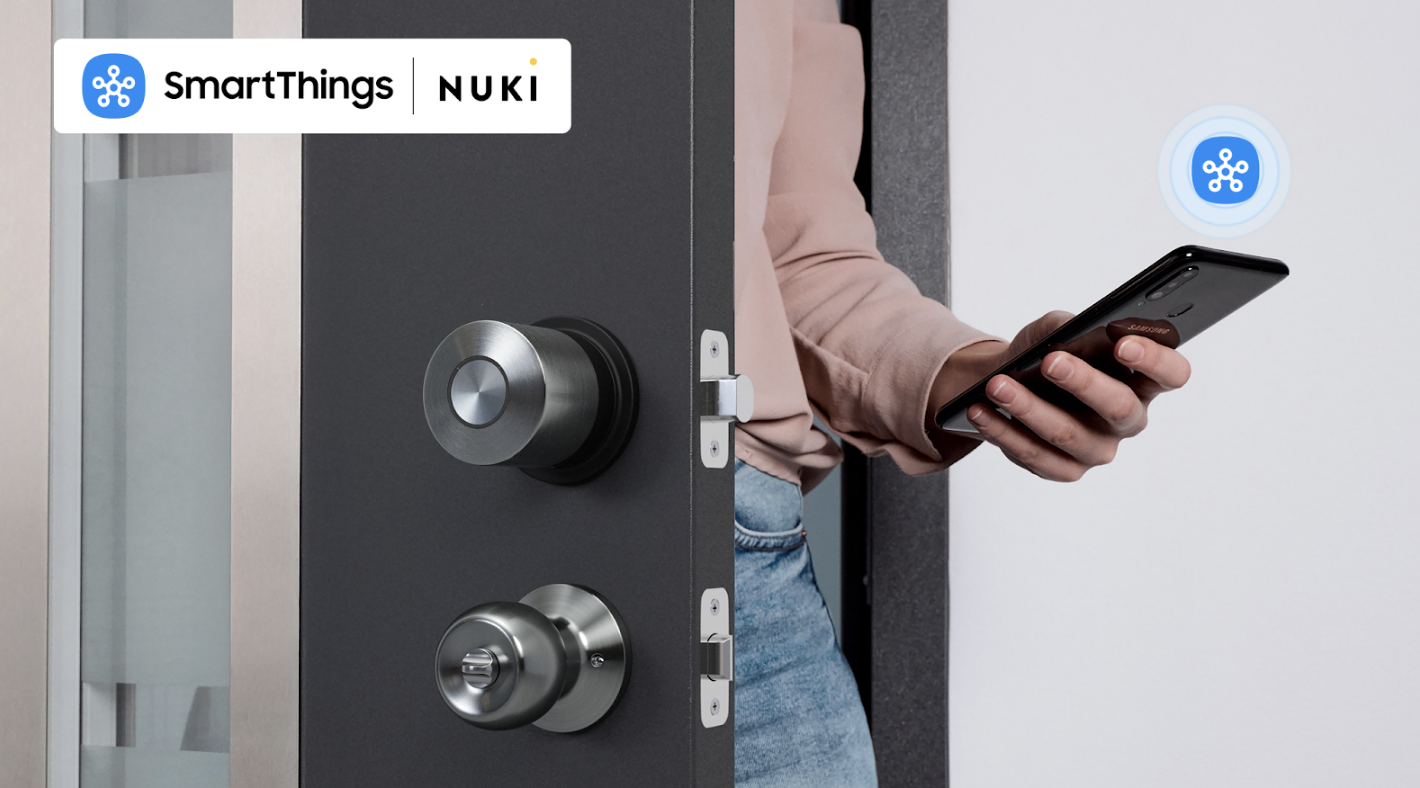
Samsung SmartThings and Nuki bring you a future where your phone and routines unlock the door. Samsung SmartThings is all about making life at home easier, safer, and more connected. That’s why we’re excited to welcome Nuki, Europe’s #1 keyless home access solution, into the SmartThings ecosystem. With its sleek design, strong security, and effortless installation, the Nuki Smart Lock has already transformed how hundreds of thousands of households across Europe open and share access to their homes. Now, with its U.S. debut, SmartThings users can enjoy the same trusted experience, seamlessly integrated into the routines and automations they rely on every day. From Keys to Keyless We’ve all been there: fumbling for keys in the rain, wondering if we remembered to lock the door, or dealing with the frustration of misplaced house keys. Nuki was created to solve exactly those problems. Founded in Austria and already trusted by over one million users across Europe, Nuki brings its proven reliability to American homes for the first time. Together with SmartThings, it’s helping redefine what home access can look like—smart, simple, and secure. Simple to Install, Effortless to Use The Nuki Smart Lock installs on the inside of your door in just fifteen minutes with no drilling, no complicated tools, and no professional help required. Once it’s in place, your smartphone becomes your key. Whether you prefer tapping your phone, scheduling access for family members, or using Nuki’s Auto Unlock feature, entering your home feels instant and effortless. Paired with SmartThings routines, Nuki fits naturally into your day-to-day life.  Smarter Living with SmartThings + Nuki Picture this: You’re walking up to your front door, hands full of groceries. Instead of fumbling for keys, your door unlocks automatically as you approach. The entryway lights flick on, your thermostat shifts to the perfect temperature, and your favorite playlist starts, all without you touching a thing.  Heading out for the day is just as simple. A single “Goodbye” routine locks the door behind you, powers down the lights, and arms SmartThings Home Monitor.  You leave with a peace of mind, knowing your home is safe, secure, and running efficiently in the background.  With support for Matter over Thread, Nuki fits perfectly into the SmartThings ecosystem.  That means easy setup, reliable performance, and the confidence that your smart lock works alongside the devices and automations you already rely on every day. Built for Security and Speed Behind the effortless experience is a foundation of security, which sits at the heart of Nuki’s design. Every Smart Lock uses end-to-end encryption on par with online banking, keeping your data safe and local. Unlike many alternatives, Nuki doesn’t require you to create an account, so your privacy is never compromised. And it’s quick, unlocking in under a second, faster than fishing for keys or even tapping your phone. Designed to Fit Any Home At only 2.2 inches in diameter, with a stainless steel body and minimalist design, the Nuki Smart Lock blends seamlessly into any door. Its thoughtful design has earned global recognition, including the CES Innovation Award and the iF Design Award, showing that smart access can be both functional and stylish. SmartThings delivers a powerful platform that unites devices and services across the connected home, while Nuki contributes Europe’s leading retrofit access solution, designed with privacy, security, and award-winning design at its core. By joining forces, we’re bringing users a smarter, safer, and more seamless home experience, one that starts right at the front door. Unlocking the Future By combining Nuki’s trusted smart lock technology with the power of SmartThings automations, homeowners and renters alike can enjoy a new level of convenience and security. Together, we’re redefining what access looks like: not just keyless, but truly smarter. Ready to make your keys a thing of the past? Connect your Nuki Smart Lock with SmartThings today and discover a smarter way home.
Read More
Partner Spotlight

September 23, 2025

Start Your Smart Home Journey with Eve

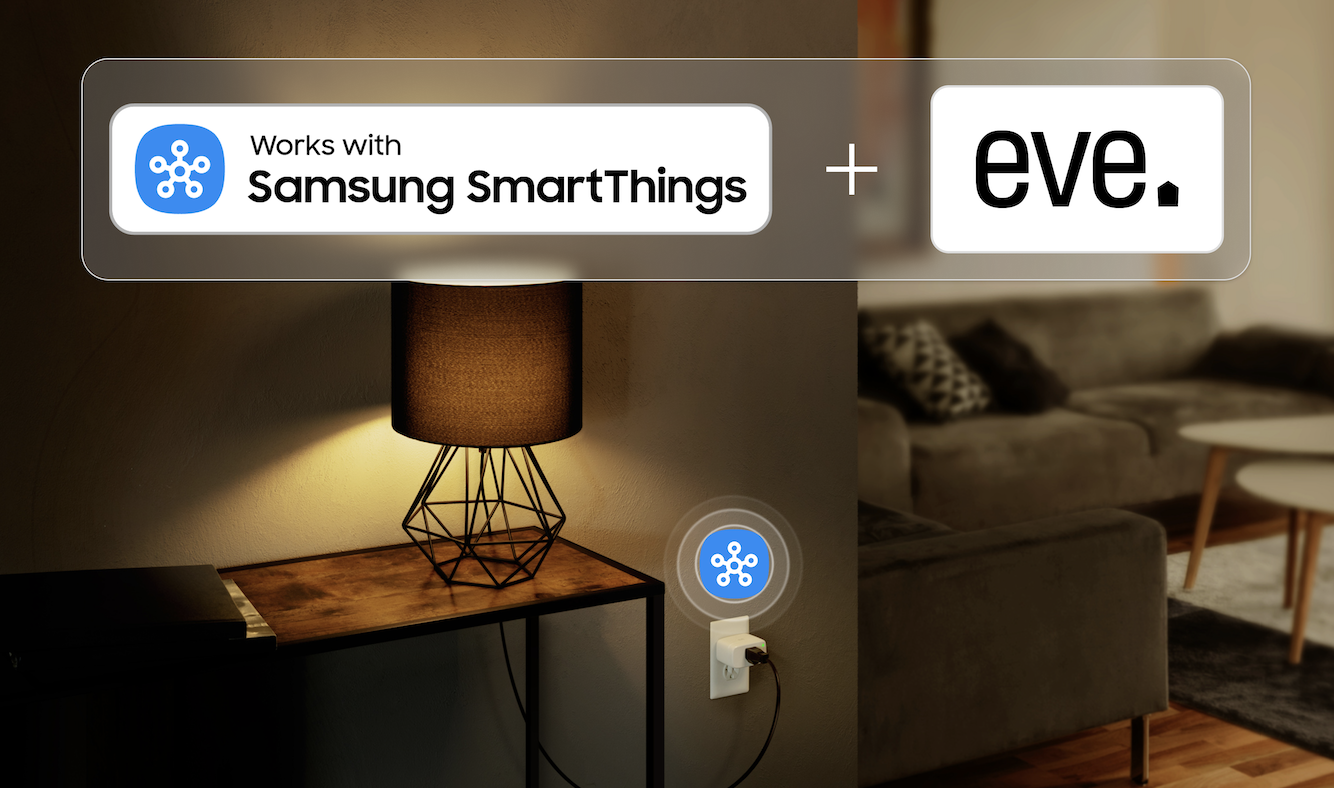
From morning coffee to movie night, discover how simple smart living can be with Eve devices now available on Samsung.com Building a smart home doesn’t have to be complicated. In fact, with the right tools, it can fit naturally into your daily routines, saving time, energy, and even money along the way. SmartThings continues to make it easier than ever to create a connected home. For the first time, devices from some of our partners are available to purchase directly on Samsung.com— alongside your favorite Samsung products that connect with SmartThings to automate your home, monitor energy use, and help you enjoy a more convenient life every day.   We’re excited to welcome Eve as one of the first Works with SmartThings brands featured on Samsung.com. Known for its beautifully designed, energy-efficient, and easy-to-use smart home products, read on to learn why Eve is the perfect brand to kick off your smart home experience.  Smarter Mornings Picture this: you wake up, grab your phone, and your day starts with a tap in the SmartThings app. Your bedside lamp, plugged into the Eve Energy Smart Plug, turns on automatically. The coffee maker kicks in without you pressing a button. And while you’re getting ready, your Samsung TV shows you how much energy your devices used overnight. With SmartThings routines, the Eve Energy Smart Plug becomes part of your morning flow, helping you save time and start the day on your terms. Device features include: Instantly turns any device into a smart device—just plug it in. Works with SmartThings Energy to help you monitor usage trends, set automations, and get energy-saving tips. Turn devices on and off with a simple tap, automatically based on your routines or by using your voice. Control remotely through the SmartThings app (available for both Android and iOS). Track real-time energy consumption and take charge of your savings. All you need is a SmartThings Hub; get started with the latest Samsung TVs, which come equipped with a built-in hub with Matter over Thread functionality.  Take Control of Energy Use Ever wonder which devices are quietly driving up your energy bill? By connecting a device to an Eve Energy Smart Plug, you can see exactly how much power each device is using in real-time, as well as predict what the annual cost will be. This, combined with SmartThings Energy (an energy-monitoring service within the SmartThings app), will help spot energy hogs (like the fan that runs all night) and set up automations to reduce waste. You’ll get clear insights, personalized tips, and the satisfaction of knowing your smart home is also a sustainable one.  Smarter Evenings with Your TV When it’s time to unwind, your Samsung TV does more than stream movies. With a built-in SmartThings Hub, it can connect directly to the Eve Energy Smart Plug. Use SmartThings Quick Panel to turn on the lamps, turn off devices in another room, or check if you accidentally left something running—all from the couch. Access the Quick Panel by pressing the 123 keys on your Samsung TV remote and selecting the SmartThings icon.  Samsung TVs with built-in SmartThings Hub and Thread Border Router include the following models: 2025 QN990F, QN950F, QN90F, S95F, QN90F, S90F, QN85F, S85F, QN80F, QN70F, Q8F,LS03F(The Frame) 2024 QN900D, QN850D, QN800D, QN95D, S95D, QN90D, S90D, QN85D, S85D, QN80D, Q80D, Q70D, Q60D, 32Q60D, DU900*, 85DU8000, LS01D (The Serif), LS03D(The Frame) 2023 QN900C, QN800C, QN95C, S95C, S90C, QN90C, QN85C, Q80C, Q70C, Q60C, 32Q60C Why Start with Eve? Eve products are designed to be easy for anyone to use, whether you’re tech-savvy or just curious about the smart home. With a simple setup, clean design, and compatibility with both Android and iOS, they’re the perfect entry point into SmartThings. Use the SmartThings app to control multiple Matter-enabled devices with a single command and save yourself the hassle of running to and fro: A “Movie Night” scene can shut your blinds, turn on your mood lights, and switch on your Samsung TV. Or, when coming home, a motion sensor can automatically turn on your lights connected to Eve Energy. Eve is just the beginning. Stay tuned as more Works with SmartThings partners join Samsung.com, expanding your options for building a home that adapts to you. Shop Eve’s products and other Works with SmartThings devices now on Samsung.com. 
Read More


Partner Spotlight

September 18, 2025

Partner Spotlight: SmartThings and Level Unlock Seamless Smart Home Experiences

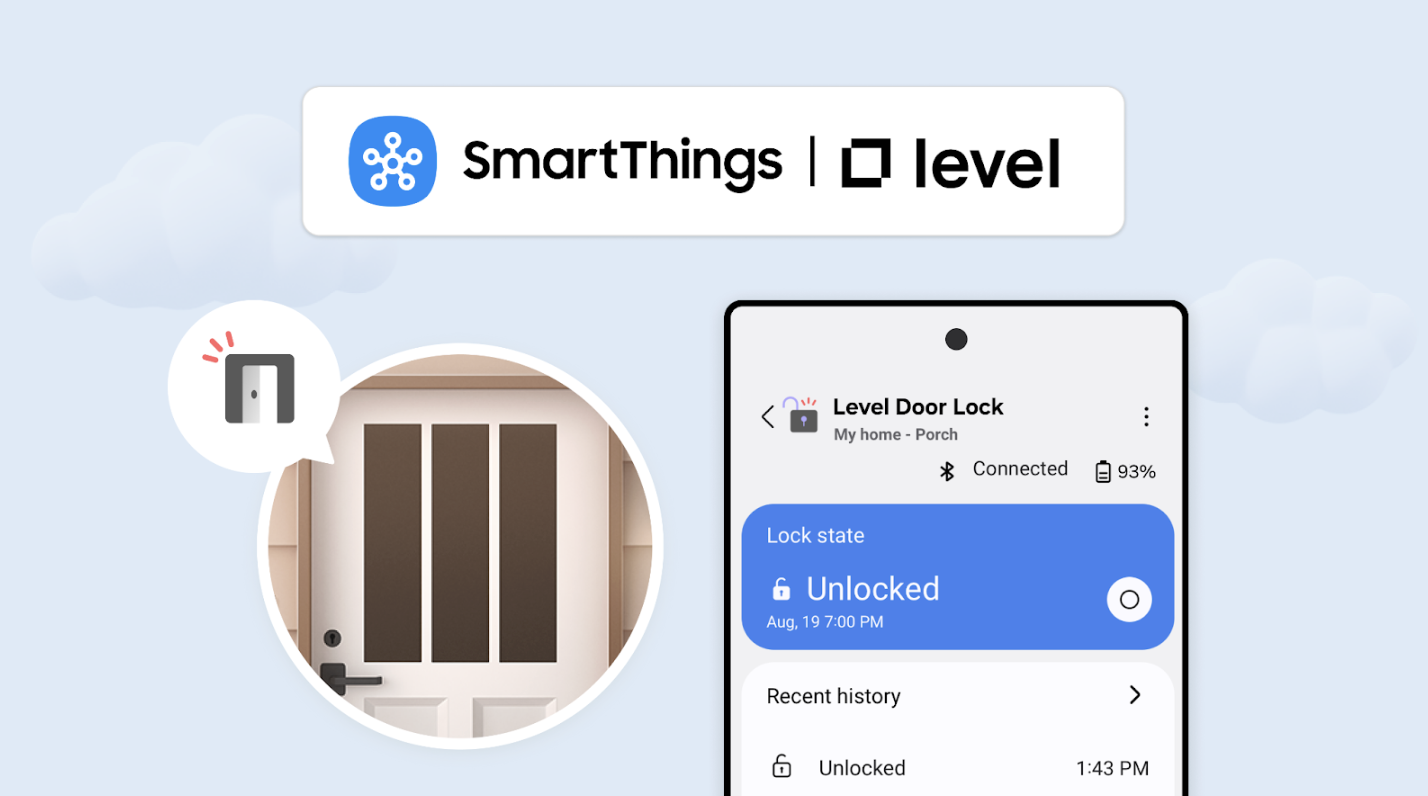
Security, Convenience, and Connection in One Experience A smart home should make life easier, safer, and more connected, but achieving that takes devices that work together seamlessly. That’s where our partnership with Level comes in. By combining SmartThings’ automations with Level’s thoughtfully designed smart locks, homeowners can enjoy convenience and security without visual clutter. Smart Locks That Disappear Into Your Home Level has built a reputation for smart locks that are both functional and unobtrusive. From the newly updated Level Lock, Level Bolt, and all-new Level Lock Pro, its products integrate advanced technology inside a minimal, elegant design.  Homeowners don’t have to choose between aesthetics and security; the locks look like a traditional lock, with invisible smart technology inside and are packed with features. The new Level Lock Pro features door status detection, Matter support, fast responsiveness, and extended battery life. Whether you use a fob, the app, or a physical key, the lock ensures secure access while keeping the look of your door clean and simple. Matter Makes Smart Homes Smarter Level’s integration with Matter-over-Thread allows locks to communicate with SmartThings without complicated setup. For homeowners, this means they can manage their locks, check their status, and integrate them into routines from a single platform. Through SmartThings, Level locks can trigger actions like turning on lights, adjusting the thermostat, or playing music when someone comes home.  Sustainability Through Smarter Design Efficiency is another benefit. Level locks use a single CR2 battery, consuming far less energy than typical AA-powered locks. When combined with Thread’s low-power mesh network, the system extends battery life and reduces overall energy use, helping homeowners create a more sustainable smart home. A Partnership Focused on Simplicity By partnering with SmartThings, Level ensures its locks don’t just secure a home; they become part of a connected ecosystem that simplifies everyday life. Our collaboration demonstrates how interoperability and thoughtful design can make technology feel less like a collection of devices, and more like a cohesive, intuitive experience. With SmartThings and Level working together, homeowners get the best of both worlds: innovative, invisible smart locks and the automation tools to make a home smarter, safer, and more convenient. Discover how Level locks can enhance your smart home at Level.co, and download the SmartThings app to see how they work together. 
Read More

SmartThings Energy

Smartthings Energy

March 21, 2025

Take Your Smart Home Further with Flex Connect and SmartThings Energy

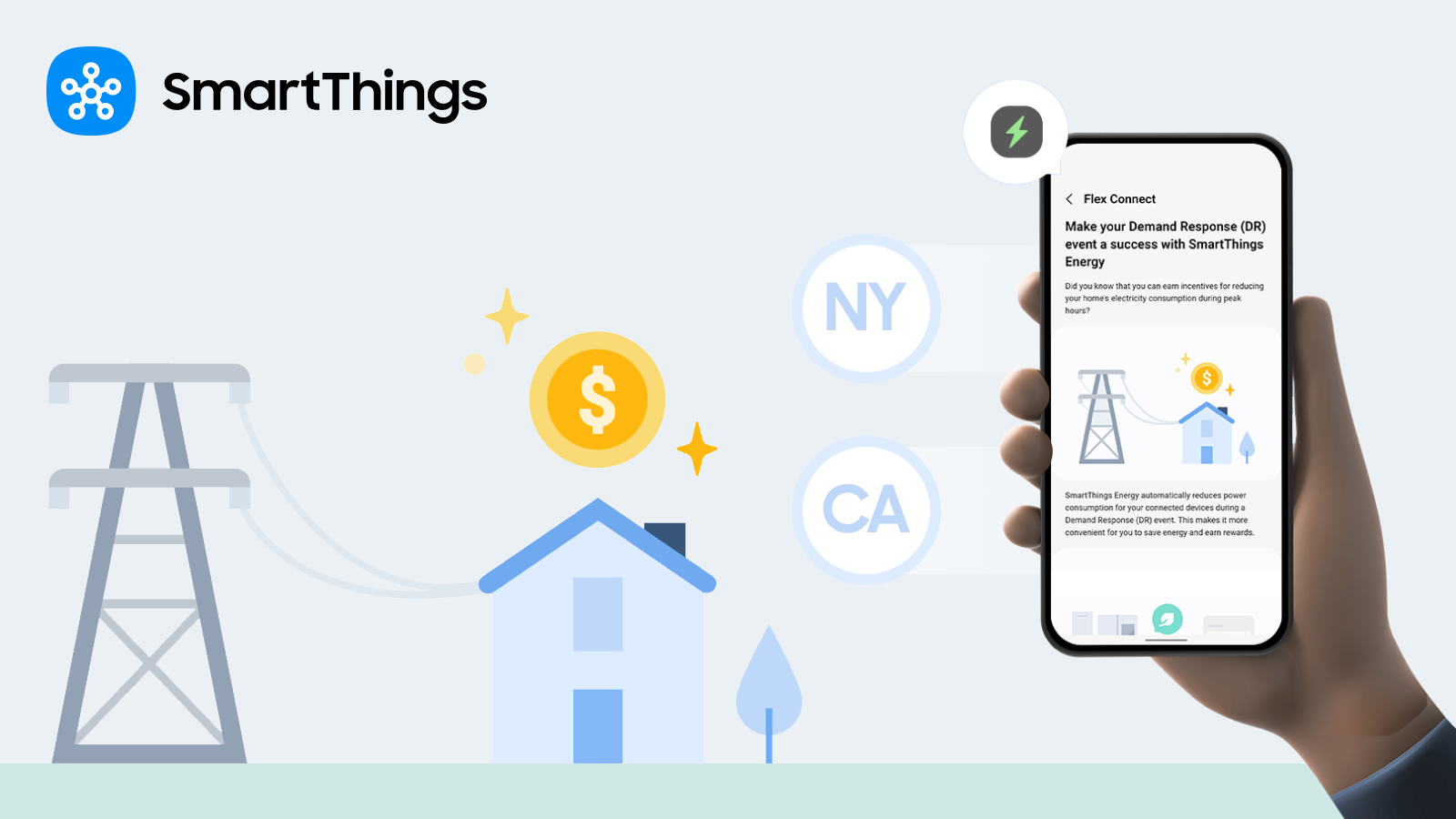
Are you looking to save money, energy, and earn rewards automatically? Who isn’t! With Samsung’s Demand Response (DR) Program, Flex Connect - available directly within the SmartThings app - eligible users can automatically reduce energy consumption by switching devices to power-saving mode during peak grid demand. What is Flex Connect? Flex Connect allows Samsung appliances, TVs, and other connected devices to adjust theirenergy usage during peak demand peak demand times, using a feature called DR Energy Mode,built into the app to give users the ability to reduce energy use when the grid is under strain,helping to balance the grid while reducing costs at home. Samsung's Flex Connect program became available to eligible users in California and New York in June of 2024, to eligible users in Texas in December of 2024 and is now available to users across the Mid-Atlantic and greater Chicago. Signing up for Flex Connect means when an energy event occurs, SmartThings automaticallyoptimizes energy consumption across opted-in devices for users who have enabled DR EnergyMode in the app. This activation not only helps users save energy during crucial times, it alsotriggers a $50 Flex Connect reward – directly into the user’s Samsung account! Flex Connect works with a variety of energy-saving devices, from thermostats to Samsungwashers, dryers, and more – intelligently adjusting the device’s settings based on the weatherand grid, ensuring efficient energy use while keeping your home comfortable. It’s energy saved– automatically! Together, Flex Connect users contribute meaningful energy reductions that help balance thegrid during peak demand, reducing the risk of blackouts and lowering overall grid emissions. It’sgood for the grid, good for sustainability, and good for your wallet! Check out the Works With SmartThings page for a full list of eligible devices. How do I get the $50 in Samsung Rewards Points? The reward is distributed after you are approved in the Flex Connect program and after one ormore of your connected devices participate in an energy event. Then, you’ll receive a notification in the SmartThings app letting you know your $50 in Samsung Rewards Points is available. Simply tap ‘Claim’ in the app, and the Samsung Rewards Points will be added to your Samsung.com account. You have 30 days to claim your points once the notification appears, but after claiming thepoints, they won’t expire. The frequency and timing of energy events vary based on locationand season, so keep an eye on your SmartThings app for updates. Earning Even More: About SmartThings Energy Stamps A $50 Flex Connect reward is just the start of what you can earn! (Not to mention the energyyou’re saving automatically, often leading to a reduction in monthly energy bills.) By using additional SmartThings Energy features, you can maximize energy savings and earneven more rewards. Features such as AI Energy Mode, Optimal Charging, and OptimalScheduling are available to all users—and when activated, trigger the accrual of Energy Stamps,which convert to dollars that can be spent on Samsung.com! Ready to take control of your energy usage?  It’s quick and easy to connect your devices to the SmartThings app: Open the SmartThings app and tap the 'Devices' tab. Tap the 'Home' icon and select your device’s location. Tap the ‘Add’ (+) button and choose 'Add Device.' For Bluetooth devices, tap ‘Scan Nearby’ or manually add your device. Follow the on-screen instructions, and you’re good to go! Download the SmartThings app in the Google Play or Apple Store to activate SmartThings Energy, and enter your ZIP code in SmartThings Energy to check your eligibility today. To learn more about Flex Connect and how you can save energy for rewards, visit https://partners.smartthings.com/energy-rewards. 
Read More
Smartthings Energy

December 16, 2024

Save Energy and Get Rewarded with SmartThings Energy

Now available in TX! Chances are, you’ve been experiencing some of the hottest weeks of the summer and are thinking about how to better manage your home’s energy use to save money on your utility bills. The good news is that SmartThings Energy offers many features that allow you to take advantage of automation to become a more efficient energy consumer. Flex Connect, available in California and New York, is one example of how SmartThings Energy’s AI Energy Mode feature automates user devices to help them save energy.  With Flex Connect, Earn a Reward for Helping Out the Grid The recently released Flex Connect program, a demand response initiative powered by SmartThings Energy, offers residents in New York, California and Texas a smarter way to save energy. By signing up for the Flex Connect program and connecting your smart home devices to the SmartThings app, you can earn a reward for helping the energy grid. All it takes is entering your zip code to see if you qualify to get started. How SmartThings Flex Connect Works SmartThings offers functionality that enables eligible users to connect Samsung home appliances, TVs, and other compatible devices through Flex Connect. During peak energy demand periods, these devices automatically reduce their energy usage. For example, when electricity demand surges due to extreme weather, your eligible smart home devices will consume less energy during these peak times.  This reduced strain on the grid helps balance the supply and demand of energy. Residents of California and New York now have even more ways to save energy while earning rewards effortlessly with Flex Connect. Click here to check your eligibility and enroll. How All SmartThings Users Can Take Advantage of SmartThings Energy Energy savings and the ability to earn rewards aren’t just available for New York and California residents. If you have Samsung home appliances, TVs1, and other compatible devices connected to SmartThings, you can take advantage of SmartThings Energy features available today, such as automation and energy usage data. Automations built into SmartThings Energy elevate energy-saving features to a whole new level. For instance, AI Energy Mode is an exciting feature that learns your routines and adjusts your device’s energy usage in real-time. It uses machine learning to detect when your energy use exceeds the targets you’ve set in SmartThings Energy and provides insights into why this happens, so you don’t have to lift a finger (and likely won’t notice the difference). With SmartThings Energy, you can also view energy usage data for all of your paired devices and learn how to optimize energy use in your home. For example, if you forget to turn off a light when you leave for work, you can be notified and turn it off right from the app. Thanks to Electricity Maps’ partnership with SmartThings, you can even see how your energy usage translates to carbon emissions. All of this helps you take control of your energy management.  Even More Ways to Have Fun and Save Energy With SmartThings Built into the latest release, you can now enjoy gamification elements, including earning Energy Stamps, for taking steps towards saving energy with the SmartThings AI Energy Mode feature. Once you’ve leveraged your supported devices in the app, you can earn one Energy Stamp per day for every 400Wh of electricity saved using AI Energy Mode. Each Energy Stamp can be converted into 20 Samsung Rewards Points. You can earn up to one Energy Stamp per day, totaling 365 stamps over the course of a year, which can accumulate to 7,300 Samsung Rewards Points. These points can be used to purchase products on Samsung.com. This is all just scratching the surface of what SmartThings Energy can do for you. #DoTheSmartThings and download the SmartThings app in the Google Play or Apple Store. Activate SmartThings Energy and start living a more sustainable life.
Read More
Electricity Maps and SmartThings
Smartthings Energy

July 30, 2024

Electricity Maps and Samsung continue to drive carbon emission awareness together within SmartThings Energy

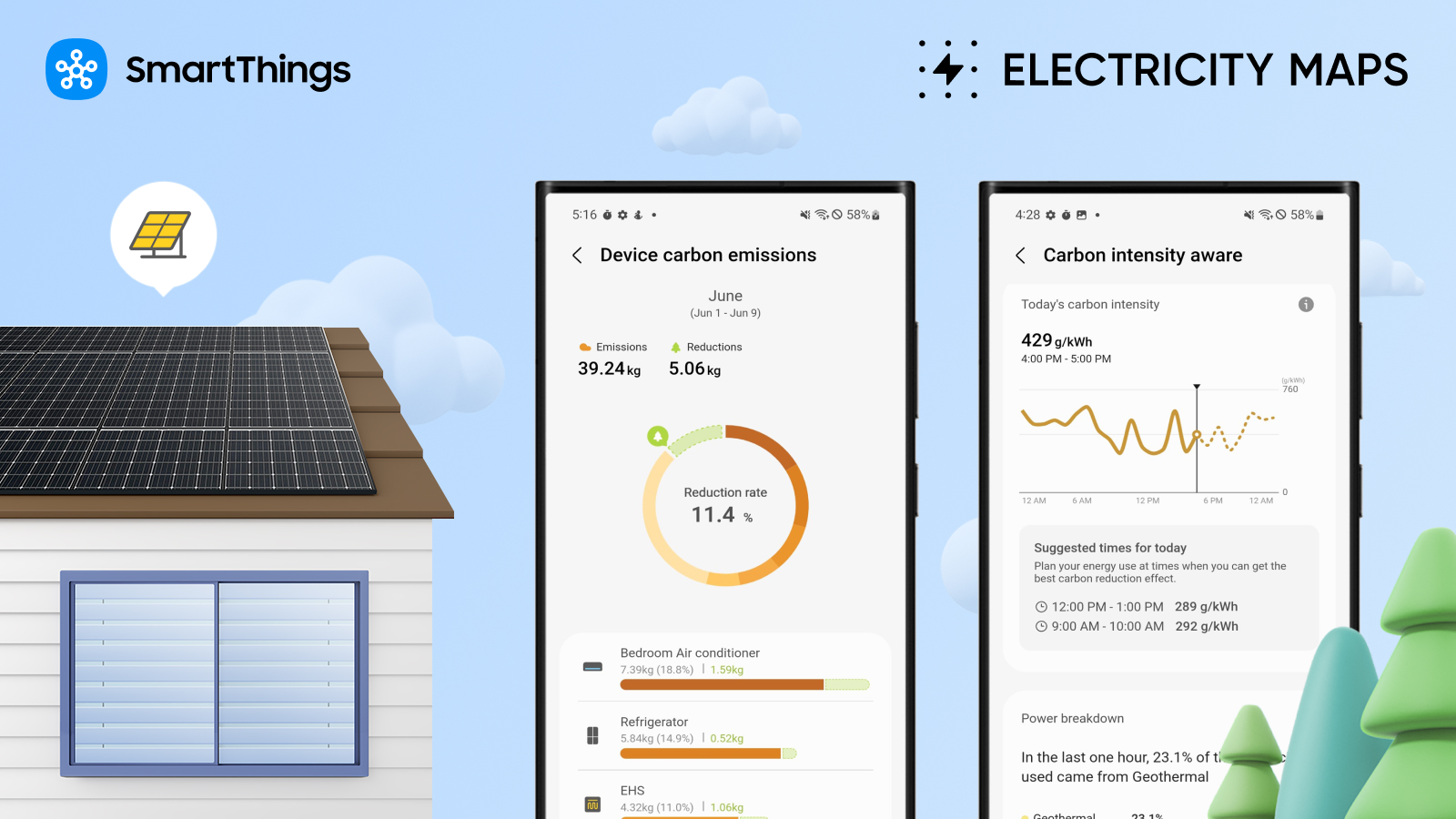
Did you know that the carbon emissions from using or charging your smart home devices vary throughout the day? This means that using electricity when there is more renewable energy on your local grid — for example, on sunny days when there is a lot of solar power generated — can lower your carbon intensity and resulting emissions. Samsung SmartThings continues its partnership with Electricity Maps, established in 2023, to provide you with even more ways to access comprehensive data within SmartThings Energy to inform your energy usage. The integration helps you be more informed about your carbon emissions and enables you to actively reduce your impact based on these fluctuations and your energy habits. About Electricity Maps Electricity Maps is a fast-growing Danish start-up that plays a pivotal role in the global transition to a decarbonized electricity system by organizing and mapping real-time electricity data to compute and forecast carbon intensity for over 200 zones worldwide. Their API provides individuals and businesses with more data to make more informed decisions about electricity consumption. How it Works Electricity Maps offers an API that enables you to access historical and forecasted data on the electricity mix and carbon intensity in a specific region through SmartThings Energy. This allows you to monitor your carbon emissions based on your home's electricity usage. You can benefit from real-time information on your electricity usage, including details on energy sources and carbon intensity. Moreover, you can actively leverage this data to reduce your carbon footprint by utilizing features like Optimal Charging and AI Energy Mode, both available in SmartThings. The Benefits of the Partnership With the increase in consumers choosing more sustainable smart home purchases, SmartThings aims to offer eco-friendly solutions in the market that empower you to make more sustainable decisions and enable you to have a real impact by becoming a more informed energy consumer. Moreover, the integration with the Electricity Maps API has expanded the capabilities of SmartThings, linking appliance energy savings data to carbon emission reduction data. This integration allowed for the launch of pivotal features within the SmartThings app, like Optimal Charging and Optimal Scheduling. The AI Energy Mode can be set to activate based on the captured carbon intensity data, focusing on reducing carbon emissions. With these intelligent features, SmartThings leads the way in providing you with the information and tools to better manage your carbon footprint. View Your Carbon Emissions Data and Reduce Your Carbon Footprint Electricity Maps provides global coverage, which means carbon emission insights and carbon-optimized charging and scheduling features are available to all users in the SmartThings app.  To view your carbon intensity data click here, or download the SmartThings app (if you haven’t yet)—available on iOS and Android—and navigate to SmartThings Energy.  In SmartThings, select the Life tab at the bottom of the screen to navigate to SmartThings Energy. Scroll down to the ‘Carbon emissions aware’ card, where you can access unique information on your carbon emissions. Ensure your Samsung appliances and smart devices are connected to obtain the most comprehensive data on your energy usage. Samsung and Electricity Maps, Making a True Impact “The carbon monitoring function using Electricity Maps is a unique solution where everyday appliance energy usage is directly linked to its carbon footprint,” said Barry Holland, Director of Product & Business Development at SmartThings. “We are excited to continue partnering with organizations focused on providing tools to inform consumers and enable them to reduce their carbon footprint.” “Electricity Maps is proud to continue working with Samsung SmartThings, paving the way to more sustainable homes,” said Olivier Corradi, CEO and Founder of Electricity Maps. “We're excited that our API’s carbon-intensity insights enable consumers to be more aware of their carbon emissions and to reduce their carbon footprint on a daily basis. The collective impact of millions of users optimizing their home devices will be a significant step toward decarbonizing the electricity grid.”
Read More

Matter

Matter

April 19, 2026

Samsung SmartThings Expands Seamless Integration With IKEA Matter Devices

SmartThings, Samsung Electronics’ global smart home platform, has built enhanced integrations with furniture retailer IKEA’s new smart home product line. Samsung Electronics has enabled seamless integration of IKEA’s 25 practical Matter-over-Thread smart home devices—including smart bulbs and plugs—into the SmartThings platform, allowing users to effortlessly incorporate them into daily life. Easy Integration with SmartThings Through Matter-Enabled IKEA Devices 25 IKEA smart home devices including a scroll wheel remote, smart bulbs, plugs, temperature and humidity sensors, air quality sensors, motion sensors, door sensors and water leak sensors, now support the global smart home standard Matter. Previously, connecting IKEA devices to SmartThings required an IKEA smart home hub and SmartThings hub, but they can now be connected directly to SmartThings hub. They also work with Samsung appliances including TVs, air conditioners and washing machines, as well as a wide range of third-party devices and protocols supported by the platform. Smarter Care — From Checking on Loved Ones to Optimizing Sleep Environments For example, users can connect an IKEA door sensor to SmartThings and attach it to a frequently used door to monitor when their parents start their day and whether they are active at home through SmartThings Family Care. This offers a convenient way to check on loved ones, even when living apart. Installed on a wall, IKEA’s air quality and temperature and humidity sensors collect data on temperature, humidity, carbon dioxide levels and light intensity. SmartThings compares these readings with recommended ranges for optimal sleep and provides a sleep environment report with actionable insights — such as lowering the temperature to 19-21°C — helping create an ideal bedroom environment. Users can also set routines that activate the air conditioner’s dehumidification mode when rising humidity is detected. If the water leak sensor detects moisture, it sends an immediate alert enabling a prompt response. Intuitive Control With the Scroll Wheel Remote Ahead of launch, Samsung and IKEA conducted multiple rounds of validation to enhance connectivity stability and implemented a dedicated user experience within the SmartThings app for full compatibility. A standout device is the scroll wheel remote, which significantly enhances user experience. When connected to lighting, users can precisely adjust brightness and color temperature by rotating the wheel, making it easy to create the desired ambiance. It can also be used for devices requiring fine control, such as blinds. It targets the design-conscious younger generation, who prioritizes aesthetic value in every detail, down to a single switch or lighting.  Expanding a Boundless Smart Home Ecosystem With Early Adoption of Thread SmartThings was the first to adopt Thread 1.4 — a low-power, short-range networking technology essential for smart home ecosystems — enabling Thread networks across brands to operate as a single unified system that enhances user convenience. “By connecting IKEA devices to SmartThings, even first-time smart home users can enjoy a familiar and easy connectivity experience without financial burden,” said Jaeyeon Jung, Executive Vice President of SmartThings, AI Platform Center at Samsung Electronics. “SmartThings will continue to expand its ecosystem through partnerships, enabling more consumers to enjoy seamless and convenient smart home experience within the platform regardless of brand or protocol.” 1 Matter is a global smart home connectivity standard developed by the Connectivity Standards Alliance to improve interoperability among devices. 2 Hub is a central smart home device that connects multiple smart devices using different wireless protocols and enables unified control through a single platform. 3 As of April 1, 2026, only lighting control is supported. blind control will be available later this year. 4 Thread is a low-power, mesh networking-based wireless protocol used in the Matter standard that enables smart home devices to communicate with each other quickly and reliably independent of Wi-Fi.
Read More
SmartThings and IKEA with a New Lineup of Matter-over-Thread Devices
Matter

January 5, 2026

A Broad New Lineup of Affordable Matter-over-Thread Devices from IKEA Unlocks Easier Whole-Home Automation for SmartThings Users

IKEA’s new Matter-over-Thread devices work natively with SmartThings, expanding Matter offerings for one of the largest open smart home ecosystem At CES 2026, SmartThings announced that IKEA’s new lineup of Matter-over-Thread smart home products now work out of the box with the platform. SmartThings’ industry-leading Matter support gives both beginner and experienced users confidence that IKEA’s new bulbs, switches, plugs, sensors, and more will deliver a great experience.  A Breakthrough for Beginners and Enthusiasts With 21 new products, IKEA is delivering one of the most expansive and approachable Matter-over-Thread rollouts yet. Combined with SmartThings’ Matter-over-Thread-ready hubs, it demonstrates how an open smart home can unlock meaningful value for everyone — from first-time users to power pros. For beginners, IKEA’s approachable design and price points make it easier than ever to start building a smart home. Millions of homes already have everything they need to get started, because SmartThings hubs are directly built into Samsung TV’s, Family Hub fridges, SoundBars, and other Samsung devices. So a single bulb or plug becomes a gateway to routines and automations that are now even easier to create using through SmartThings’ AI Routine Creation Assistant.  A user who loves controlling their first KAJPLATS light with a BILRESA remote control can also set it to dim automatically when they turn on their Samsung TV to watch their favorite show.  Or use their TIMMERFLOTTE temperature and humidity sensor, or ALPSTUGA Air Quality sensor, to trigger opening or closing their smart blinds, saving energy without lifting a finger. Galaxy users can use the same sensors to enhance their Sleep Environment Report, with recommendations based on Temperature, Humidity, and CO2 levels in their home and bedroom. For SmartThings power users who love Matter over Thread devices for their responsiveness, resiliency, and scalability, IKEA’s diverse portfolio of low-cost Matter-over-Thread devices and SmartThings high-performance hubs lets users expand their homes rapidly. And they can do it in a way the whole house will love, with beautifully designed and affordable buttons and sensors that make SmartThings automations responsive, intuitive, and accessible for everyone at home. And that really means everyone. The new IKEA devices work together with SmartThings Pet Care features to help your home respond to your pets’ routines — from MYGGBETT open/close sensors to let you know when they head outside so you can track their explorations with Galaxy Tags, to MYGGSPRAY motions sensors that can trigger a Samsung Jet Bot to automatically clean up after mealtime. The same devices also support SmartThings Family Care, helping you keep an eye on everyday moments like a door left open, someone starting their day, or a sink that’s been accidentally left running with a KLIPPBOK water leak sensor. This isn’t just for people starting fresh with the new IKEA devices. Existing IKEA smart home users can now bring their setups into SmartThings by adding their Dirigera hubs to SmartThings through Matter Bridging, allowing users to easily control their existing IKEA smart devices, attached to the IKEA hub, from the SmartThings app, while adding new capabilities to their home by automating them alongside their other smart devices.  Thread fans get even more: for the first time, users can join their IKEA hub to SmartThings’ Thread network (or vice versa) thanks to both platforms pioneering support for Thread Credential Sharing. This creates a stronger, more unified Thread network at home. The Best Way to Start and Grow IKEA Matter Devices: SmartThings This is a landmark moment not only for SmartThings and IKEA, but for the broader Matter ecosystem. For the first time, a global retailer is rolling out a wide range of affordable Matter-over-Thread products. With 21 new devices coming at launch and dozens more arriving through early 2026, millions of households can now experience a high-quality, whole-home Matter setup powered by SmartThings and IKEA. Matter makes it seamless for new and longtime SmartThings users to add IKEA’s devices to their homes. And SmartThings is proud to lead the industry in Matter support, including for physical controls like the new BILRESA button remotes*, that makes it easy for everyone in the home to control their devices. The experiences SmartThings built for IKEA device users are available on Android and iOS apps; Galaxy phones and watches, and Samsung TVs and appliances. They have met rigorous technical and user experience standards across its full lifecycle, including: Effortless onboarding Reliable connectivity over Thread High-performance automations that work as expected Confidence that the product will stay compatible and supported over time With IKEA and SmartThings’ commitment to Matter and Thread support, users looking to add IKEA devices to SmartThings — or enhance their existing IKEA smart home with SmartThings — can trust that their entire smart home will function seamlessly together. “At IKEA, our goal is to make smart living more accessible, intuitive, and affordable and we’re strong believers in the power of open standards to make innovation available to the many people.” said David Granath, Range Manager at IKEA. “ “Most people still struggle to know what they need to make things work but they might already have what they need in their Samsung TV, speaker, or appliance. That's one of the benefits of Matter, making it easier or more affordable for our customers." IKEA’s Matter-over-Thread devices begin arriving in early January, marking one of the largest expansions of the Matter device ecosystem to date. As availability begins, we’ll share more details on the new products, setup guidance, and recommended SmartThings Routines to help users make the most of this next generation of IKEA smart home experiences. *Official BILRESA scroll wheel support will launch early 2026. 
Read More
Matter

December 18, 2025

SmartThings Expands Camera Support with Introduction of Matter 1.5

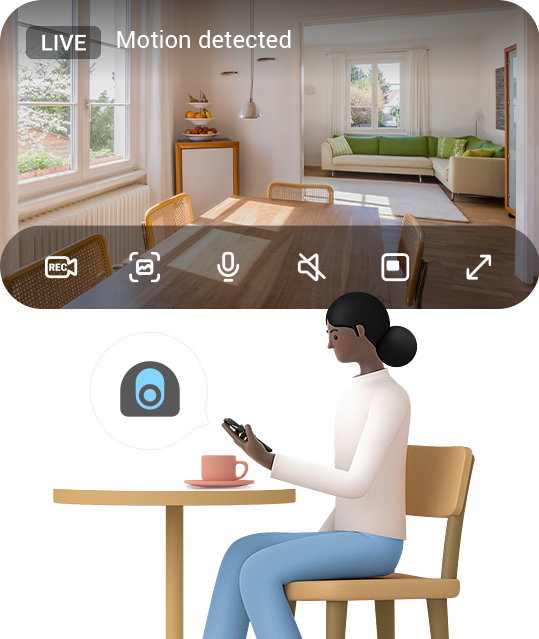
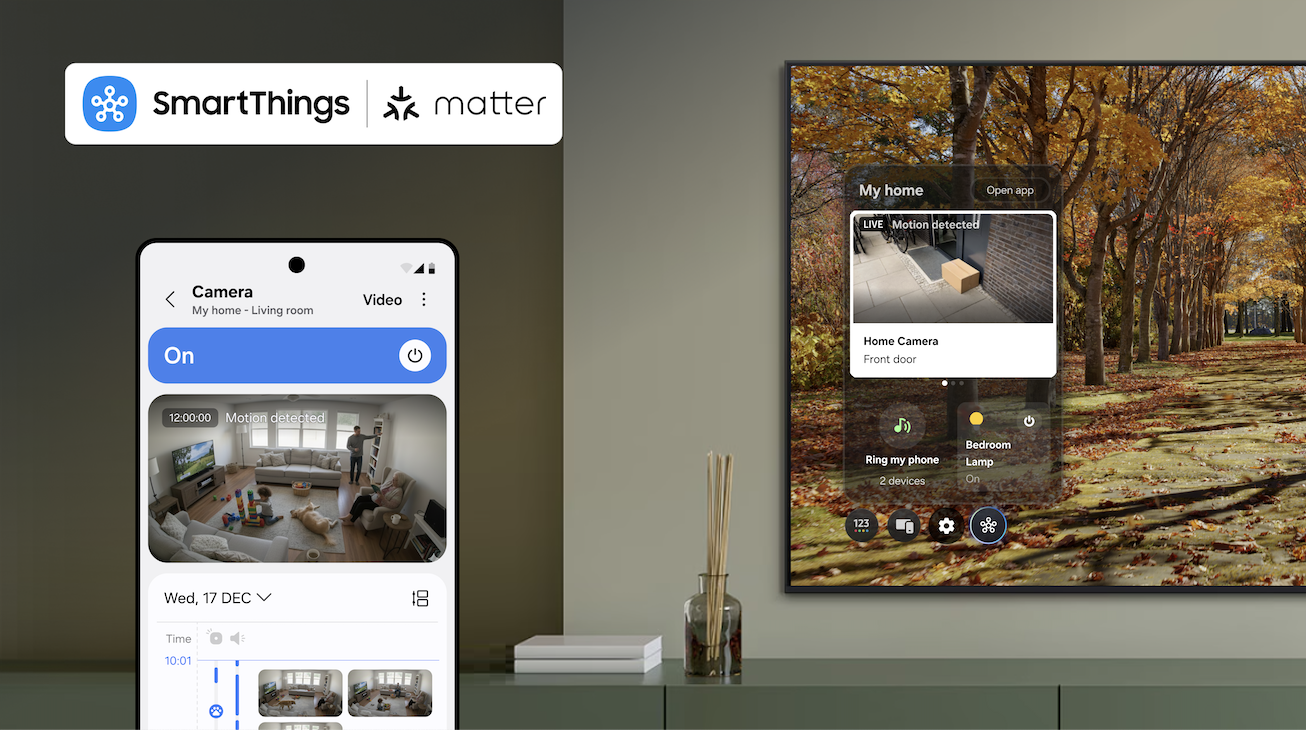
As the first smart home ecosystem to support Matter 1.5 compatible cameras, SmartThings is partnering with Aqara, Eve and Xthings, to bring users comprehensive security and safety monitoring features. SmartThings, Samsung’s AI Home platform, is the first global smart home platform to support Matter-compatible cameras as a fully supported device category, enabling users access to comprehensive security and safety monitoring experiences within a single platform across brands on the latest specification, Matter 1.5.   Matter cameras are essential for any smart home, providing reliable security and monitoring for indoor and outdoor spaces. With this update, SmartThings users can seamlessly integrate cameras alongside lights, locks, sensors, and other Matter-enabled devices to create a unified and secure smart home experience. To bring these capabilities to market, SmartThings is partnering with Aqara, Eve and Xthings.  Each company will bring its own Matter-compatible camera to market in early 2026, all of which will be supported by SmartThings. And now, manufacturers can deploy Matter cameras without building separate APIs, simplifying development and accelerating time to market. Launched in November by the Connectivity Standards Alliance (CSA), Matter 1.5 brings cameras into the standard and enhances support for blinds, awnings, and garage doors, giving users more control and improving energy efficiency throughout the home. “As one of the first platforms to support Matter 1.5, SmartThings underscores its commitment to delivering the best possible experience for our users,” said Mark Benson, Head of Samsung SmartThings. “Our leadership in Matter has allowed us to build one of the largest and fastest-growing libraries of supported and certified Matter devices, enabling users to integrate new Matter devices with confidence.” With the Matter 1.5 update, SmartThings’ support for Matter cameras will include: Live streaming — Watch your home in real time from anywhere. Clip storage — Securely save and access video recordings. Two-way talk — Communicate through your camera. Motion detection — Receive alerts for movement in or around your home. Advanced camera settings – Customize preferences to suit your needs. Event history — See a timeline of event notifications. Motion and privacy zones — Block zones from reporting motion and from clear view to protect your privacy.  Together, these features will be accessible directly through SmartThings Hubs (Aeotec Smart Home Hub 2, Aeotec Smart Home Hub, SmartThings Hub 2018, and the ThingsOne Smart Home Hub) at initial launch, with updates to come in 2026 to SmartThings Hub 2015, making it easier than ever to manage connected devices from a single platform. SmartThings continues to lead in smart home innovation by rapidly rolling out support for Matter standards just as it has done with every Matter release to date. Today, SmartThings supports 58 Matter device types through the 1.5 specification, and this update also opens the door for new Works With SmartThings-certified partners to bring cameras to millions of households worldwide. "Partnering with SmartThings to bring our Matter-certified camera to their platform is an important milestone for Aqara," said Cathy You, Senior Vice President of Global Business and Strategy at Aqara. "This integration gives users a secure, intelligent, and seamless home monitoring experience, and paves the way for a future of connected living with even more innovative Matter-enabled devices in the future. We look forward to continuing our long-term partnership with SmartThings to drive the mass adoption of smart home technology." With Matter 1.5, SmartThings is strengthening its position as an open, unified and trusted smart home platform, helping its base of over 425 million users create safer, smarter, and more connected homes. For more information, visit www.samsung.com/smartthings.  
Read More