New tools include AI-powered routine creation, expanded Calm Onboarding, and SmartThings Find link sharing for easier device control and tracking.
Samsung Electronics introduced updates to its global connected living platform SmartThings, bringing enhanced AI-driven automation tools, broader product onboarding support, and improved connectivity features to users worldwide. Designed to make connected living easier and more personalized, the latest updates simplify the smart home experience across both Android and iOS platforms.
AI-Powered Routine Creation Makes Automation Easier Than Ever
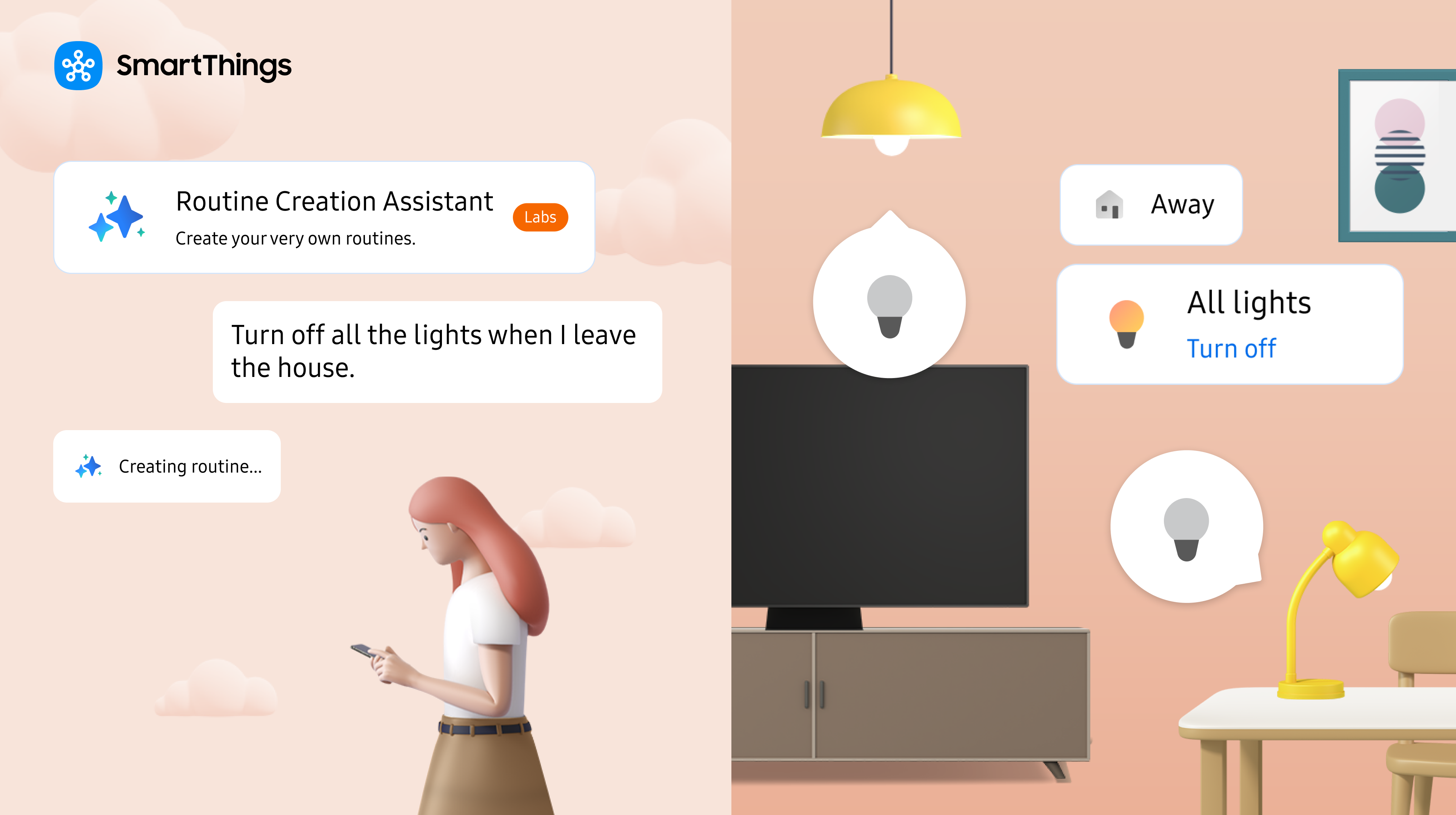
A key highlight of the update is the introduction of the Routine Creation Assistant1, an AI-powered feature that allows users to build automations using natural language. By simply typing a phrase such as “Turn off all the lights when I leave the house,” users can generate customized routines without needing to manually configure each device or setting.
Powered by large language model technology, the assistant lowers the barrier to smart home automation, making it approachable for beginners and efficient for experienced users alike.
Smarter Scheduling and Routine Confirmation OptionsThe new Delay Actions also enable routines to include timed steps. For example, users can now create a “Good Morning” routine that turns on bedroom lights at 7:00 a.m., starts the coffee maker 15 minutes later, and opens curtains while playing music after 30 minutes all within a single routine. Additionally, a new Confirm to Run Actions2 feature gives users the option to confirm whether or not to execute a routine. This helps avoid accidental actions in shared households, such as a security mode that is set to activate upon exit but another family member is still at home.
Calm Onboarding Expands to 58 Countries
Samsung is also expanding its Calm Onboarding3 program, designed to streamline the product setup journey from purchase to use. Once a user purchases an eligible Samsung product via Samsung.com or a Samsung Store, SmartThings can now automatically detect, register, and connect the product to the app.
With this update, support for Calm Onboarding has expanded from 14 to 58 countries and now includes Galaxy wearable devices like Galaxy Watch and Buds. Select partner devices purchased through Samsung.com in Korea and the UK are also eligible for onboarding, with further global expansion planned.
SmartThings Find Adds Sharing for Easier Tracking
The update also enhances SmartThings Find4, Samsung's global location service with over 67 million users. Galaxy users can now share the location of SmartTags via URL, allowing friends and family, including iOS users, to track tagged items like bags, pets, or luggage more easily.
This update brings added convenience to families and users on the go, making it easier to coordinate and locate shared items.
Enhanced SmartThings Access on iOS Smartwatches
iOS users can now access SmartThings features via a new widget on Apple Watch, making it easier to control lights, air conditioning, and routines directly from the wrist. This improvement brings faster access and convenience to users managing smart home tasks on the go.
“This SmartThings update will help anyone easily create a smart home that fits their lifestyle,” said Mark Benson, Head of SmartThings US. “SmartThings will continue to innovate so users can spend less time managing devices and more meaningful time with their families.”
SmartThings continues to lead in smart home innovation, offering users across the globe a smarter, more personalized, and more intuitive connected living experience. To learn more, visit www.smartthings.com.
1Routine Creation Assistant is available to Samsung account holders in Korea and the U.S. on Android and iOS.
2Check Before Running is available across all Android and iOS local device settings.
3Calm Onboarding is supported for 2025 Samsung appliances, 2024 TVs, air conditioners, air purifiers, vacuum cleaners, ovens, and Family Hub refrigerators. Users must enable “Add My Device Automatically” in the SmartThings app for onboarding to initiate.
4 Tag location sharing is available via a link, and only Galaxy users can create the link. Recipients must log in with a Samsung account to access shared locations.